
 Member
 anaumov
Qt Developer Days 2010

Today I got a email about registration for “Qt Developer Days 2010”. This conference will be in Munich (October 11-13) and in San Francisco (November 1-3). I think this is the biggest and best Qt-event. Last time there was more than 700 people. It’s very interesting for me as the KDE developer, but it’s not free like FOSDEM or openSUSE Conference 
For example, 3 days in Munich cost 499€ (if you pay befor 15th september and 699€ if you pay after). Ok, I know that Qt/Nokia makes very good coffee, but anyway this event is very costly for students like me 
I will wait for the openSUSE Conference and meet the Qt/KDE hackers there.
openGarrobito 0.4.5
Greetings!
This time I come to announce the departure of openGarrobito FULL 0.4.5 and openGarobito LITE edition 04.3
That brings improvements:
1. Support for Broadcom wireless card brand (now supports more wireless cards because of the new module broadcom-sta)
2. The LITE version is made from scratch to weigh less and reached a 4 GB USB)
3. Update to KDE 4.4.3
4. All software has been updated to May 11, 2010
5. With driver for ATI graphics cards, osea brings fglrx, nvidia cards are still in process, I hope soon;)
There are few things that were corrected, but making major changes jejeje
http://ecentro.uca.edu.ni/~novell/

AcetoneISO2 and LXDE
I am sure that most of you know and like acetoneiso2, a nice tool to menage isos and lots of other things. Latest release, 2.2.1 support only kde, gnome and xfce as DE and allow to open their file managers to browse files and mounted stuffs…
So, you know, FLOSS is our world.. i took the code, and improved it, just a trivial change, but really nice. I added LXDE/PcmanFM support, as you can see from the picture:
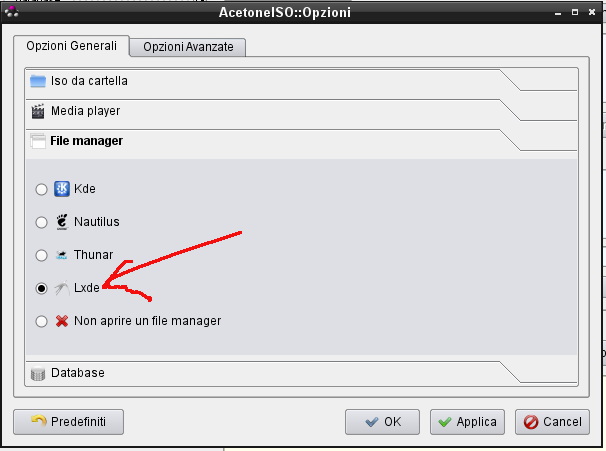
Now you can have acetoneiso2 run pcmanfm too.
The patched package is already into Packman repository and a submit-request (#41069) has been submitted to KDE:KDE4:Community repository, so hopefully, it would be available even there quite soon.
So people.. enjoy it 
Andrea
FLISOL 2010 GYE – Some Late Numbers and Experiences
I know, I know… it is a bit late ( more than a month ) since FLISOL took place in Guayaquil-Ecuador this year… but a lot a time consuming activities have stopped me from reporting some results. Even though more than a month have passed, I think I should let you know what happened.
Compared to previous years, the event of this year was relatively smaller. An approximate of 200 people assisted, from which for the ~80% it was their first time that assisted to FLISOL, 50% of visitors had not used or heard about FLOSS before, ~13% were below 18 years old and ~75% were between 18-35 years old.
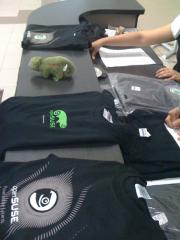
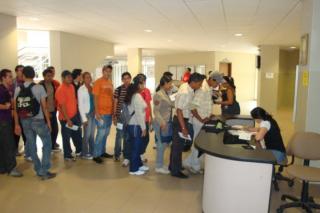
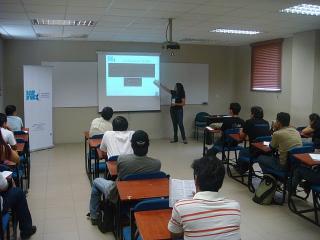
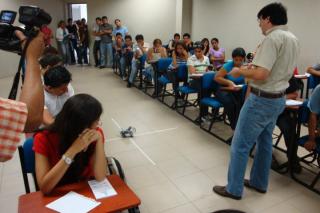

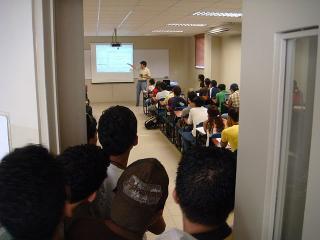
There are 3 things that I would like to point from this year’s event:
- Most of the event was organized by the new members from Kokoa ( ESPOL’s Free Software Community ), who I send my congratulations since it was a very good start. They were just newbies and took the challenge of organizing the biggest FLOSS event in town. As an old Kokoa kore member I know how difficult can be to organize FLISOL, and I can say those guys did a good job.
- One of the rooms that caught most of the attention of the visitors was the gaming room. It mostly attracted the young visitors from different genres. I think that gnu/linux is a niche that has started to be exploited in the gaming area. Personally I have tried some games since the very first time I had openSUSE (SuSE Linux back then) installed and I have seen how good known titles and good quality indie games are coming to gnu/linux. I think that with openSUSE GameStore , some gamers and developers from the openSUSE community we can try to promote our lovely green as a good platform for gaming.
- Last but not least, I would like to say thanks to Jarflex, ESPOL’s Digital Culture Club, Ecuagamers and all the people who contributed to make this event possible.
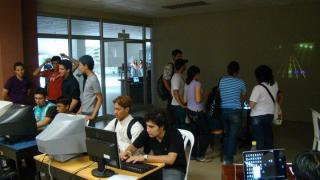


Summarizing, this year it was seen a collaboration between different groups and enterprises somehow related to FLOSS that , locally, was not seen before. This might be a further step of what was started in 2007 when we tried to take FLISOL from a FLOSS installation festival for FLOSS enthusiast to a FLOSS event that will catch the attention of people of different ages with different interests.
Until the next post people of the openSUSEsphere…
jaom7
PS.1: Some pictures by: @sarahjessi, Kmeng, @_abejamaya , Jarflex and Ecuagamers
PS.2: If you are interested or have some ideas related to openSUSE gaming [site] please write a comment or contact me.

How to run a single rails unit test
This post explains how to execute a single unit test (or even a single test method) instead of running the complete unit test suite.
In order to run the unit tests of your rails application, basically you have these official possibilities:
-
rake test: runs all unit, functional and integration tests. -
rake test:units: runs all the unit tests. -
rake test:functionals: runs all the functional tests. -
rake test:integration: runs all the integration tests. Each one of these commands requires some time and they are not the best solution while developing a new feature or fixing a bug. In this circumstance we just want to have a quick feedback from the unit test of the code we are editing.
Waiting for all the unit/functional tests to complete decreases our productivity, what we need is to execute just a single unit test. Fortunately there are different solutions for this problem, let’s go through them.
The easy approach: use your favorite IDE
Most of the IDE supporting ruby allow you to run a single unit test. If you are using Netbeans running a single unit test is really easy:
- make sure the editor if showing the file you want to test or the file containing its unit tests
- Hit Ctrl+Shift+F6 or click on the following menu entry: Debug->Debug Test File Two new windows will be opened: one will contain the output produced by your unit test, the other one will show the results of the unit test.
As you will notice the summary window contains also some useful information like the:
- hyper links to the exact location of the code that produced the error/failure.
- execution time required by each one of the test methods. As you will experience it will be like “compiling” your ruby code.
From the console
If you are not using Netbeans you can always rely on some command line tools.
No additional tools
These “tricks” don’t require additional gems, hence they will work out of the box.
The first solution is to call this rake task:
rake test TEST=path_to_test_file
So the final command should look like
rake test TEST=test/unit/invitation_test.rb
Unfortunately on my machine this command repeats the same test three times, I hope you won’t have the same weird behavior also on your systems…
Alternatively you can use the following command:
ruby -I"lib:test" path_to_test_file"
It’s even possible to call a specific test method of your testcase:
ruby -I"lib:test" path_to_test_file -n name_of_the_method"
So calling:
ruby -I"lib:test" test/unit/invitation_test.rb - test_should_create_invitation
will execute only _InvitationTest::test_should_createinvitation.
It’s also possible to execute only the test methods matching a regular expression. Look at this example:
ruby -I"lib:test" test/unit/invitation_test.rb
-n /.*between.*/
This command will execute only the test methods matching the /.between./ regexp.
Using the single_test gem
If you want to avoid the awful syntax showed in the previous paragraph there’s a gem that can help you, it’s called single_test.
The github page contains a nice documentation, but let’s go through the most common use cases.
You can install the gem as a rails plugin:
script/plugin install git://github.com/grosser/single_test.git
single_test will add new rake tasks to your rails project, but won’t override the original ones.
Suppose we want to execute the unit test of user.rb, just type the following command:
rake test:user
If you want to execute the functional test of User just call:
rake test:user_c
Appending _”c” to the class name will automatically execute its functional test (if it exists).
It’s still possible to execute a specif test method:
rake test:user_c:_test_name_
So calling:
rake test:user_c:test_update_user
Will execute the _test_updateuser method written inside of _test/functional/user_controllertest.rb.
It’s still possible to use regexp:
rake test:invitation:.*between.*
This syntax is equivalent to ruby -I"lib:test" test/unit/invitation_test.rb
-n /.*between.*/.
Possible issues
When a single unit test is run all the usual database initialization tasks are not performed. If your code is relying on newly created migrations you will surely have lots of errors. This is happening because the new migrations have not been applied to the test database.
In order to fix these errors just execute:
rake db:test:prepare
before running your unit test.
openSUSE at FLISoL Chile
As you already know, the Festival Latinoamericano de Instalacion de Software Libre event will be held this Saturday here in Chile.
In La Serena we are starting around 9 am at Universidad de La Serena campus Isabel Bongard, with plenty of fun talks and room for installations, I am more than ready to install our awesome green! =). By the way, I will be creating an ISO with SUSE Studio so everyone can grab it on USB devices.
Some talk topics we are presenting: KVM, Free Knowledge, Linux beyond the Desktop, and Contributing to openSUSE without having to be a developer.
I would like to thank Andreas and everyone at Novell who has been supporting the Ambassadors Program, shipping DVDs, Geekos, T-shirts that the audience really appreciates and do make a difference.

RAnsrID - Redundant Array of Non-Striped Really Independent Disks
The whole thing is implemented as a network block device (nbd), and will be presented (in an early, but at least already partially working state) on LinuxTag 2010 in Berlin.
Note that this is not a direct competitor to a standard RAID solution - in fact, I propose using a RAID 1 for the journal it needs (e.g. use the system disk - you're already using a RAID there, right?). For a comparison table check the project page.
Source will be available soon, I've not decided which git hoster to use yet. I don't think it's reasonable to put this on freedesktop, because is relation to freedesktop to close to nothing. I might change my mind, though
 .
.
openSUSE Schools! in Nicaragua!
Hi!
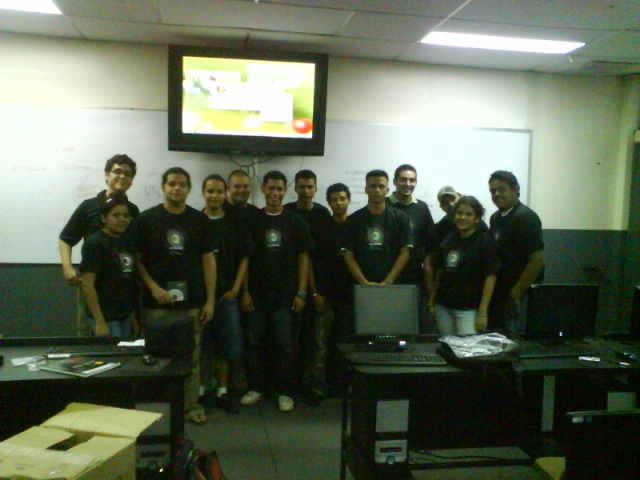
A few years ago the LUG opensuse-nicaragua has the project named “Escuelita opeSUSE” this project was to provide basic courses for the people opensuse.
And the last week, we finally made it!!!
The course was in UNICIT(Iberoamerican University of Technologies and Cience), were 2 intensive days of linux linux and linux jejeje, the pensum of course was:
1. Installation of openSUSE
2. Basic Configurations
3. KDE
4. YaST
5. Shell
6. Software and repositories
And Thanks to the marketing group for the materials!! Second fase of Escuelita openSUSE is comming soon!!!
On-demand package installation in openSUSE 11.3
KDE Project:
You most probably have already run into this at least once. You use the computer, try to do something and you get an error message saying "sorry, application foo is not installed", "the required plugin bar is not installed" or similar. And that's it, there it stops. You have to find out what package the required functionality is in, install it manually and try again. Like if the computer couldn't ask "but maybe I can install that, do you want me to try?" and handle it itself.
And that's what my goodie for this openSUSE release is about. I've been examining a bit about what various parts of the desktop could do this and there indeed are some cases. For example, clicking in Dolphin on a file that has no associated application installed usually results in the "Open with?" dialog. And that dialog has nowhere in it the option "the application that can open it, silly". Especially given that if the installation medium is accessible (i.e. usually if the network connection is up), it's rather easy to find out the right application for the file and install it:

This specific case is actually a bit tricky. The file, example.kvtml, is a file with pairs of words or expressions that e.g. KWordQuiz can use for teaching (words for language lesson, for example). The problem is that technically the data is stored as XML and the mimetype (file types) specification has a concept of subclasses that is and in not useful depending on how you look at it. A C++ source file is a subclass of a plain text file, so you can edit it just like a plain text. Good. An XML file is also a subclass of a plain text file, so you can view XML as plain text. Good? I'm not quite sure on this one, since while XML is human-readable, any decent up-to-date XML is certainly not human-understandable anyway, so I fail to see the point. But, since .kvtml files are XML files, they are a subclass of them, and that means you can view them just like a plain text.

Good??? Probably not. They are supposed to be opened in an application that can show the lesson nicely, who'd be crazy enough to decipher it from the XML? Well, but that's the reason for the dialog looking this way, the above is what the dialog is trying to tell you. Sorry :). This should get eventually sorted out somehow in the mimetype specification, but for now I had to go with this.
The short version is: Just say you want an application that can handle exactly the file type, that's usually the right choice here. And if there are more applications that can handle it, you'll get a choice:

There is another, rather obvious case, where this can be useful. Amarok on its first start usually likes to complain about lack of support for certain well-known and widely used multimedia format and 11.3 will be no different. However, Amarok has also some support for solving this problem and has this dialog:

And that is where the new feature comes into play.

This time, however, there is the usual problem: The openSUSE distribution is not allowed to include the necessary support, because <a lot of ugly legal babble that causes headache>. Some distributions may try to include it and hope that residing in a country without such laws solves the problem. Or, even better, not having a load of money in bank avoids a lot of trouble too (what's the point of sueing somebody who can't pay afterwards, these merry patent folks don't do it just for the sports). That doesn't quite work for openSUSE, being supported by Novell, and I bet every big company has been already sued for much more stupid things than this, just in case it'd work out. So openSUSE simply can't include the support and can't even really tell you where to get it. As long as the world is the way it is, there can't even be any "install all I need" button in openSUSE. Sorry. That's the way it is :(.
So what happens in this case it that the required packages will not be found. However, there are many repositories for openSUSE not provided by openSUSE, and you can add the right one and try again (BTW, the URL in the link doesn't work yet, that will be fixed in time for 11.3).

Choosing to enable additional repositories will simply launch the YaST module for configuring repositories. And, as I said, it cannot point you "here" and tell you which repository to add (because, if nothing else, it doesn't know anyway). But adding a repository is not really that hard.

After adding the right repository it will proceed with installation. Again, the usual allmighty YaST. Nothing hard about it, and this part should be mostly automatic anyway.

There it is. As simple as possible (sigh) and now it's ready (but the dialog is actually right, restart is required for technical reasons).

There of course can be more places where this could be useful. The crash handler has already support too, so generating proper bugreports with full backtraces should be now much simpler as well. This is so far just experimenting with the feature and seeing how it works out, if it works well, even more can be added after 11.3.
A Linux type?
- I found that the more open the new user is to a new OS, being more open to forget about Windows they are the more enjoyable the process is. "This used to work so much better on my laptop in Windows ..." kinda attitude will almost guarantee a world of pain.
- Having a positive attitude helps ... as in you are home ... your printer does not work instantly ... instead of just chalking it up to the new OS being bad just give it a whirl and think of the fun of trying out something new will make it enjoyable.
- Trusting your new OS as well as your new found friend (me) when it comes to buying peripherals will help during the transition.