
 Member
 baltolkien
Almuerzos Libres de GNU/Linux València edición octubre 2022
Poco a todo vuelve a la normalidad. La pandemia no disminuyó demasiado los eventos pero deberieon adaptarse a una nueva realidad: la virtualización por necesidad. No obstante, algunos deberieon desaparecer dado su carácter intrínsecamente humano que los hacían imposible de replicar detrás de una pantalla. Además, la extrema virtualización ha hecho que los eventos presenciales retornen pero a una velocidad menor de lo esperado. Es por ello que me complace compartr con todos vostros de esta iniciativa, los Almuerzos Libres de GNU/Linux València edición octubre de 2022, cuyo objetivo principal es poner en contacto físico a las personas que día a día trabajan en el desarrollo del Software Libre en cualquiera de sus facetas: programando, promocionando, diseñando, utilizando, etc.
Almuerzos Libres de GNU/Linux València edición octubre 2022
Organizados por GNU/Linux Valencia vuelve una iniciativa que une la tradición valencian de almorzar de forma contundente mientras se comparte Conocimiento Libre y se disfruta de la companía.
Como es habitual en estos casos, me gusta poner la descripción que hacen del evento los organizadores:
Desde GNU/Linux València os invitamos a una nueva quedada de Almuerzos en Libertad el próximo sábado 29 de octubre en el Puig de Santamaria, València.
Los datos de interés son lo siguientes:
Fecha: 29-10-2022
Tema: Libre
Dirección: Plaça del Ajuntament, 2, 46540 de El Puig de Santamaria.
Hora: 10 de la mañana

Si quieres apuntarte al almuerzo contacta con nosotr@s por nuestros canales de comunicación habituales Matrix (https://riot.im/#/room/%23gnulinuxvalencia:matrix.org) o Telegram (https://t.me/gnulinuxvalencia)/etc…) lo antes posible para ayudarnos a organizar mejor.
¡¡¡ANÍMATE!!!
Info completa en: GNU/Linux Valencia
¡Únete a GNU/Linux València!
Aprovecho para recordar que desde un tiempo los chicos de GNU/Linux Valencia ya tienen su menú propio en el blog, con lo que seguir sus eventos en esta humilde bitácora será más fácil que nunca, y así podréis comprobar su alto nivel de actividades que realizan que destacan por su variedad.
Y que además, GNU/Linux València creció y se ha convertió en asociación. Así que si buscas una forma de colaborar con el Software Libre, esta asociación puede ser tu sitio. ¡Te esperamos!
La entrada Almuerzos Libres de GNU/Linux València edición octubre 2022 se publicó primero en KDE Blog.
Do you need a Strong Leader?
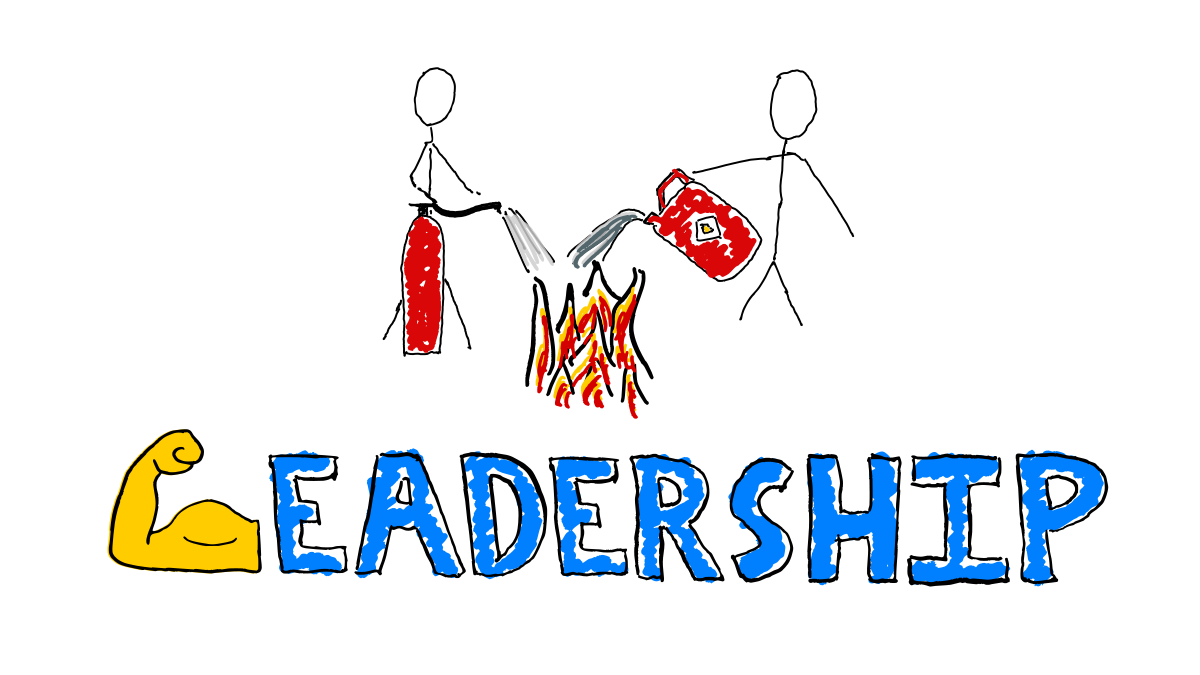
“Strong” is often used as a metaphor for capable, competent, effective leadership.
Strength is not always the most helpful metaphor for leadership skills.
Listen to how people describe strong leaders, sometimes there are connotations at odds with effective leadership. Sometimes even hints of toxic masculinity. What does it say about our gender biases that we so often use strength as a metaphor for leadership effectiveness?
If you stopped pouring fuel onto the fires, maybe you would not need heroic firefighters.
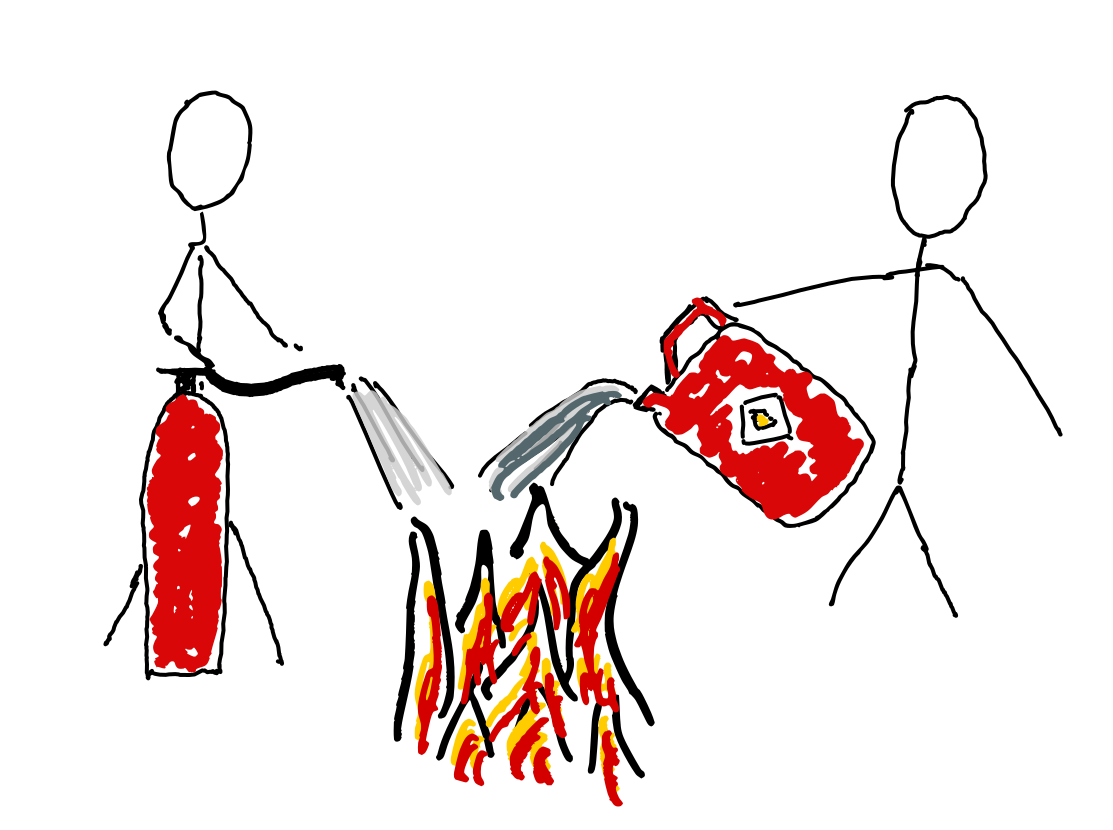
What does Strong Imply?
Resilient?
Do you want strong leaders who are tough and resilient, who can withstand the pressures of the role…
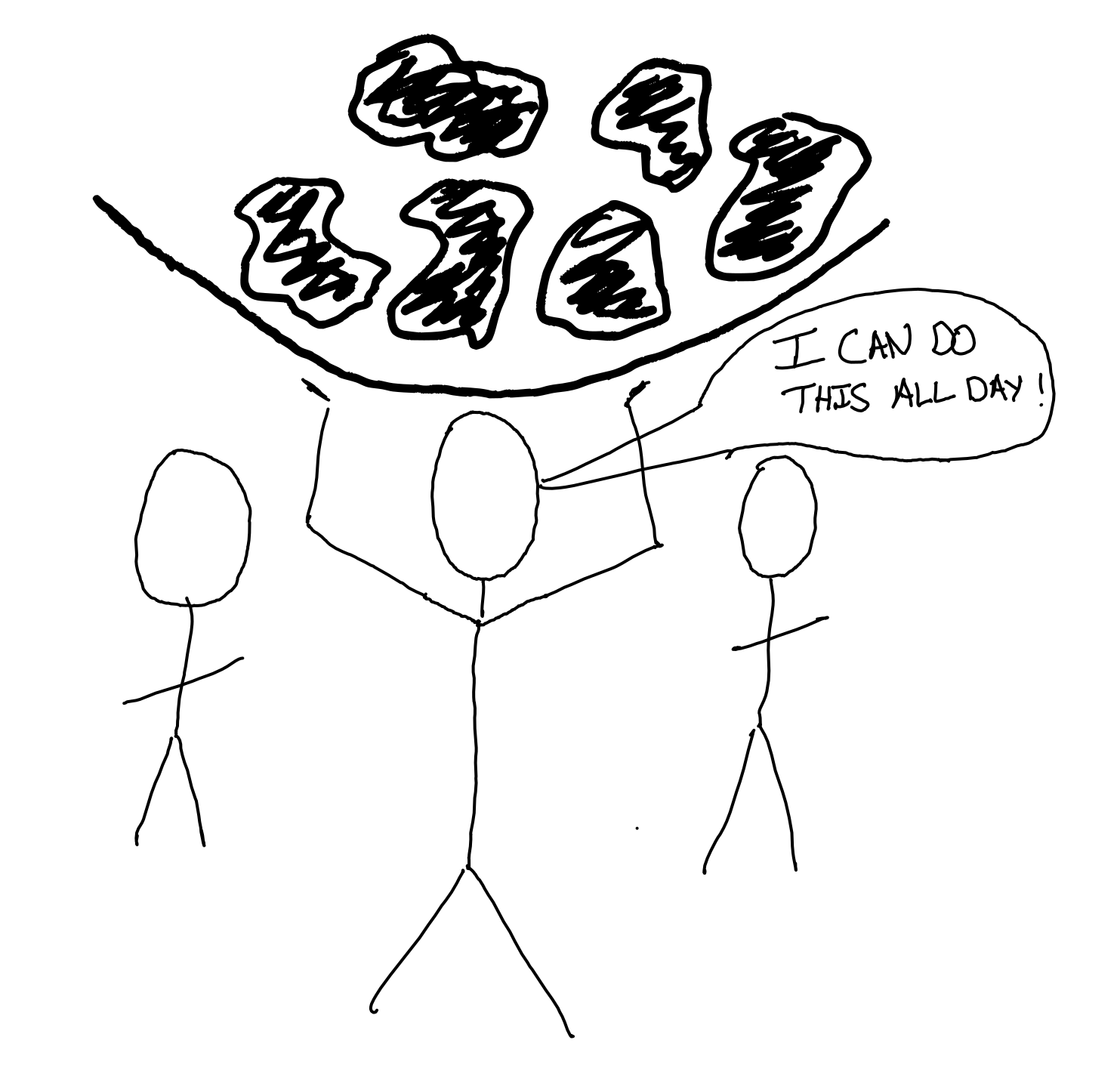
…or leaders who facilitate simple mechanisms to help the team handle big challenges
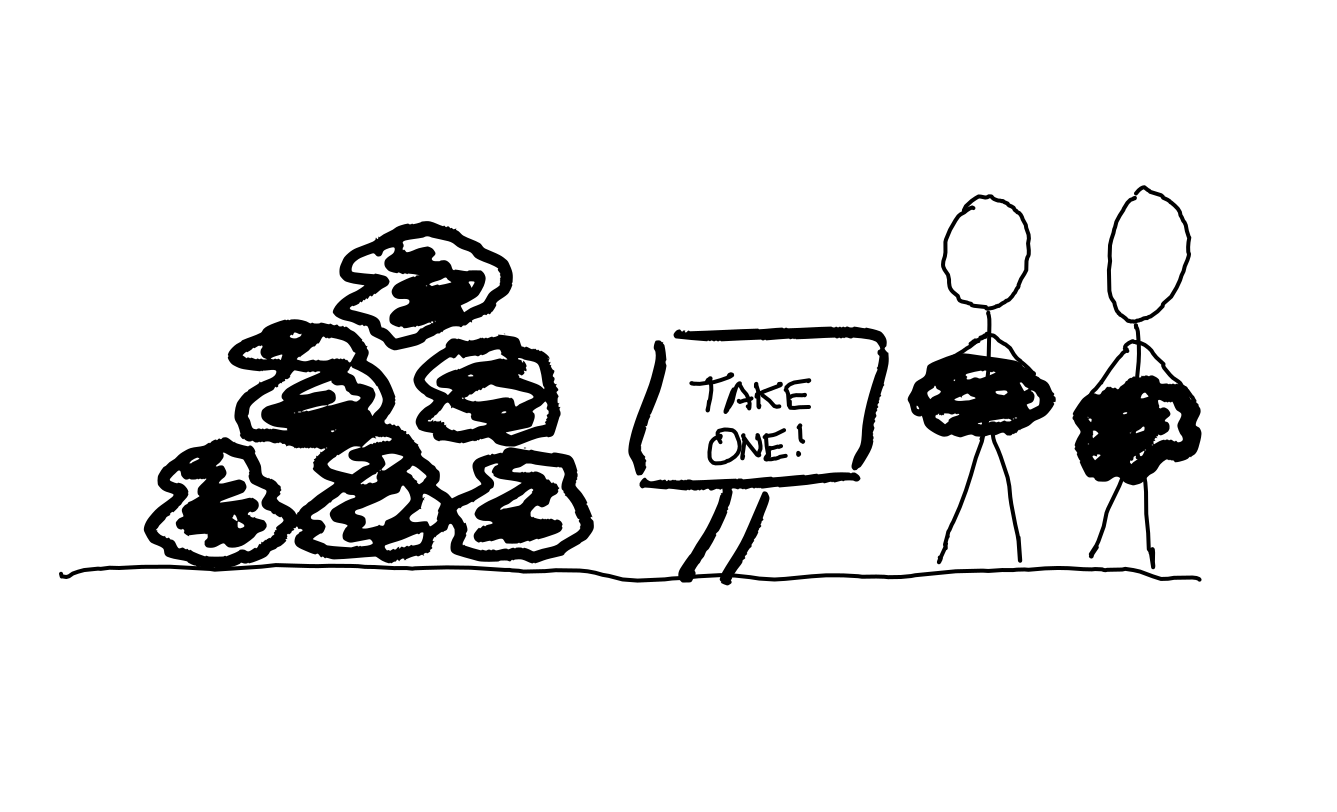
Do you need strong leaders who don’t need help? Is everyone else too busy to help? What’s causing that busy-ness? Is the lack of slack in your system precluding the possibility for collaboration towards better outcomes?
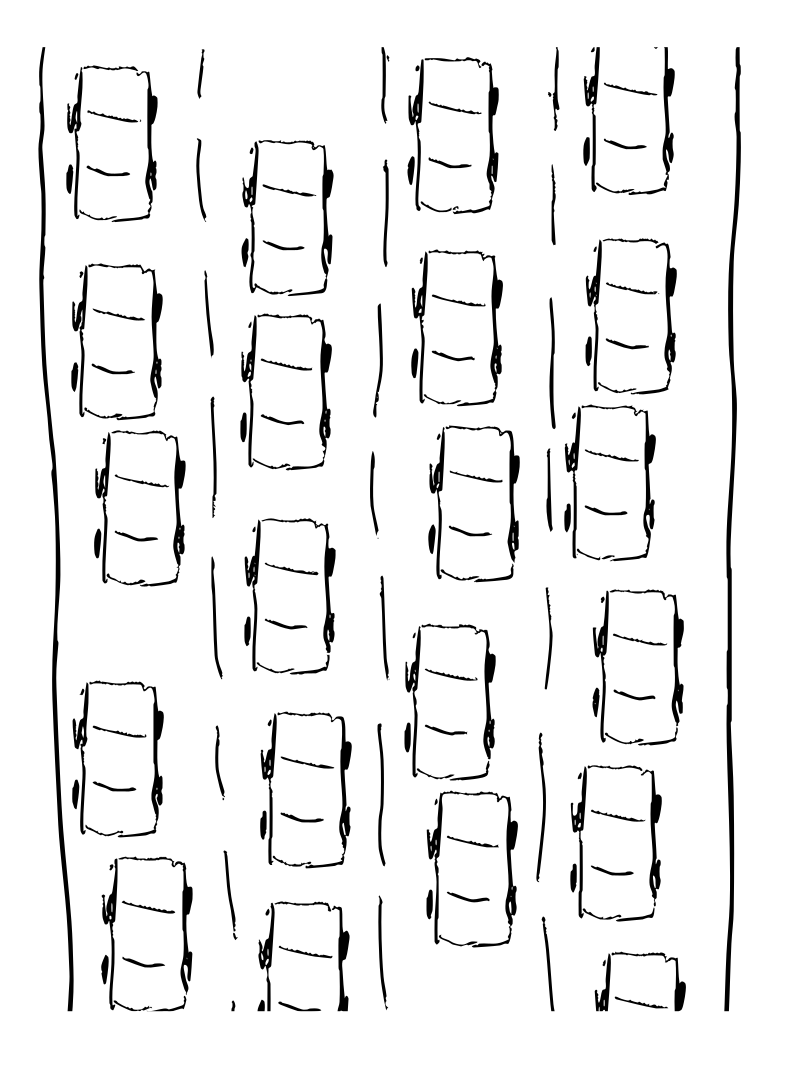
Adding a leader who can handle more is a treatment for a symptom. The underlying disease may be incentives for high utilisation. Are you cramming quarterly plans full? Are you setting OKRs with goals to stretch beyond what you know you can achieve?
Does this road need an extra lane to handle more cars? or a train, or a bicycle? The fix for your overload may need more creative thinking.
Powerful?
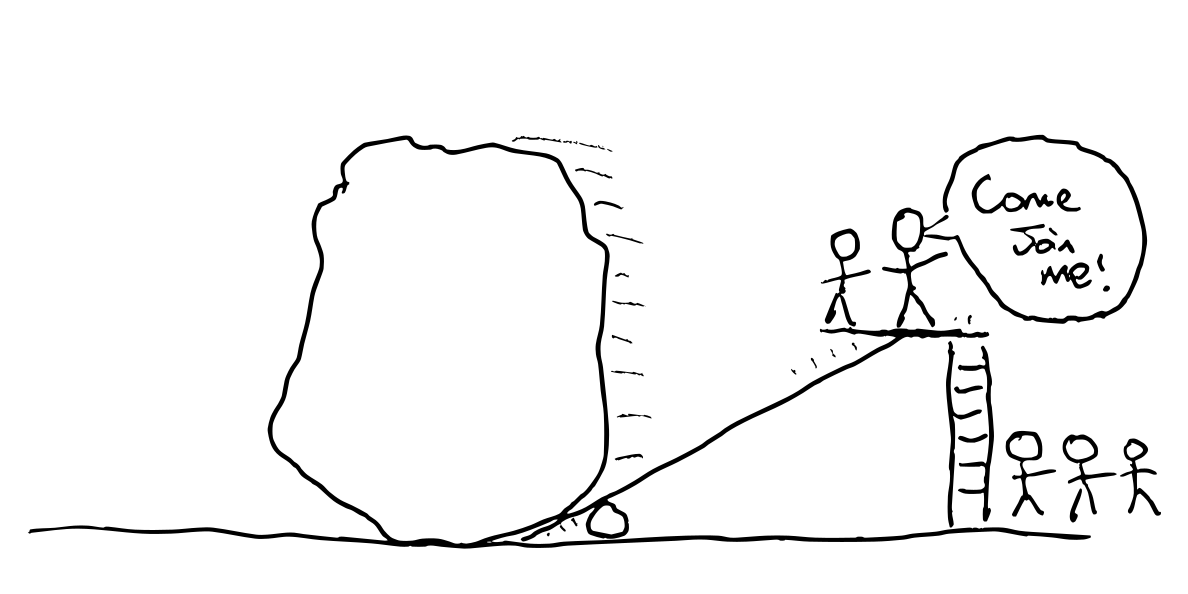
Do you need strong leaders who are powerful and can wield that power to achieve great feats? Why is achieving great outcomes so hard in your organisation? What’s getting in the way of folks self-organising towards the most important outcomes? What is disempowering any and every individual on the team from getting things done?

Is it bureaucracy? What would happen if you removed all the rules? What if you gave everyone authority (with accountability) to spend money as they saw fit, and autonomy to choose what to work on?
Is it fear of failures? Tackle the things causing it to be unsafe to fail rather than adding a more reckless leader. Praise people for saying no to things. Celebrate what’s learned from failures as well as successes. Reward humility and vulnerability. Bet on a team where everyone learns from each other’s missteps and comes to trust each other, over a team that avoids traps but never achieves greatness.
Is it perchance that your mighty leaders are not leaving space for others to step up?
Dispassionate?
Do you need leaders who don’t let emotion cloud their judgement? It sounds positive, but everyone has emotions; we are not Vulcans.

Do we not want leaders who are sensitive to the emotional impact of decisions and events on those they have a responsibility to serve? As well as aware of how their own emotions are influencing their judgement.
Feelings exist and we ignore them at our peril. A rational decision is not rational if it leaves the team despondent, fearful, angry, or demotivated.
Decisive?
Do you want leaders who think they know better than their teams? The group is often smarter than any one individual. Do you want to limit your success to the limits of your leader? Why do you have a team if one person knows best?

Do you want leaders who act confident in their own judgement? Or those who are open about their rationale, their intent, as well as the reasons their judgement could be wrong. Articulating intent enables the team to adapt in the face of new information.
Do you want stubborn leaders who need persuading to try something different? People who stick to their guns even in the face of evidence they may be wrong?
What’s making it hard for the groups to make decisions without a decisive leader?
Groups get stuck when there’s a lack of psychological safety: Are folks safe to express their opinions? Leaders who are quick to express their strong opinions undermine safety. A power imbalance adds friction to the voicing of dissenting opinions.
Decisive leaders are not necessary for decisive teams. Groups get stuck when they think they need consensus, unanimity or permission, lacking mechanisms such as
- Group decision making with roman voting, or occupy signals.
- Pre-agreed time/spend budgets for experimentation.
- Healthy habits that remove the need for repeated considered decision making.
Inspirational?
If you need a leader to inspire the team to achieve great things, what’s destroying the team’s intrinsic motivation?
Inspire sounds positive but has coercive undertones.
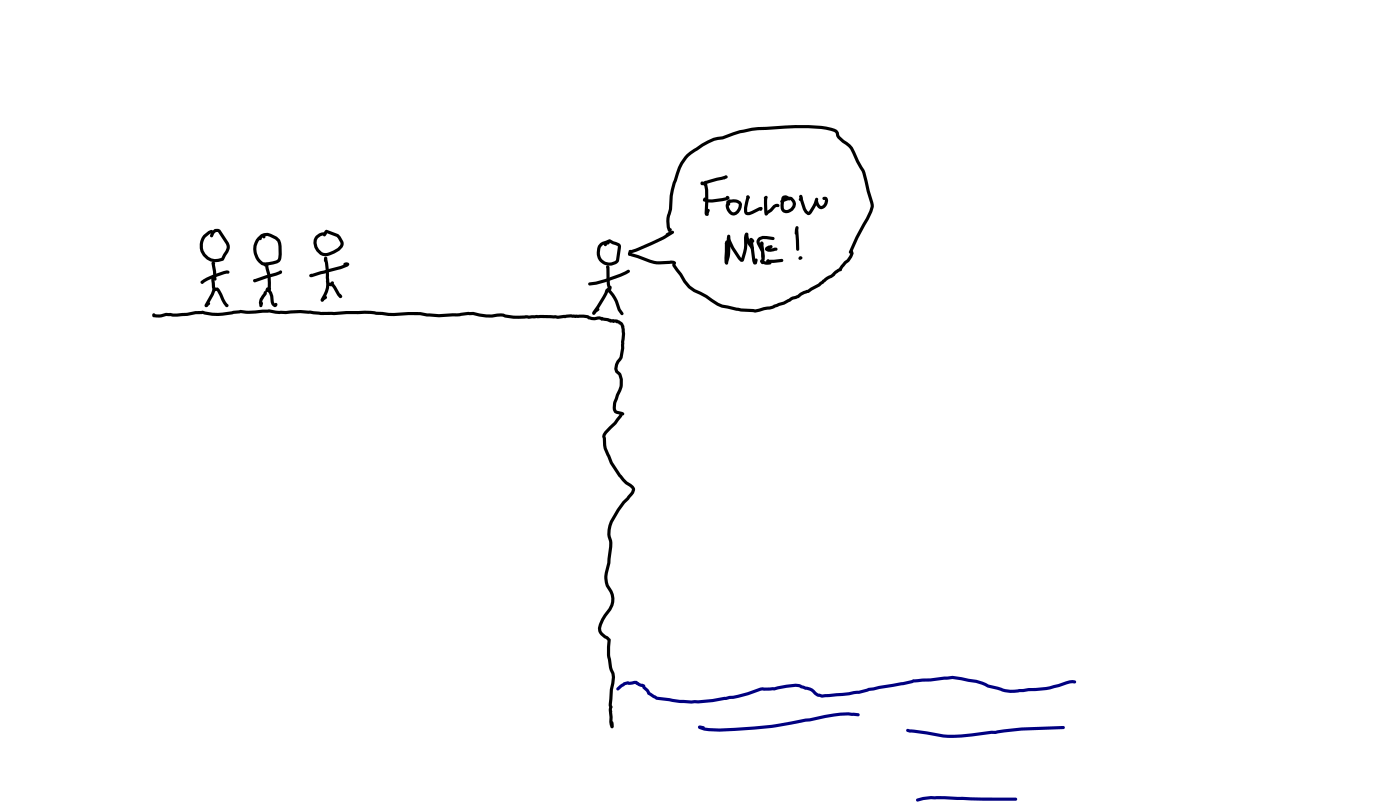
A charismatic leader who inspires their team to follow them without dissent may be very effective; as long as their chosen destination is actually a good outcome.
The organisation can lose its resilience and adaptability in the face of a leader whom folks blindly follow.

Visible?
Folks often want a visible leader so that people know who to go to if they want to get something done.
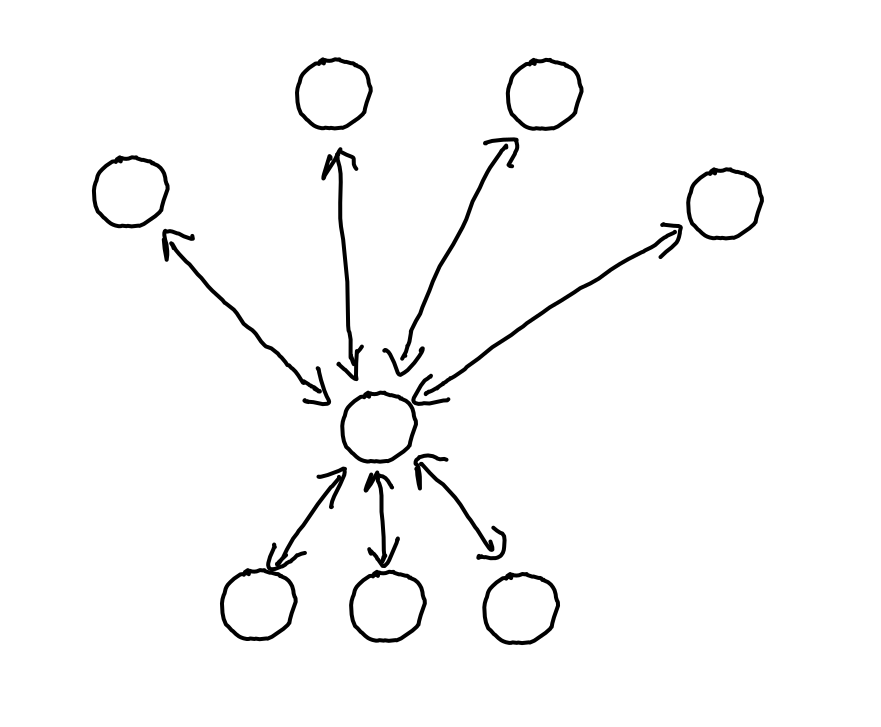
Good leadership is often nearly invisible. Tending to the systems. A quiet word of feedback here. Pointing out an opportunity there. Asking the right questions at the right times.
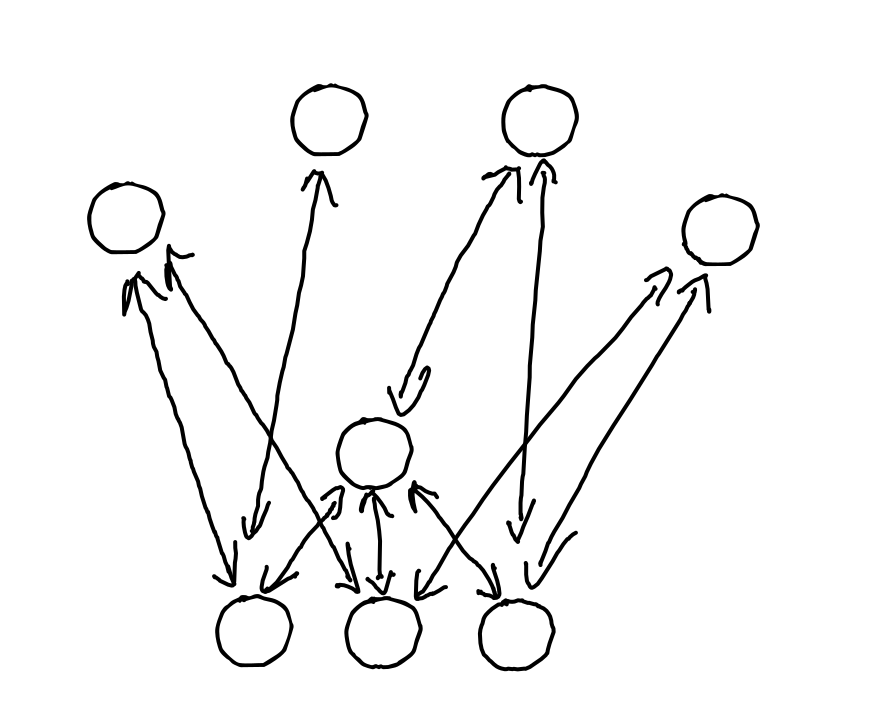
Which of these organisations has a highly visible leader?
Which of these organisations is fragile?
Different?
“We need a strong leader” implies “we need a different leader”.
What is causing the current leadership (whether vested in a single person explicitly or distributed) to be inadequate?
Changing or adding one person with authority can be a quick fix, but isn’t guaranteed to work; especially if you don’t have a diagnosis that explains the need for a new leader. Do you really need a superhero to save you?
What are your best hopes for what a new leader will do? What stops you doing those without them?
Instead
Helping a team overcome its weaknesses requires an appreciation for weakness more than a show of strength. Being the strongest member of a team can even be a disadvantage.
We need leaders who
- model vulnerability, being open about their weaknesses, limitations, and uncertainties.
- build others up rather than hoarding power themselves.
- can adapt and help their team adapt to their context. Diagnosis and strategy over strength and power.
- connect people, more than leaders who translate.
- are curious about the options their team sees, more than they inspire action towards their preconceptions.
- remove impediments to others making decisions more than they make decisions.
- set examples with boundaries, protecting their mental health more than projecting invincibility.
- disperse power instead of wielding power.
- tend to the systems that enable us more than using systems to control us.
Strength? Of a sort: Courage and humility.
Reflecting
What’s behind your desire for a strong leader?
How strong is your organisation if you remove the strong leader?
What mechanisms could make the group’s success inevitable, despite the fallibility of whoever is currently serving as leader?
The post Do you need a Strong Leader? appeared first on Benji's Blog.
¿Conoces Mycroft Mark II? La alternativa libre a Alexa, Siri o Google Assistant
Es cierto que ya he hablado de Mycroft en el blog aunque de la última vez tenemos que retroceder a febrero de 2018, cuando hablé de la posibildad de adquirir su segunda versión. Así que esta entrada pretende ser un recordatorio de este proyecto que cada día que pasa me parece más importante. Así que emulando a Barney Stinson… ¿Conoces Mycroft Mark II?
El proyecto Mycroft y la privacidad
Cada vez es más habitual tener un asistente personal libre que reacciona a tus órdenes controlando luces, música o simplemente dándote el parte meteorológico. Debe ser muy importante para las empresas porque Amazon (el mayor supermercado del mundo), Google (la empresa que domina internet) y Apple (la empresa que mejor vende sus dispositivos) tienen proyectos relacionados con este tipo de gadgets, lo cuales intentan colarnos con campañas de publicidad agresvas y que consiguen que sus oídos se cuelen cada vez más en nuestras casas, contándo nuestros secretos en forma de datos a sus amos.
No obstante hay que reconocer que las funcionalidades de estos dispositivos son atractivas y, en algunas casos, necesarias. Estoy pensando en personas con movilidad reducida o en nuestros mayores que tienen dificultades para interaccionar con dispositivos tecnológicos.
Evidentemente, la Comunidad del Software Libre no ha dado la espalda a este problema y hace unos años se inició el proyecto Mycroft que, en palabras de sus desarrolladores es:
Mycroft es el principal asistente de voz de código abierto del mundo. Es privado por defecto y completamente personalizable.
Nuestro software se ejecuta en muchas plataformas: en el escritorio, en nuestro hardware de referencia, en una Raspberry Pi o en tu propio hardware personalizado.
La pila de voz de código abierto de Mycroft puede ser remezclada libremente, ampliada y desplegada en cualquier lugar. Mycroft puede usarse en cualquier cosa, desde un proyecto científico hasta un entorno empresarial global.

Es evidente que con estos principios Mycroft no va a compartr tus datos con las grandes compañías tecnológicas y su misión es servir a sus usuarios, no minar datos. DE esta forma Mycroft por defecto no almacena consultas u otros datos sensibles.
¿Conoces Mycroft Mark II? La alternativa libre a Alexa, Siri o Google Assistant
De esta forma los chicos y chicas de Mycroft no se quedaron solo creando la inteligencia artificial y ponerla a disposición de cualquiera que quiera utilizarala sino que desarrollaron un primer modelo comercial para aquellos que simplemente comprar y utilizar el dispositivo. Lo bautizaron con el nombre de Mycroft Mark I y lo vendieron… y gracias a su éxito trabajaron en su sucesor llamado Mycroft Mark II y que financiaron con un kickstarter.

La nueva y mejorada versión del asistente tiene las siguentes características:
- Nuevo diseño exterior
- Quad core Cortex-A72 (ARM v8) 64-bit, 1.5GHz
- RAM: 2GB LPDDR4-3200 SDRAM
- Mejoras en la recepción del sonido gracias a la inclusión de 6 micrófonos
- Altavoces mejorados de 10W
- Más interfaces gráficas hasta llegar a tener 140 diseños con la posibilidad de aumentarlas gracias a la Comunidad
- Conexiones exteriores USB tipo A, ranura para MicroSD, Bluetooth y Wifi.
- Pantalla 4.3″ IPS táctil
- Posibilidad de cambiar el nombre al asistente
- Más dispositivos compatibles
Si ha ido todo bien, los primeros afortunados habrán recibido su Mycroft Mark II este pasado mes de septiembre y tú puedes reservar el tuyo que te llegará en enero del año que vien.
Vídeo de Mycroft Mark II
Me reservo para el final del artículo tanto el vídeo de Mycroft Mark II, donde se pueden ver algunas de las funciones de este maravilloso dispositivo.
La entrada ¿Conoces Mycroft Mark II? La alternativa libre a Alexa, Siri o Google Assistant se publicó primero en KDE Blog.
Translations available for KDE unstable packages
As many readers of this blog are aware, openSUSE has been offering packages of git snapshots from KDE since quite a while. They are quite useful for those wiling to test, report bugs, and / or hack on the code, but also for those who want to see what’s brewing in KDE land (without touching their existing systems). However, a major drawback for non English speakers was the lack of translations.
What’s the problem with translations?
KDE translations are not hosted on the community’s git repositories, but are instead stored in KDE’s SVN server. The main reason they were not moved to git was to preserve the existing workflows of the translation teams (who might not be as technical as the actual hackers). Translations are then placed in tarballs at the times of betas / RCs / releases.
This unfortunately means that having a git checkout, like what the OBS does when building the unstable packages, will not carry any translations whatsoever. Worse, existing -lang packages for stable versions will raise dependency problems if present (because they require the exact same version of their corresponding binary paclage).
Also, since the KDE team tries to keep the same set of package defintions (spec files) between the stable and unstable OBS projects, this meant some extra complexity to take into account the fact that translations might or might not be there.
As far as I remember, since some time there was some tooling in KDE infrastructure to download translations at build time, but it was a big no-no for the OBS, as there is no network access during building for security reasons.
Two sides of a solution
This proved to be a problem also for KDE’s own release management. On September 2nd, KDE hacker Albert Astals Cid outlined a proposal to have an automated way to copy translations from SVN into their corresponding repository, with a series of scripts that would do so periodically.
After some discussion and once at Akademy, the switch was turned on October 2nd. This means that our git checkouts were getting translations!
Of course, some adjustments were needed: spec files in the KDE Unstable projects were not taking the presence of translations into account, and thus quite a number of builds were failing. krop, KDE team member extraordinaire, stepped in and fixed all the spec files. This in turn made him realize that some upstream KDE projects were not actually handling translations correctly in their CMake code, so he fixed them too.
Within a couple days, all KDE Unstable repositories (Frameworks, Applications and Extra) had translations enabled, where applicable. After many years, it became possible to test the latest KDE software and have it in your own language.
Do I need to do anything?
If you don’t have the language packages installed and you have installation of recommended packages enabled (the default), they should be installed automatically. If you have, like myself, forcibly installed the language packages from the stable repositories, you can force install the new ones (for example with zypper install -f <packagename>), or if you’re on Tumbleweed, accept to swap them when prompted (this occurs when a new stable version of KDE software is published in a snapshot). Or you can install them manually should you prefer to do so.
Should any issues with the packaging arise (e.g., missing dependencies, conflicts), please file a ticket on bugzilla.opensuse.org.
And as always, have a lot of fun!
Episodio de septiembre de 2022 los podcast de GNU/Linux València
Hoy me complace compartir con todos vosotros el episodio de septiembre de 2022 los podcast de GNU/Linux València, un nuevo capítulo que revive un proyecto que tras la pandemia ha estado un poco parado pero que seguro que volverá a dar mucho que hablar.
Episodio de septiembre de 2022 los podcast de GNU/Linux València

Tras bastante tiempo en silencio, básicamente porque no tienen forma de cuadrar agendas, vuelven los podcast de GNU/Linux València. Unos podcast que suelen ser de tipo tertulia muy amena y destinada a todo el mundo.
De esta forma en este podcast con Alejandro, Alex y Taraak y se va a hablar de la tiranía de los teléfonos, del próximo evento de Emancipación Comunitaria, algo ya conocido por los lectores del blog y de algunas jugosas noticias que os pongo a continuación:
- La charla y taller «Install Party» en Carcaixent (València) organizada por Asociació Emancipació Comunitaria
- El fallo de hace 15 años en Python permite la ejecución de código arbitrario en 350k proyectos
- MD MZ: un libro para el desarrollo práctico de malware, con trucos, técnicas de evasión y persistencia
- Richard Stallman anuncia el manual de referencia del lenguaje C de GNU
- Audacity 3.2 incluye efectos en tiempo real y soporte de ffmpeg 5.0
Y como es habitual en este tipo de entrada, os dejo directamente el audio para que lo disfrutéis.
Más información: GNU/Linux València
¡Únete a GNU/Linux València!
Aprovecho para recordar que desde hace unos meses, los chicos de GNU/Linux Valencia ya tienen su menú propio en el blog, con lo que seguir sus eventos en esta humilde bitácora será más fácil que nunca, y así podréis comprobar su alto nivel de actividades que realizan que destacan por su variedad.
Y que además, GNU/Linux València creció y se ha convertió en asociación. Así que si buscas una forma de colaborar con el Software Libre, esta asociación puede ser tu sitio. ¡Te esperamos!
La entrada Episodio de septiembre de 2022 los podcast de GNU/Linux València se publicó primero en KDE Blog.

QEMU, Vim update in Tumbleweed
Snapshot releases of openSUSE Tumbleweed were plentiful during the month of September with the rolling release delivering 27 snapshots out of 30 days in the month.
Since last Friday, four snapshots have been released.
Several libraries were updated in snapshot 20221003. An update of libva 2.16.0 was among those changed in the snapshot; the Video Acceleration Application Programming Interface for Linux simplified some mapping tables. Another library to update was libcap 2.66. This library made the Makefiles more robust to address an error and the package fixed some documentation typos. The links 2.28 package disabled the cache when following redirects from consent.google.com. An update of yast2-network 4.5.8 fixed an issue when writing the NetworkManager configuration without a gateway. The C library for parsing command line parameters, popt 1.19, fixed multiple resource and memory leaks. It also improved random number handling. There were several other packages to update in the snapshot including libbluray 1.3.3, tdb 1.4.7, python-cryptography 38.0.1 and more.
Text editor vim 9.0.0626 updated in snapshot 20221001 and it fixed a Common Vulnerability and Exposure; CVE-2022-3352. The text editor also fixed the command line window that remained visible when quitting with CTRL-C. An update of qemu 7.1.0 switched QEMU Linux use to emulate the same CPU as the one of the host by default. While controversial and tricky, it should be just fine for Linux users, according to the changelog. The emulator had some fixes for arm and added RISC-V support for privileged spec version 1.12.0. The package also provided optimisations and improvements for the vector extension for RISC-V. The update of php7 7.4.32 was a security release that fixed CVE-2022-31628, which had potential Denial-of-Service issues, and CVE-2022-31629, which had a vulnerability to enable network and same-site attackers to set a standard insecure cookie in the victim’s browser. The super-thin layer on the DBus interface fwupd updated to version 1.7.10. It had several fixes including checking for invalid depth requirements and aligning up addresses greater than 4GB.
A few GNOME packages were updated in snapshot 20220930. Both gnome-logs and the screen-reader speech/braille package orca transitioned from the beta release to version 43. The latter prevents double-presentation of notifications and it fixed the presentation of Nautilus items for GTK4. It also fixed a bug causing the wrong voice to be used. Both gnome-logs and orca updated translations while gnome-logs updated screenshots. GNOME’s spellcheck package gspell 1.12.0 had some small maintenance tasks and simplification changes, and pango 1.50.10, which is a text layout and rendering package, fixed line height computations. A total of three CVEs were fixed in the nodejs18 18.10.0 version, which only CVE-2022-35255 was considered to be greater than a moderate threat. The update of yast2 to version 4.5.15 allows for better detection of yast2-journal. Linux Kernel 5.19.12 had multiple Advanced Linux Sound Architecture for ASUS. Other packages to update in the snapshot were perl-Image-ExifTool 12.45 and xterm 373.
Packages to update in snapshot 20220929 were adwaita-qt-src 1.4.2, libqt5-qttranslations 5.15.6 and v4l2loopback 0.12.7.

Data visualization with Grafana and Telegraf
It all started when…
Few weeks ago we have decided to create a dashboard where we can monitor the status of the SUSE Linux Enterprise maintenance update queue. Naturally there are tons of cool open source solutions to build this type of monitoring. Two decades ago I probably would have written a Perl or Python based monitoring script for the monitoring part and use the good old gnuplot (http://www.gnuplot.info/) to visualize the data and create an active page written in some silly web UI framework. Let’s just say that luckily those times has passed.
Unos cuantos trucos para la shell fish que quizás no conocías
Si usas la shell fish en tu distribución GNU/Linux, estos trucos y atajos de teclados te resultarán muy útiles y quizás no los conocías

Desde que hice el cambio de shell de Bash a Fish no he vuelto atrás, salvo para scripts, aunque he de reconocer que el scripting de fish tiene algunas cosas mejores y más intuitivas que bash.
Por el blog he escrito varios artículos sobre Fish, y en este caso quiero compartir unos cuantos trucos propios de fish que te harán el trabajo en la terminal mucho más rápido y llevadero, seguro que alguno lo incorporas a tu día a día.
Ir al directorio anterior y siguiente
Para regresar y volver entre directorios que hemos visitado tenemos estas dos opciones:
-
Alt + ←Para ir al directorio anterior -
Alt + →Para ir al directorio siguiente
Imaginemos que desde nuestro directorio /home vamos a estos directorios:
~/> cd Git/repositorio1
~/Git/repositorio1> cd ../repositorio2
~/Git/repositorio2>
Mediante el uso de los dos atajos de teclados anteriores, podremos desplazarnos entre los directorios visitados, sin necesidad de volver a escribir la ruta, simplemente navegando hacia adelante y atrás de una manera más rápida.
Paginador automático
En ocasiones usamos el comando cat para ver contenido de un archivo, pero nos lo muestra entero, por lo que si es muy largo habrá partes que no podamos ver.
Para eso sirve un paginador, para poder tener el control del archivo que mostramos con cat. Para usarlo escribimos cat archivo y pulsamos el atajo de teclado Alt + p.
¿Qué hace este comando?
Si no sabemos exactamente lo que realiza un comando, y queremos que nos muestre una información muy básica de para qué sirve (muestra la primera línea de la página man del comando) tenemos el atajo de teclado Alt + w
Escribimos el comando y con el cursor todavía al final del comando ejecutamos el atajo de teclado.
Abre tu editor
Si escribes en una terminal echo $EDITOR verás el editor que tienes configurado en tu sistema (en el mío es Vim ¿lo conoces?). Si alguna vez lo queremos abrir rápidamente, bastará con ejecutar Alt + e
Ejecutar el comando anterior como sudo

A veces ejecutamos como un usuario normal un comando que debería tener privilegios de superusuario. Solemos soltar un taco y tal como muestra la imagen podemos ejecutar sudo !!
Con !! ejecutamos el último comando que hayamos ejecutado (valga la redundancia), así que le anteponemos sudo. Peeeeero si usamos fish tenemos el atajo de teclado Alt + s que automáticamente nos antepone sudo al comando anterior en una nueva línea para ejecutarlo. ¡Pruébalo!
¿Usas Fish y conocías estos atajos de teclado? Te aconsejo que los pruebes en tu terminal y te vayas acostumbrando a su uso, verás que alguno te será de gran utilidad en muchas tareas.
Comparte tu experiencia con fish y con estos atajos en los comentarios.

Mide el consumo de tu pantalla con Power Monitor – Plasmoides de KDE (206)
Complementando KDE Eco, el proyecto de la Comunidad que quiere crear software más sostenible, os presento un plamoide que mide el consumo de tu pantalla con Power Monitor, el widget 206 para presentado en el blog y que nos puede ayudar para tener más conocimiento sobre nuestros dispositivos.
Mide el consumo de tu pantalla con Power Monitor – Plasmoides de KDE (206)
Llevo diciéndolo varios artículo, por norma general los plasmoides sirven para decorar, ampliar funcionalidades o proporcionar información que nuestro sistema tiene de su funcionamiento.
Hoy toca hablar del último caso del párrafo anterior ya que Power Monitor, un plasmoide creado por Atul-g, que mide el consumo de energía de tu monitor o pantalla de trabajo, con lo que eres más consciente del gasto energético que realizas.

Y como siempre digo, si os gusta el plasmoide podéis “pagarlo” de muchas formas en la cambiante página de KDE Store, que estoy seguro que el desarrollador lo agradecerá: puntúale positivamente, hazle un comentario en la página o realiza una donación. Ayudar al desarrollo del Software Libre también se hace simplemente dando las gracias, ayuda mucho más de lo que os podéis imaginar, recordad la campaña I love Free Software Day 2017 de la Free Software Foundation donde se nos recordaba esta forma tan sencilla de colaborar con el gran proyecto del Software Libre y que en el blog dedicamos un artículo.
Más información: KDE Store
¿Qué son los plasmoides?
Para los no iniciados en el blog, quizás la palabra plasmoide le suene un poco rara pero no es mas que el nombre que reciben los widgets para el escritorio Plasma de KDE.
En otras palabras, los plasmoides no son más que pequeñas aplicaciones que puestas sobre el escritorio o sobre una de las barras de tareas del mismo aumentan las funcionalidades del mismo o simplemente lo decoran.
La entrada Mide el consumo de tu pantalla con Power Monitor – Plasmoides de KDE (206) se publicó primero en KDE Blog.
Nueva charla y taller «Install Party» en Carcaixent (València) organizada por Asociació Emancipació Comunitaria
Me congratula promocionar una nueva charla y taller «Install Party» en Carcaixent (València) organizada por Asociació Emancipació Comunitaria, con la colaboración de la Asociación GNU/Linux València. Se trata de una nueva edición de la que ya han reallizado algunas ediciones Más información, sigue leyendo.
Nueva charla y taller «Install Party» en Carcaixent (València) organizada por Asociació Emancipació Comunitaria

Todo vuelve a la normalidad en cuanto a actividades presenciales de la comunidad GNU/Linux, eso sí, con todas las medidas de seguridad que sean necesarias y precauciones para no correr más riesgo de lo necesario.
Es por ello que me complace compartir con vosotros un nuevo evento del grupo de personas que en València está impulsado el Software Libre y temas relacionados con el empoderamiento de la sociedad que lleva por nombre Asociació Emanciació Comunitaria, que podéis encontrar en su Grupo y Canal de Telegram.
Es por ello que os invito a la nueva charla y taller «Install Party» en Carcaixent (València) que se va a realizar el próximo sábado 22 de octubre organizado conjuntamente con Mercat 10 (https://t.me/mercat10) y la Asociación GNU/Linux València.

De esta forma se han organizado varias actividades:
- 10:00 h: Charla sobre el Software Libre, donde se explicará la importancia del software libre en una comunidad con democracia real
- 17:00 h: Taller Install Party, al que podréis LLEVAR VUESTRO EQUIPO y os ayudaremos a instalar un Sistema Operativo COMPLETAMENTE LIBRE!!. Además de otras herramientas. que nos permiten independencia de aquellas controladas por instituciones, empresas y estados.
Resumiendo, la información básica es:
- Fecha: sábado, 22 de octubre de 2022
- Horario: A partir de las 10:00
- Lugar: Mercat 10 Carcaixent
- ¿Registro necesario? Si, plazas limitadas. Reserva en los siguientes teléfono 601219700 (Pasqual)
Si podéis asistir no os lo perdáis, seguro que no quedáis decepcionados.
Mas información: GNU/Linux València
La entrada Nueva charla y taller «Install Party» en Carcaixent (València) organizada por Asociació Emancipació Comunitaria se publicó primero en KDE Blog.