
 Member
 baltolkien
Novelas gráficas con software libre en Mancomún Podcast
El mundo del diseño suele estar asociado a software privativo que suele llevar una manzana como logo. No obstante Ángel Sánchez nos demuestra que es posible hacer novelas gráficas con software libre. ¿Te interesa el tema? Pues sigue leyendo y descubre su historia en Mancomún Podcast.
Novelas gráficas con software libre en Mancomún Podcast
Uno de los podcast que más me gustan y que suelen durar poco tiempo en mi lista de reproducción es Mancomún Podcast. Sus audios presentados habitualmente por Jorge Lama y Brais Arias (miembro de KDE España) suelen ir directos y al grano, con lo que casi nunca superan la hora de duración: ideal para conocer nuevos proyectos, iniciativa y personas.

Es el caso que comparto hoy, ya que me ha permitido conocer el trabajo de Ángel Sánchez, el cual crea cómics con Software Libre. Pero mejor que los presentadores nos hagan la introducción:
Hoy hablamos con Ángel Sánchez, conservador del Museo de Prehistoria de Valencia, que ha publicado la novela gráfica histórica « Balkar. La forja del guerrero». Novela gráfica creada con software libre:
– Blender se empleó en la creación de referencias y fondos
– Inkscape en el dibujo de cada una de las viñetas
– Gimp en el retoque de imágenes, y para la maquetación y composición del libro, Scribus
Ángel es un apasionado de la Historia, de la Arqueología y del mundo del software libre, que intenta colaborar en la difusión de estos temas a través de sus trabajos.
No os entretengo más y os animo a escuchar el podcast, así como también os animo a comprar su novela gráfica para disfrutar del arte de Ángel. Yo ya lo he hecho y ya os contaré qué me ha parecido.
Aprovecho también para compartir enlaces de interés de Mancomún:
Web: https://www.mancomun.gal/es/documento/mancomun-podcast-repositorio-dos-programas/
Canal de Archive: https://archive.org/details/Mancomun_Podcast
Más información: Mancomún Podcast

Chromecast y openSUSE
Las novedades de la beta de Plasma 5.22: Preferencias y bandeja del Sistema
Tras el anuncio de la primera beta me apetece hacer un artículo un poco más extenso sobre las novedades de Plasma 5.22, un nuevo paso en la evolución del entorno de trabajo más avanzado que te puedes encontrar.
Las novedades de la beta de Plasma 5.22
Hace menos de una semana que tenemos entre nosotros la primera beta de Plasma 5.22, versión del escritorio de la Comunidad KDE que está destinada a la búsqueda y resolución de errores, con lo que no está recomenda para entornos que requieran estabilidad.
En el anuncio de la beta ya os ofrecí algunas novedades, concretamente las generales, pero se quedaron en el tintero muchas más. Es hora de ponerlas en el blog.

Novedades de la bandeja del sistema
Una de las zonas que más aprecio de un sistema es su bandeja informativa, la cual me frece mucha información mi sistema. La de la Comunidad KDE mejorar lanzamiento tras lanzamiento. He aquí las novedades para Plasma 5.22.
- Las miniaplicaciones de la bandeja del sistema son, en general, mucho más consistentes en apariencia y usabilidad.
- La ventana emergente de la miniaplicación del reloj digital se ha rediseñado para que disponga de una mejor estética y de más usabilidad.
- Posibilidad de forzar que la miniaplicación del reloj digital muestre la fecha en la misma línea que la hora, incluso en paneles altos.
- Ahora puede seleccionar un perfil para los dispositivos de sonido directamente en la miniaplicación de volumen del sonido de la bandeja del sistema.
- Ahora puede acceder al historial del portapapeles en cualquier momento pulsando Meta+V.
Novedades de las Preferencias del Sistema
Cuando se piensa en el escritorio Plasma de KDE se debe pensar que es mucho más que un conjunto de ventanas, barras de tareas y fondo de pantalla. Y es que de hecho, tiene una aplicación llamada Preferencias del Sistema que controla tanto el escritorio como las aplicaciones que tenemos en nuestro entorno de trabajo.
Las noveadades que nos han preparado los desarrolladores para Plasma 5.22 son las siguientes:
- La aplicación se abre ahora en una nueva página de «Preferencias rápidas» que muestra algunos de los ajustes más comunes o que se modifican con más frecuencia, además de ofrecer un enlace al lugar donde se puede cambiar el fondo del escritorio.
- Ahora puede desactivar las actualizaciones en diferido si está usando una distribución que ha decidido activarlas de forma predeterminada, o activarlas si está usando una distribución que no lo ha hecho.
- Se ha mejorado la accesibilidad y la navegación con el teclado.
Más información: KDE.org
Guía visual sobre #tmux
Guía visual sobre la herramienta tmux con ejemplos de sus comandos

tmux es un multiplexador de la terminal en sistema derivados de Unix por ejemplo GNU/Linux. ¿Pero qué significa eso de un multiplexador?
Con tmux podemos tener no solo una consola, si no muchas. Nuestra consola o terminal, la podemos dividir en paneles, en ventanas en desconectarnos de la sesión y volver a recuperarla cuando queramos. ¿Y cómo podemos hacer todo eso?
Hace un tiempo en el blog ya hice un video tutorial sobre las posibilidades que nos ofrecía tmux y que puedes ver aquí:
Pero he de reconocer que cuando tengo que cuando busco información sobre algo, a veces me sirve un videotutorial, y otras veces no es la forma que quiero obtener la información que quiero.
Es por eso, que he creado una guía visual sobre tmux, con un pequeño gif animado de los comandos, para ver qué es lo que hace cada uno de ellos en un ejemplo y que sirva como ayuda.
Para consultar la guía puedes hacerlo en este enlace:
Cada uno de los comandos o atajos de teclado de tmux se acompaña con el gif demostrativo (que podemos ver en un tamaño mayor al pinchar sobre la imagen) que nos muestra lo que hace el comando.
Quiere ser esta una guía que ayude a conocer esta herramienta y sacarle todo el potencial que ofrece. Tiene un montón de comandos explicados y alguno más que iré añadiendo.
A mí me ha servido como recordatorio de algunos comandos y como medio de descubrir otros y ver toda la potencia que ofrece tmux. Espero que también a tí te resulte de utilidad.


Digest of YaST Development Sprint 123
Both openSUSE Leap 15.3 and SUSE Enterprise Linux 15 SP3 are already in the oven and almost ready to be tasted. But although they smell delicious, the openSUSE volunteers and the great SUSE QA team never give up in challenging our beloved distributions to find the corner cases that need more polishing. Since we want to make sure each possible problem have a solution or a documented workaround at the release date, the YaST Team invested quite some time during the last sprint investigating and solving some problems related to AutoYaST, system migration, registration and other tricky areas.
But we also found time to work on more blog-friendly topics like:
- Improvements in the AutoYaST functionality to configure questions during the installation
- Better handling of path names in Arabic and other right-to-left languages
- Progress in the refactoring of YaST Users
- Possibility of installing with neither NetworkManager or
wicked
Let’s dive into the details.
One of the many features offered by AutoYaST is the possibility of specifying a so-called ask-list,
which lets the user decide the values of some parts of the AutoYaST profile during the installation.
That allows to fine-tune the level of flexibility and interactivity, with a process that is highly
automated but still customizable on the fly. During this sprint we basically rewrote the whole
feature to make it more robust and powerful, while still being fully backwards-compatible. See more
details in the corresponding pull request
including technical details, before-and-after screenshots and a link to the official documentation
that explains how to use this reworked feature.
And talking about before-and-after screenshots, let’s see if you can spot the differences in the following image.

Exactly. In the upper part, the right-to-left orientation of the Arabic writing mangles the mount
points and the device names, moving the initial slash of paths like /dev/vda to the end. This is
just one of the many interesting software development problems you don’t normally think about, but
that makes life as a YaST developer a constant learning experience. If you want to know more about
Unicode directional formatting characters and how we solved the problem, check this pull
request at the yast2-storage-ng repository.
And talking about challenges and learning, sure you remember we are in the middle of a whole rewrite of the YaST mechanisms to manage local users. We already have a new version of the installer that works perfectly using the new code, including the creation of brand new users and also importing them from a previous installation. We are now integrating that new code into AutoYaST and we will be ready soon to discuss the best procedure and timing to introduce the revamped yast2-users into openSUSE Tumbleweed in a way that it brings all the benefits of the rewrite to our users without any disruptive change in the surface.
Last but not least, we would like to mention a new feature we already submitted to the Tumbleweed
installer in search for feedback from you, our beloved users. :wink: In a nutshell, it offers the
possibility to install the distribution without NetworkManager or wicked, for those users that
want to manually configure an alternative network manager (like systemd-networkd) or that simply
want a network-less operating system. Please check the corresponding pull
request and reach out to us to tell us what do you
think. Remember you can do that at the yast-devel and factory mailing lists at
openSUSE, at the #yast channel at Freenode IRC or directly
commenting on GitHub.
While waiting for your input, we will keep working in polishing the upcoming releases and bringing new features into Tumbleweed. Stay safe and have a lot of fun!

Error handling in Go HTTP applications
Nate Finch had a nice blog post on error flags recently, and it caused me to think about error handling in my own greenfield Go project at work.
Much of the Go software I write follows a common pattern: an HTTP JSON API fronting some business logic, backed by a data store of some sort. When an error occurs, I typically want to present a context-aware HTTP status code and an a JSON payload containing an error message. I want to avoid 400 Bad Request and 500 Internal Server Errors whenever possible, and I also don’t want to expose internal implementation details or inadvertently leak information to API consumers.
I’d like to share the pattern I’ve settled on for this type of application.
An API-safe error interface
First, I define a new interface that will be used throughout the application for exposing “safe” errors through the API:
package app

type APIError interface {
    // APIError returns an HTTP status code and an API-safe error message.
    APIError() (int, string)
}
Common sentinel errors
In practice, most of the time there are a limited set of errors that I
want to return through the API. Things like a 401 Unauthorized for a
missing or invalid API token, or a 404 Not Found when referring to a
resource that doesn’t exist in the data store. For these I create a
create a private struct that implements APIError:
type sentinelAPIError struct {
    status int
    msg    string
}

func (e sentinelAPIError) Error() string {
    return e.msg
}

func (e sentinelAPIError) APIError() (int, string) {
    return e.status, e.msg
}
And then I publicly define common sentinel errors:
var (
    ErrAuth      = &sentinelAPIError{status: http.StatusUnauthorized, msg: "invalid token"}
    ErrNotFound  = &sentinelAPIError{status: http.StatusNotFound, msg: "not found"}
    ErrDuplicate = &sentinelAPIError{status: http.StatusBadRequest, msg: "duplicate"}
)
Wrapping sentinels
The sentinel errors provide a good foundation for reporting basic
information through the API, but how can I associate real errors with
them? ErrNoRows from the database/sql package is never going to
implement my APIError interface, but I can leverage the
error wrapping functionality introduced in Go 1.13.
One of the lesser-known features of error wrapping is the ability to
write a custom Is method on your own types. This is perhaps because
the implementation is privately hidden
within the errors package, and the package documentation
doesn’t give much information about why you’d want to use it. But it’s
a perfect fit for these sentinel errors.
First, I define a sentinel-wrapped error type:
type sentinelWrappedError struct {
    error
    sentinel *sentinelAPIError
}

func (e sentinelWrappedError) Is(err error) bool {
    return e.sentinel == err
}

func (e sentinelWrappedError) APIError() (int, string) {
    return e.sentinel.APIError()
}
This associates an error from elsewhere in the application with one of
my predefined sentinel errors. A key thing to note here is that
sentinelWrappedError embeds the original error, meaning its Error
method returns the original error’s message, while implementing
APIError with the sentinel’s API-safe message. The Is method allows
for comparisons of these wrapping errors with the sentinel errors using
errors.Is.
Then I need a public function to do the wrapping:
func WrapError(err error, sentinel *sentinelAPIError) error {
    return sentinelWrappedError{error: err, sentinel: sentinel}
}
(If you wanted to include additional context in the APIError, such as a resource name, this would be a good place to add it.)
When other parts of the application encounter an error, they wrap the
error with one of the sentinel errors. For example, the database layer
might have its own wrapError function that looks something like this:
package db

import "example.com/app"

func wrapError(err error) error {
    switch {
    case errors.Is(err, sql.ErrNoRows):
        return app.WrapError(err, app.ErrNotFound)
    case isMySQLError(err, codeDuplicate):
        return app.WrapError(err, app.ErrDuplicate)
    default:
        return err
    }
}
Because the wrapper implements Is against the sentinel, you can
compare errors to sentinels regardless of what the original error is:
err := db.DoAThing()
switch {
case errors.Is(err, ErrNotFound):
    // do something specific for Not Found errors
case errors.Is(err, ErrDuplicate):
    // do something specific for Duplicate errors
}
Handling errors in the API
The final task is to handle these errors and send them safely back
through the API. In my api package, I define a helper function that
takes an error and serializes it to JSON:
package api

import "example.com/app"

func JSONHandleError(w http.ResponseWriter, err error) {
    var apiErr app.APIError
    if errors.As(err, &apiErr) {
        status, msg := apiErr.APIError()
        JSONError(w, status, msg)
    } else {
        JSONError(w, http.StatusInternalServerError, "internal error")
    }
}
(The elided JSONError function is the one responsible for setting the
HTTP status code and serializing the JSON.)
Note that this function can take any error. If it’s not an
APIError, it falls back to returning a 500 Internal Server Error.
This makes it safe to pass unwrapped and unexpected errors without
additional care.
Because sentinelWrappedError embeds the original error, you can also
log any error you encounter and get the original error message. This
can aid debugging.
An example
Here’s an example HTTP handler function that generates an error, logs it, and returns it to a caller.
package api

func exampleHandler(w http.ResponseWriter, r *http.Request) {
    // A contrived example that always throws an error.  Imagine this
    // is actually a function that calls into a data store.
    err := app.WrapError(fmt.Errorf("user ID %q not found", "archer"), app.ErrNotFound)
    if err != nil {
        log.Printf("exampleHandler: error fetching user: %v", err)
        JSONHandleError(w, err)
        return
    }

    // Happy path elided...
}
Hitting this endpoint will give you this HTTP response:
HTTP/1.1 404 Not Found
Content-Type: application/json

{"error": "not found"}
And send to your logs:
exampleHandler: error fetching user: user ID "archer" not found
If I had forgotten to call app.WrapError, the response instead would
have been:
HTTP/1.1 500 Internal Server Error
Content-Type: application/json

{"error": "internal error"}
But the message to the logs would have been the same.
Impact
Adopting this pattern for error handling has reduced the number of error types and scaffolding in my code – the same problems that Nate experienced before adopting his error flags scheme. It’s centralized the errors I expose to the user, reduced the work to expose appropriate and consistent error codes and messages to API consumers, and has an always-on safe fallback for unexpected errors or programming mistakes. I hope you can take inspiration to improve the error handling in your own code.
Camisetas para Akademy 2021 en línea
Como ya hemos comentado en el blog, este año Akademy 2021 se seguirá celebrando en línea, debido a los problemas derivados de la pandemia del COVID’19 que sigue entre nosotros.. No obstante eso no significa que no tengamos camisetas para Akademy 2021, a un precio igual que al año año anterior por problemas logísticos.
Camisetas para Akademy 2021 en línea
Del 18 al 25 de junio la Comunidad KDE va a celebrar su gran evento internacional de forma en línea. Es esta ocasión no tengo excusas para no asistir, aunque me temo que voy a estar muy ocupado con mi fin de curso.
Hoy me gustaría comentar que ya tenemos el boceto de la camiseta oficial de Akademy 2021 y que se pueden reservar a un precio de 25€, ya que incluyen los gastos de envío iguales para cualquier destino.

De hecho, la fundación KDE e.V. va a financiar parte para que cada el precio final de las camisetas sea el mismo para todo el mundo, aunque los pedidos sean entre diferentes continentes.
Para asegurarse que recibes tu camiseta para usar durante Akademy es necesario que realices tu pedido directamente a Freewear antes del 20 de mayo.
Si te gusta, no dudes en reservarla ya que no solo te llevas una camiseta chula sino que ayudas tanto a la Comunidad KDE como a una empresa como Freewear que tanto ayuda a la difusión del Software Libre y . Yo ya la tengo reservada.
Más información: Akademy 2021 | Camiseta de Akademy 2021
¿Qué es Akademy?
Para los que no lo sepan, Akademy es el evento de la Comunidad KDE que aúna en una gran conferencia todo tipo de simpatizantes de KDE como desarrolladores, diseñadores, usuarios, traductores, promotores. Allí se reunirán a lo largo de una semana para compartir charlas, cenas, ponencias, talleres y, en definitiva, para trabajar juntos.
Es una gran semana que sirve para unir más fuerte los lazos que unen nuestra Comunidad, así como para crear nuevos.
Akademy lleva realizándose anualmente bajo este nombre desde 2004, en la página web oficial o en la wikipedia podéis encontrar los nombres y fechas anteriores eventos.
Para que os hagáis una ligera idea de la magnitud del evento, os dejo una imagen de grupo de Akademy 2020 en linea en la que se intentó hacer una foto de grupo virtual… evidentemente falta más de un 80% de participantes.

Soñando al anochecer
La primera estrella de una galaxia moribunda. Las curvas toman el control mientras los bits sueñan al anochecer
Bienvenidos al espacio de la cebolla. Llevamos aquí desde 2004 y crecemos cada día. En unos meses, algunas cebollas se pudrirán, mientras que otras florecerán.
Dusk fue la primera cebolla; ahora hay cientos de miles.
En un rincón del universo completamente diferente, donde prosperan los contratos inteligentes, Dusk está siendo subastado. Puede ofertar por él interactuando con funciones que viven en una cadena de bloques.
La subasta Dusk durará unas 24 horas. Terminará el viernes alrededor de las 20: 00UTC. Cuando finalice, la persona que haya pujado y haya ganado se convertirá en propietario de una obra de arte generativa creada en colaboración con el artista @ixshells que se ha derivado directamente de la clave privada de Dusk. En noviembre, los propietarios de NFT también obtendrán la clave privada de Dusk directamente de su propietario.
Sabemos que los mineros son una carga para el medio ambiente. Parte de las ganancias de la subasta se donarán a una organización de base que lucha en la primera línea de la crisis climática. Al mismo tiempo, hemos estado monitoreando activamente los desarrollos de Ethereum y creemos que sus esfuerzos por alejarse de PoW es una pelea que vale la pena pelear y no puede llegar lo suficientemente pronto.
Bienvenidos a la subasta. Por favor tome asiento 

Πλήρης οδηγός εγκατάστασης και χρήσης XAMPP σε Linux. Παράδειγμα εγκατάστασης Wordpress

Τι είναι το XAMPP
Το XAMPP αποτελεί ένα πακέτο προγραμμάτων το οποίο περιέχει ένα εξυπηρετητή ιστοσελίδων (Apache), μια βάση δεδομένων (MySQL) και τις γλώσσες προγραμματισμού PHP και Perl. Αποτελεί εργαλείο ανάπτυξης και δοκιμής ιστοσελίδων τοπικά στον υπολογιστή χωρίς να είναι απαραίτητη η σύνδεση στο διαδίκτυο. Ενδείκνυται για δοκιμαστικές εγκαταστάσεις CMS ή άλλων παρόμοιων προγραμμάτων που κάνουν χρήση ενός διακομιστή, μιας βάσης δεδομένων και της γλώσσας PHP.Πλεονεκτήματα - Μειονεκτήματα
Το ερώτημα που γεννιέται είναι αν είναι καλύτερο έναντι άλλων λύσεων, όπως του virtual box, του docker ή άλλων λύσεων.Προσωπική άποψη, στο virtual box, πρέπει να εγκατασταθεί εκ νέου το λειτουργικό σύστημα host, μετά να ακολουθηθεί το tutorial εγκατάστασης του lamp server (Apache, MySQL, PHP) και αν δουλεύει καλά, τότε να δοκιμαστούν οι ιστοσελίδες. Αποτελεί μια πολύ καλή λύση εάν ο προγραμματιστής θέλει να μάθει-γνωρίσει και πως χειρίζεται ο διαχειριστής τον εξυπηρετητή. Δεν την θεωρώ μια πολύ καλή λύση για την εργασία που συζητάμε.
Η λύση του Docker είναι πολύ καλύτερη γιατί προσομοιάζει τις συνθήκες των συστημάτων στην παραγωγή. Και σε αυτήν την περίπτωση χρειάζονται κάποιες μικρές εξειδικευμένες γνώσεις, που όμως δεν πιστεύω ότι είναι απαγορευτικές για τον προγραμματιστή.
Στην λύση του XAMPP, δεν χρειάζεται κάποια ειδική γνώση. Όλα γίνονται με γραφικό περιβάλλον. Το καλό είναι ότι μπορεί να χρησιμοποιηθεί και στην εκπαιδευτική διαδικασία γιατί ο χρήστης μπορεί να εγκαταστήσει το XAMPP στο στικάκι του και να μπορεί να εκτελεστεί με τα ίδια αποτελέσματα τόσο σε υπολογιστή της εκπαιδευτικής δομής όσο και στον προσωπικό υπολογιστή στο σπίτι.
Εγκατάσταση
1. Καταρχήν μεταβείτε στην σελίδα των λήψεων και κατεβάστε το αρχείο που είναι για το λειτουργικό Linux. Θα είναι ένα αρχείο με κατάληξη .run (έστω είναι το xampp-linux-x64-8.2.4-0-installer.run).2. Αφού κατέβει, μετακινηθείτε στον κατάλογο που έγινε η λήψη. Στη συνέχεια αλλάξτε τα δικαιώματα με την παρακάτω εντολή:
3. Στη συνέχεια εισάγετε την παρακάτω εντολή, ώστε να εκκινήσει η εγκατάσταση:
4. Πατήστε Next και περιμένετε:


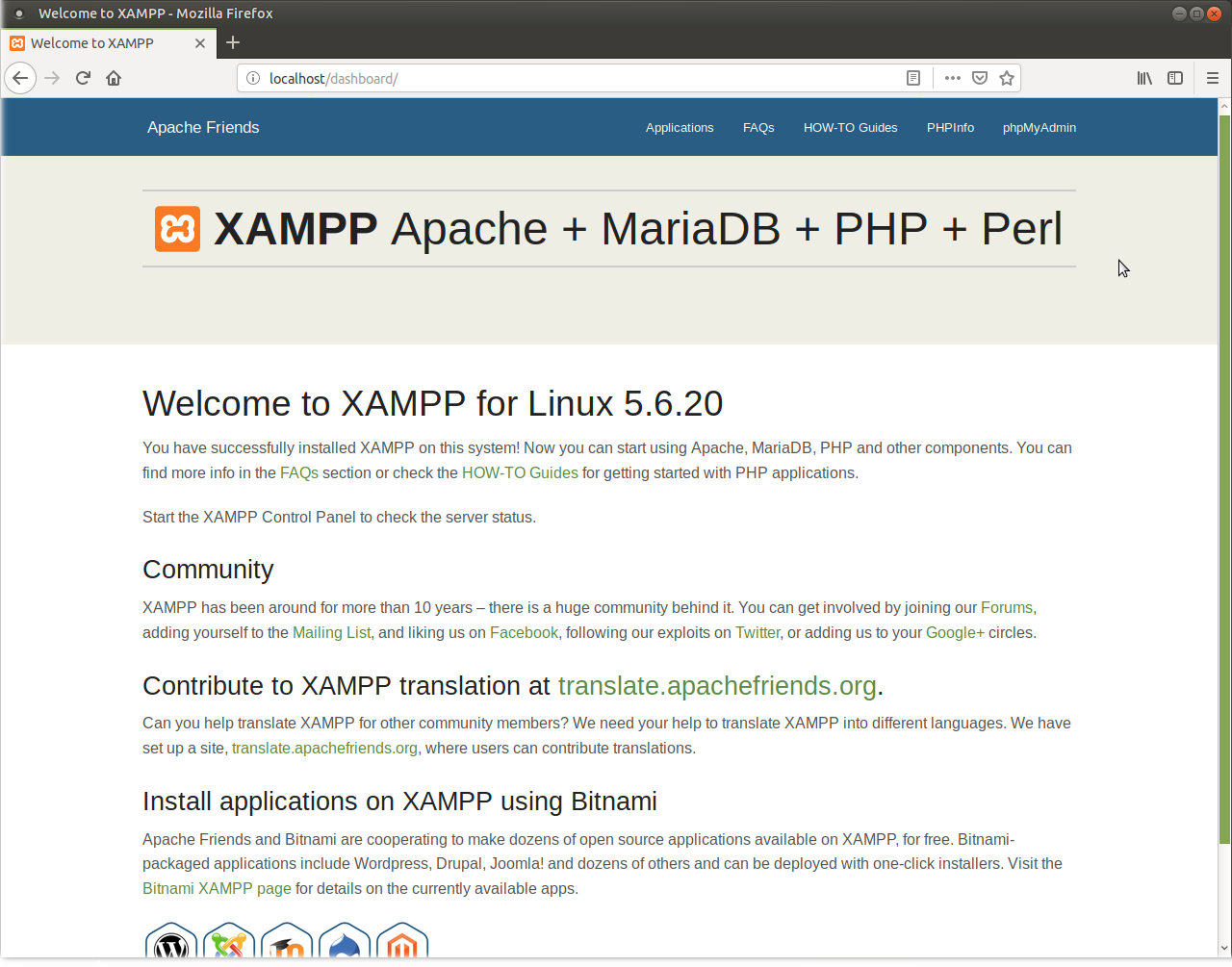
Εκκίνηση
Για να εκκινήσει ο xampp μπορείτε να το κάνετε με 3 τρόπους:1. Τερματικό: Μπορείτε να εκτελείτε τις εντολές κάθε φορά που ανοίγετε το xampp ή απλά να τις προσθέσετε ως alias στο .bashrc.
ΤΕΡΜΑΤΙΣΜΟΣ: sudo /opt/lampp/xampp stop
2. Τερματικό + Γραφικό: Εδώ ανοίγετε το τερματικό και γράφετε την παρακάτω εντολή:
Το ίδιο και εδώ, μπορείτε να προσθέσετε την εντολή αυτή ως alias στο .bashrc.
3. Προσθήκη εκκινητή στο menu: Μετακινηθείτε στον παρακάτω κατάλογο:
Πρέπει να δημιουργήσετε ένα αρχείο xampp.desktop και να το επεξεργαστείτε.
sudo gedit xampp.desktop
Προσθέστε μέσα τα παρακάτω:
Encoding=UTF-8
Name=XAMPP Control Panel
Comment=Start and Stop XAMPP
Exec=sudo /opt/lampp/manager-linux-x64.run
Icon=/opt/lampp/htdocs/favicon.ico
Categories=Application
Type=Application
Terminal=true
Και είστε έτοιμοι.
Παράδειγμα εγκατάστασης wordpress
1. Κατεβάστε το wordpress από την ιστοσελίδα https://el.wordpress.org/2. Αποσυμπιέστε το αρχείο και μετακινήστε το στον φάκελο που "σερβίρει" το XAMPP.
3. Αλλάξτε τα δικαιώματα με την εντολή:
4. Δημιουργήστε μια βάση δεδομένων. Αφού έχετε εκκινήσει το XAMPP, πρέπει να μετακινηθείτε στην διεύθυνση http://localhost/phpmyadmin και πατήστε στην καρτέλα Βάσεις δεδομένων. Πχ ονομάστε την wordpress (τι πρωτότυπο) και ως κωδικοποίηση (το ονομάζει Σύνθεση ή Coalition) επιλέξτε είτε utf8_general_ci είτε utf8_unicode_ci, όπως φαίνεται στην εικόνα.

Username – root
Password – (αφήστε το κενό)

Απεγκατάσταση
Έστω ότι δεν σας βόλεψε ή θέλετε να αλλάξετε σε docker και δεν χρειάζεστε άλλο το XAMPP. Υπάρχουν 3 τρόποι να το απεγκαταστήσετε.2. sudo ./uninstall
3. sudo rm-rf /opt/lampp
Εάν έχετε και εσείς κάποιον φίλο-γνωστό που φοβάται να εγκαταστήσει docker ή έστω ένα virtual box, ενημερώστε τον για τις παραπάνω διαδικασίες.
Primera actualización de KDE Gear 21.04
La Comunidad KDE es una comunidad responsable y no solo se preocupa en lazar novedades sino que también en mejorarlas. Me complace presentar la primera actualización de KDE Gear 21.04 que apareció hace unos días. Más estabilidad para nuestros entornos de trabajo.
Primera actualización de KDE Gear 21.04
A pesar de lo que puedan pensar muchas personas, las aplicaciones no son perfectas. Entre las líneas de código se pueden colar errores de tipografía o que el usuario realice alguna opción que en un principio no estaba prevista por los desarrollador, por poner solo un par de ejemplos de imperfecciones.
Este no es un problema del Software Libre ya que el Software actual funciona de esta manera ya que no se piensa en él como un producto final que se encierra en una caja y se olvida. En la actualidad se sabe que el Software está vivo y sería estúpido ir guardando las mejoras sin dejarlas a disposición del gran público.
Con esto se gana en rapidez y evolución pero puede aumentar el número de errores (por norma general) leves, los cuales son subsanables con pequeñas actualizaciones.

La Comunidad KDE lo tiene claro: grandes lanzamientos cada cuatro meses y actualizaciones mensuales para subsanar errores.
Por ello me congratula compartir con vosotros la primera actualización de KDE Gear 21.04 que nos ofrece más de 120 errores resueltos entre aplicaciones, librerías y widgets, algo que mejora el rendimiento del sistema.
Por poner un par de ejemplos que podemos ver en la lista de cambios de KDE Gear 21.04:
- Restaurada la compatibilidad con ffmpeg 3.
- Solucionado el error en el espaciado en el panel de lugares.
- Añadida la nueva mascota de Kate en el diálogo de información de la aplicación.
- Solucionado la validación del código de tiempo en el diálogo de configuración en Kdenlive.
Más información: KDE Gear 21.04