
 Member
 CzP
CzPThe syslog-ng Insider 2026-03: 4.11.0 release; OpenSearch; ElasticSearch
The March syslog-ng newsletter is now on-line:
- Version 4.11.0 of syslog-ng is now available
- Using OpenSearch data streams in syslog-ng
- Changes in the syslog-ng Elasticsearch destination
It is available at https://www.syslog-ng.com/community/b/blog/posts/the-syslog-ng-insider-2026-03-4-11-0-release-opensearch-elasticsearch

syslog-ng logo

Dropping pcr-oracle in user space Full Disk Encryption
Introduction
In user space Full Disk Encryption (FDE), as opposed to the boot loader based FDE, developers for openSUSE supported signed policy and NVIndex policy from the beginning when Trusted Platform Module 2 (TPM2) is used.
With this signed policy, we deliver a JSON file in the EFI System Partition (ESP) that is being read during the initrd stage by systemd-cryptsetup. This file contains the hash policy, which basically describes the expected values of the PCR registers of the TPM2 (measured boot). Together with the policy, we will find a signature that will be validated by the TPM2, and if the PCR values and the signatures are valid, then the TPM2 will unseal the password for the encrypted hard disk, and the boot process can continue.
This method is simple and very flexible. We can update the policy to generate new predictions (for example if a new kernel was installed). Using a private key, that can be stored in the encrypted side of the system, we can sign it and install in the ESP. Another advantage is that we can generate multiple files that support multiple valid configurations, which can represent different snapshots, kernels, or initrd installed in the system.
But one limitation of this method is that we are not protected against a rollback attack. Some one can copy the JSON file (the ESP is not encrypted), together with the kernel and the initrd and wait until some CVE is published for this configuration. After that, the assets can be copied back to the ESP and the signature of the policy will be still valid as far as the TPM2 is concerned. Technically, this can be resolved generating a new private key and enrolling again the devices, but this is not ideal.
systemd-pcrlock provides a new alternative, known as NVIndex policy, which store the policy in the TPM2 non-volatile RAM under a password (recovery PIN). This approach is a bit better for our case, as it resolves the rollback attack. This method is used by default if the TPM2 support it, but because policyAuthorizeNV was introduced in TPM2 Revision 1.38 ten years ago (2016), not all devices can do that. sdbootutil fallbacks to pcr-oracle (signed policy) if NVIndex policy cannot be used.
The next version of sdbootutil will drop pcr-oracle.
Motivation
Basically it is time to do that. The rollback attack is a good argument to avoid signed policies, but we need to factor the maintenance of pcr-oracle for multiple boot loaders (GRUB2 and systemd-boot).
The way that pcr-oracle works means that any change in the event log order or structure needs to be addressed in the source code, but with systemd-pcrlock it is a matter of generating some JSON files stored in /var/lib/pcrlock.d and updating the TPM2 policy in the right moment.
This difference makes pcr-oracle stay behind in the current support, making in effectively broken for any metric.
Migration
The good news is that if you have a TPM2 produced after 2016, you can migrate to systemd-pcrlock very easily. sdbootutil still recognize systems registered with pcr-oracle and can unenroll them. The migration process is as easy as:
  # sdbootutil unenroll --method=tpm2
  #  sdbootutil enroll --ask-pin --method=tpm2
If sadly your TPM2 revision is older, the password enrollment is always available:
  # sdbootutil unenroll --method=tpm2
  #  sdbootutil enroll --method=password
Further Documentation
Sexta actualización de Plasma 6.5
Me alegra compartir con todos vosotros la sexta actualización de Plasma 6.5, siguiendo así una serie de revisión de software que ha dotado de más estabilidad, mejores traducción y resolución de errores este entorno de trabajo. Estas actualizaciones son 100% recomendables y casi obligatorias para cualquier usuario ya que lo único que hacen es mejorar la versión sin comprometer sus funcionalidades.
Sexta actualización de Plasma 6.5
No existe Software creado por la humanidad que no contenga errores. Es un hecho incontestable y cuya única solución son las actualizaciones. Es por ello que en el ciclo de desarrollo del software creado por la Comunidad KDE se incluye siempre las fechas de las mismas siguiendo una especie de serie de Fibonacci.
Así que me congratula en presentar que ayer martes 10 de marzo de 2026, varios meses después de liberar el código de Plasma 6.5 , la Comunidad KDE presenta su sexta actualización de errores, con lo que se convierte en estos momentos en el amalgama de escritorio estable y más estable que puedes tener en tu ordenador.

Más información: KDE
Las novedades generales de Plasma 6.5
Aprovecho para realizar un listado de las novedades generales de Plasma 6.5:

- Cambio automático entre tema claro y oscuro
- Paneles desplazables para widgets y accesos
- Nuevo asistente de configuración inicial (KISS)
- Almacenamiento global de contraseñas Wi-Fi
- Mejoras de rendimiento en KWin al reproducir vídeo
- Configuración de diales en tabletas de dibujo
- Mejoras en la gestión de colores para monitores HDR
- Uso de la tecla
Enteren las acciones de apagado del menú Kickoff - Filtro de accesibilidad para escala de grises
- Ajustes visuales con bordes redondeados en menús
La entrada Sexta actualización de Plasma 6.5 se publicó primero en KDE Blog.

Lenovo Thinkbook Modular Dual Screen Laptop | Blathering
New toy: Installing FreeBSD on the HP Z2 Mini
Finally, I also installed FreeBSD on my new AI focused mini workstation from HP. I even managed to install GNOME on the machine with minimal effort. However, I also ran into many problems.
So far it’s a mixed experience. Installation went smoothly, FreeBSD 15.0 was up and running in no time. However, FreeBSD is not found by any of the Linux boot managers I use (different flavors of GRUB), and it’s not in the EFI boot menu either. The only way I could boot FreeBSD was bringing up the EFI boot menu, choosing boot from file and loading EFI/freebsd/loader.efi
Once FreeBSD boots on the machine, it is lightning fast. One of the fastest machines I have ever used, in the size of a Lord of the rings book. Still it stays silent while compiling software from FreeBSD ports.
I do not plan to use this box as a FreeBSD desktop, but of course I was curious how much FreeBSD desktop support evolved since I last tried it. I found a nice article on the FreeBSD Foundation website, describing how to install a GUI on FreeBSD using the new desktop-installer tool. It asked tons of questions, did some magic, and after a while I had GNOME up and running.
The good:
- no manual package installation or configuration editing necessary
- the exact same GNOME look and feel as on all Linux distributions I tested (except for Ubuntu)
- sound works, using the built in speaker
The bad:
- no accelerated graphics at all
- 3D games start, play music, but no graphics
- playing YouTube in Firefox works, both graphics and sound, but low quality
- the screensaver starts automatigically, but cannot be unlocked (workaround: disable screensaver)
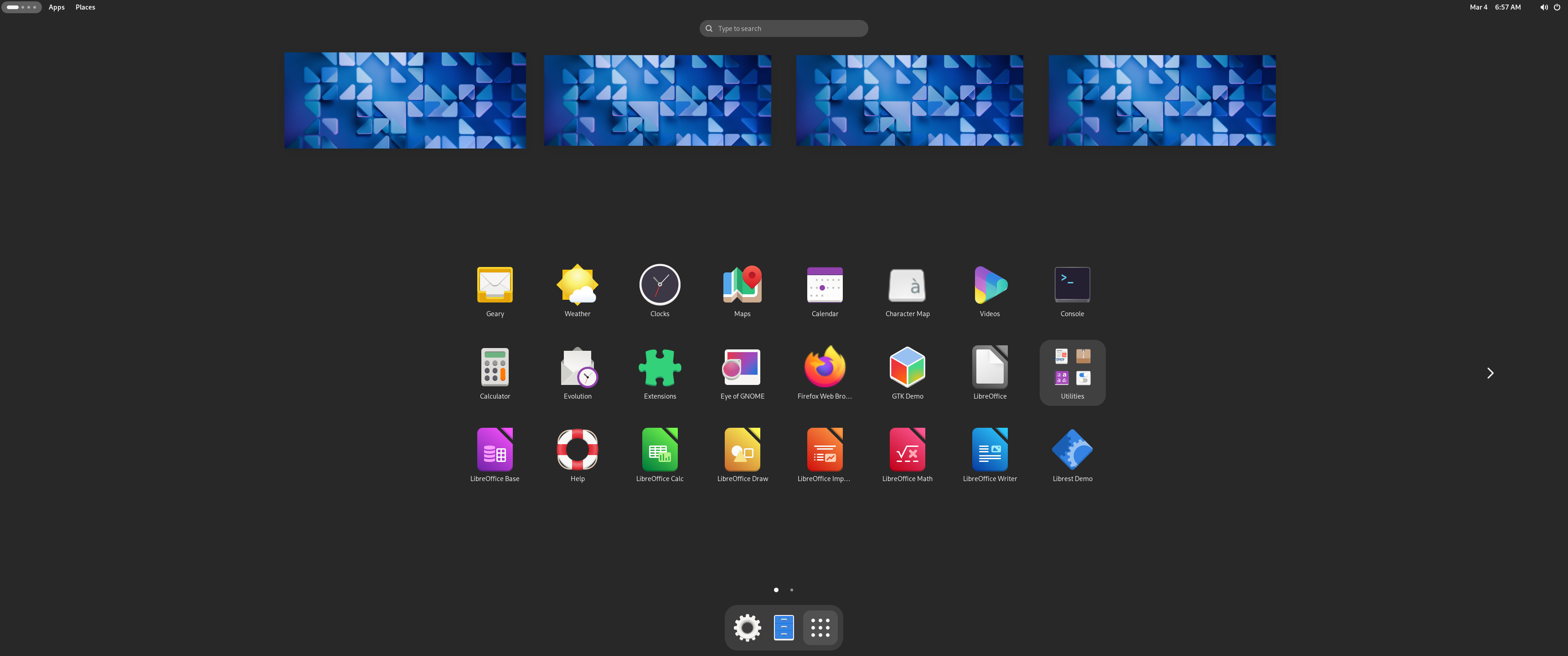
The same boring GNOME as everywhere else :-)
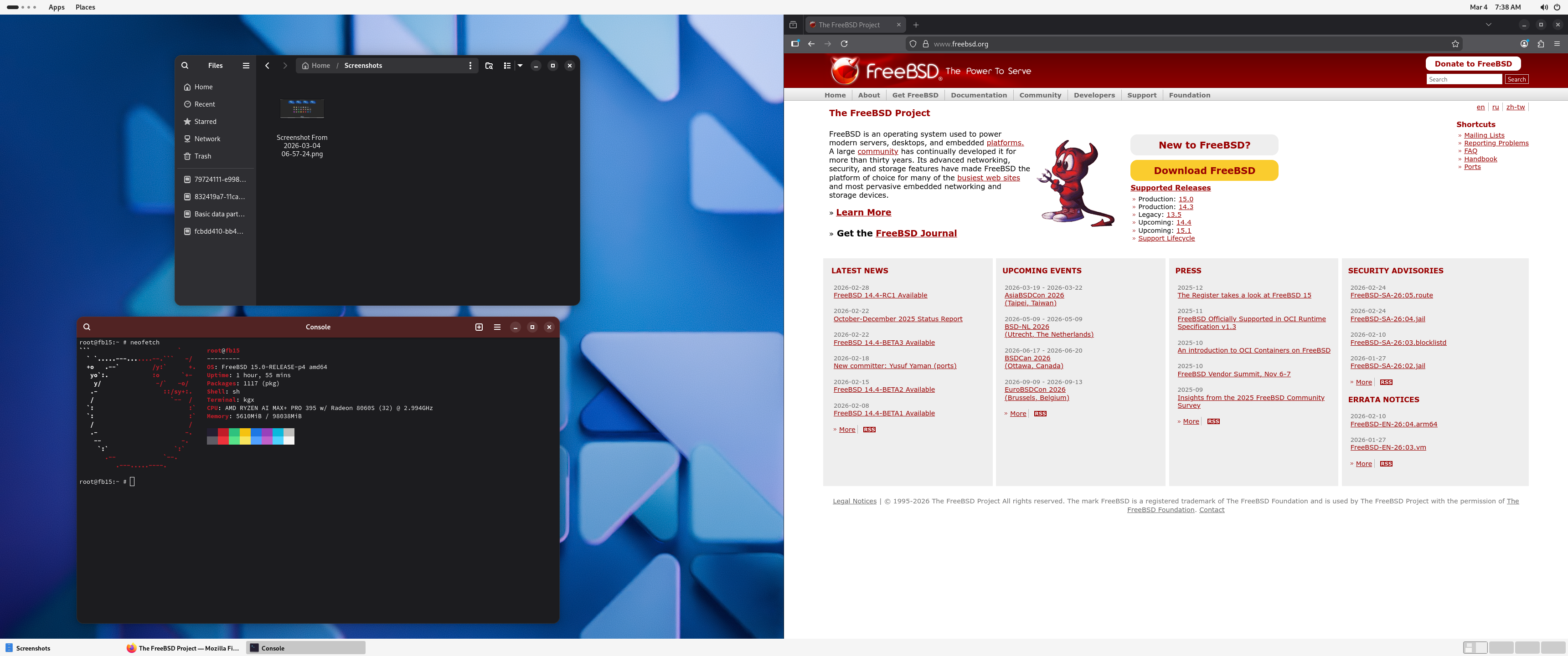
The same boring GNOME as everywhere else :-)
I might try to debug some of these issues, but most likely I’ll just reinstall FreeBSD, and keep using it in text-only mode. As far as I could see, there is no in hardware AI acceleration available on FreeBSD. However, with 32 CPU cores, a fast SSD and 128 GB of RAM, this is an ideal box for running complex test environments in FreeBSD jails. I love Bastille and plan to install it once I cleaned up the machine after the GNOME experiment.
This blog is part of a longer series about my adventures with my new machine and AI. You can reach me to discuss this blog on one of the contacts listed in the upper right corner. You can read the rest of the blogs under the toy tag.
Rocky Linux se convierte en patrocinador de KDE
Como buen blog sobre KDE me tengo que hacer eco de esta noticia que es importante para conocer un poco mejor como funciona la fundación KDE y cómo seguir constatando que poco a poco más y más empresas creen que la colaboración con el Software Libre. Este aspecto es algo que beneficia a todos y todas. Así que me congratula comentar que Rocky Linux se convierte así en una de las entidades que colabora como patrón de KDE.
Rocky Linux se convierte en patrocinador de KDE
El pasado 3 de marzo anunció que KDE tiene un nuevo patrocinador. A los recientes Kubuntu Focus, g10 Code y Techpaladin, se les une Rocky Linux, un sistema operativo empresarial de código abierto diseñado para ser 100 % compatible con Red Hat Enterprise Linux® en cuanto a errores.

En palabras Brian Clemens CEO de cofundador y vicepresidente de la Rocky Enterprise Software Foundation:
«El código abierto sostenible depende de grandes comunidades de código abierto que se apoyen mutuamente [..] Hacemos todo lo posible por apoyar a nuestros upstreams, y respaldar a KDE fue una decisión fácil para nosotros dada la popularidad de la versión KDE de Rocky Linux».
Por otra parte Aleix Pol, Presidente de KDE e.V., comenta:
«Como comunidad centrada en el usuario, KDE crea soluciones para satisfacer las necesidades del mundo real. Estamos encantados de dar la bienvenida a Rocky Linux como patrocinador de KDE y ver cómo el software de KDE brilla en Rocky Linux, su sistema operativo preparado para empresas».
De esta forma, Rockey Linux se une a otras compañías en su alianza con KDE: The Qt Company, SUSE, Google, Blue Systems, Canonical, Private Internet Access, enioka Haute Couture, Slimbook , Pine64, Kubuntu Focus, G10 Code o Techpaladin para continuar apoyando el Software Libre y el desarrollo de los proyectos KDE a través de KDE e.V.
Más información: KDE e.V.
La entrada Rocky Linux se convierte en patrocinador de KDE se publicó primero en KDE Blog.

Post-mortem: Stuck Critical Jobs Queue
Errores de certificados en curl y OpenSSL al actualizar openSUSE Tumbleweed
Al intentar actualizar openSUSE Tumbleweed curl me daba una serie de errores de certificados al querer acceder a los repositorios y no me dejaba actualizar el sistema

Hoy me ha dado por encender mi viejo portátil que desde que compré mi Slimbook Exkalibur KDE Edition está durmiendo el sueño de los justos para actualizar el sistema openSUSE Tumbleweed que todavía reside en sus entrañas digitales.
Así que esperé a que terminara de iniciar el sistema (de verdad tardaba tanto antes) y abrí una terminal para correr un sudo zypper dup o zdup que es como tengo configurado un alias… y error. No podía acceder a ciertos repositorios y debido a eso no actualizaba el sistema ¿qué hacer?
Los errores en cuestión estaban relacionados con certificados a la hora de que curl u openSSH accedan a las url de los repositorios configurados para actualizar el sistema. En concreto algo así:
El repositorio 'Packman' no es válido.
[Packman|https://ftp.gwdg.de/pub/linux/misc/packman/suse/openSUSE_Tumbleweed/] No se pudieron recuperar los nuevos metadatos del repositorio.
Historial:
- [|] Error al intentar leer https://ftp.gwdg.de/pub/linux/misc/packman/suse/openSUSE_Tumbleweed/
- Error de descarga (curl) para https://ftp.gwdg.de/pub/linux/misc/packman/suse/openSUSE_Tumbleweed/content:
Código de error: The peer certificate could not be verified Curl error (60)
Mensaje de error: SSL certificate OpenSSL verify result: unable to get local issuer certificate (20)
Lo primero comprobar que los servidores donde están los repositorios no están caidos, accediendo a las url desde el navegador. Todo parece estar Ok. Además comprobaba entre los dos portátiles que mi equipo nuevo podía acceder y el viejo portátil no.
Pero lo que parece que que los certificados SSL no son válidos o que curl no confía en ellos. Echando un vistazo (he perdido los enlaces…) veo que una solución para tratar de solucionarlo puede ser actualizar los certificados del sistema.
Para eso primero instalamos un par de paquetes que contienen certificados actualizados mediante:
sudo zypper in ca-certificates ca-certificates-mozilla
Y los actualizamos mediante:
sudo update-ca-certificates
Que reconstruye los certificados que se guardan en /etc/ssl/certs. Cuando terminó, volví a probar la actualización del sistema y esta vez todo funcionó sin problemas y pude actualizar todos los paquetes a sus nuevas versiones.
El problema es que hacía mucho tiempo que no arrancaba ese equipo por lo que sus certificados estaban desfasados y no podía acceder a los repositorios. En sistemas que utilizamos muy a menudo, esos certificados se renuevan automáticamente al actualizar el sistema por lo que no sería necesario ejecutar nada de esto.
Pero nunca está de más saberlo para otra vez ¿Lo conocías? Ahora mismo está actualizando más de 3.300 paquetes de software, entre ellos paquetes tan importantes como el kernel o del escritorio Plasma a nuevas versiones.

OWASP SP disponibiliza ModSecurity (CRS) para openSUSE.
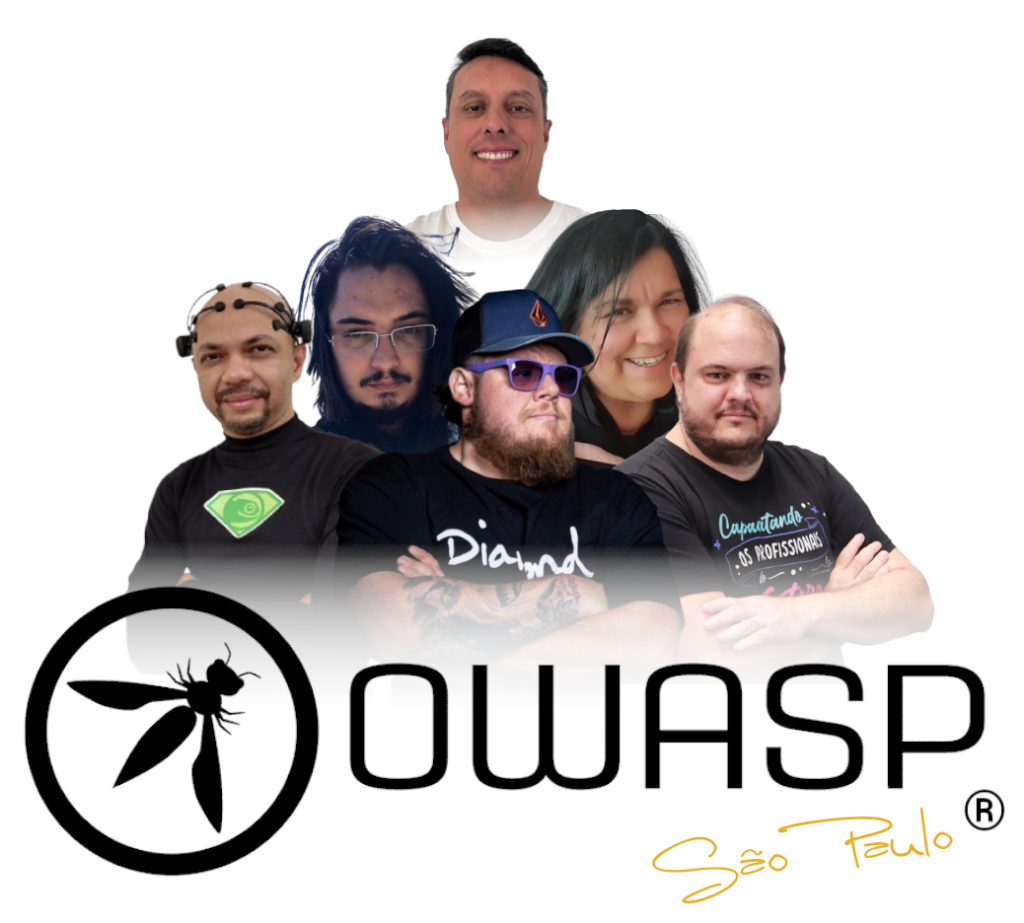
Hoje dia 09 de Março de 2026 às 14h30, uma hora a após lançar a versão 4.21.1 do OWASP CRS, o Capítulo SP disponibilizou esta versão para todas as versões da plataforma openSUSE LINUX. Isto demonstra o nosso compromisso com a evangelização e colaboração com a comunidade de desenvolvedores de Software Livre.
OWASP CRS é um conjunto de regras genéricas de detecção de ataques para uso com o ModSecurity ou firewalls de aplicações web compatíveis. O CRS visa proteger aplicações web contra uma ampla gama de ataques, incluindo os dez principais da OWASP, com um mínimo de falsos positivos.
OWASP Core Rule Set 4.24.1: Atualização das regras de proteção para WAF
Foi disponibilizada a nova versão 4.24.1 do OWASP Core Rule Set (CRS), um dos conjuntos de regras mais utilizados no mundo para Web Application Firewalls (WAF), especialmente com ModSecurity e outros motores compatíveis. O CRS fornece um conjunto de regras genéricas para detectar e bloquear ataques comuns contra aplicações web, incluindo vulnerabilidades presentes no OWASP Top 10, como SQL Injection, XSS e File Inclusion. Essa atualização faz parte da série 4.x, que recebe melhorias contínuas focadas principalmente em novas detecções de ataques, redução de falsos positivos e ajustes internos nas regras, mantendo compatibilidade com os principais motores de WAF.
Principais melhorias desta versão
A versão 4.24.1 traz um conjunto de refinamentos importantes no ruleset:
1. Correções e estabilidade das regras
Foram aplicadas correções em regras existentes para evitar comportamentos inesperados ou falhas de detecção. Isso inclui ajustes em expressões regulares, lógica de validação e melhorias no processamento das requisições HTTP.
2. Redução de falsos positivos (false positives)
Um dos focos constantes do projeto CRS é reduzir bloqueios indevidos. Nesta atualização foram feitos refinamentos em diversas regras para evitar que tráfego legítimo seja interpretado como ataque.
3. Melhorias nas detecções de ataques web
A atualização inclui aprimoramentos em regras relacionadas a categorias de ataques comuns como:
- SQL Injection (SQLi)
- Cross-Site Scripting (XSS)
- Remote Code Execution (RCE)
- exploração de headers HTTP
- evasão de filtros em payloads
Essas melhorias aumentam a capacidade do WAF de identificar técnicas modernas de evasão utilizadas por atacantes.
4. Manutenção e limpeza do ruleset
Também foram incluídas melhorias de manutenção do projeto, como ajustes em scripts, testes e organização interna das regras, facilitando o desenvolvimento e a evolução futura do CRS.
Por que atualizar?
O OWASP CRS é a primeira linha de defesa contra ataques a aplicações web quando utilizado com um WAF. Atualizações frequentes são importantes porque:
- novos vetores de ataque surgem constantemente
- técnicas de bypass evoluem rapidamente
- correções de falsos positivos melhoram a operação em produção
A série 4.24.x está entre as versões oficialmente suportadas pelo projeto, o que significa que continuará recebendo atualizações de segurança e correções.
Conclusão
A versão 4.24.1 do OWASP Core Rule Set é uma atualização incremental focada em estabilidade, melhoria de detecção e redução de falsos positivos, mantendo o ruleset alinhado com as técnicas modernas de ataque à web.
Para ambientes que utilizam ModSecurity, Nginx, Apache ou outros WAFs compatíveis, manter o CRS atualizado é essencial para garantir proteção eficaz contra ameaças emergentes.
Mais informações, download e outros:
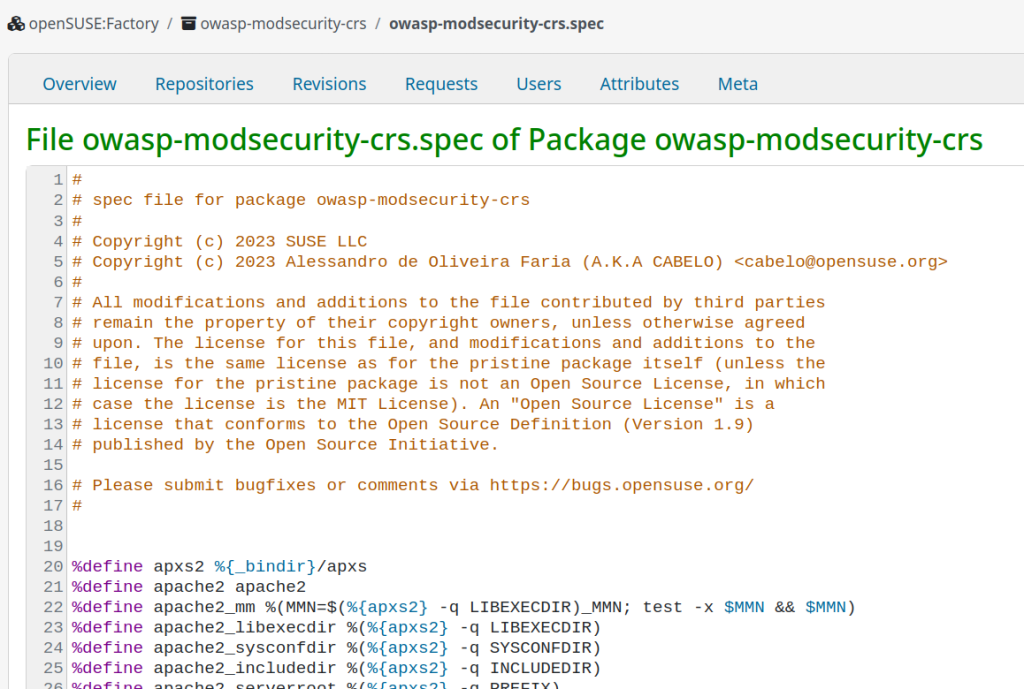
https://build.opensuse.org/package/show/home:cabelo:innovators/owasp-modsecurity-crs
Muchos progresos en Marknote y Drawy – Esta semana en KDE Apps
Es increíble el trabajo de promoción que está realizando Nate en su blog, desde hace más del tiempo que puedo recordar, ha sido replicado en ocasiones por Carl Schwan hablando de aplicaciones. Igual que Nate, se trata de un resumen de las novedades más destacadas, pero no en forma de telegrama, sino de artículo completo y no tan regular. De hecho esta última edición ha sido una recopilación mensual, y dado que en la actualidad tenemos herramientas que nos facilitan la traducción y la edición, os voy a presentar un resumen adaptado del mismo. Bienvenidos pues al artículo de la serie «Muchos progresos en Marknote y Drawy» de Esta semana en KDE Apps, aunque en realidad recoge los avances de todo un mes. Espero que os guste y que os ponga los dientes largos viendo lo que nos espera.
Muchos progresos en Marknote y Drawy – Esta semana en KDE Apps
Nota: Artículo original en Blogs KDE. Traducción realizada utilizando herramientas IA. Esta entrada está llena de novedades en las aplicaciones de la Comunidad KDE.
¡Bienvenido a una nueva edición de «This Week/Moth in KDE Apps»! Cada semana (más o menos) cubrimos todo lo posible de lo que está pasando en el mundo de las aplicaciones KDE.
Ha pasado un tiempo desde la última edición, así que haré lo posible por resumir todas las cosas importantes que han ocurrido recientemente.

Como decía el mes pasado, para este nuevo año he decidido cambiar un poco esta serie de artículos, ya que con los títulos coloridos se hace pesada la escritura, invirtiendo demasiado tiempo en aspecto visuales que quizás enmascaran el contenido. Así que me tomaré menos al pie de la letra la estructura del artículo original y realizaré mi entrada más a mi manera, y dado a su extensión no estarán todas las novedades, así que os invito a leer el artículo original para estar bien informado.
Marknote, la aplicación de notas de KDE
Esta aplicación ha alcanzado la versión 1.4.0 , una una importante actualización centrada en corregir muchos errores y mejorar su estabilidad. También incorpora nuevas funciones como deshacer/rehacer en el editor de bocetos office/marknote MR #91 y arrastrar y soltar imágenes dentro de la app office/marknote MR #90.
Además, y esto es lo que nos vendrán en la siguiente versión, la rama de desarrollo se han añadido mejoras orientadas a la productividad:
- Un contador de notas en la barra lateral que muestra cuántas notas hay en cada cuaderno office/marknote MR #110.
- Búsqueda de texto dentro de una nota office/marknote MR #109,
- Arrastrar y soltar notas entre cuadernos office/marknote MR #111.
- Enlaces tipo wiki entre cuadernos office/marknote MR #115.
- Un panel de tabla de contenidos office/marknote MR #112.
- Un botón para copiar todo el contenido de la nota office/marknote MR #108.

Además, se ha potenciado notablemente el trabajo con imágenes:
- Ahora se pueden arrastrar y soltar varias a la vez office/marknote MR #104.
- La carga de imágenes es asíncrona para no bloquear la interfaz office/marknote MR #99
- Se han migrado delegados personalizados a los nuevos delegados estandarizados de Kirigami Addons office/marknote MR #144 office/marknote MR #122.
Para finalizar comentar que también se han añadido bloques de código office/marknote MR #146, citas en bloque office/marknote MR #142, un soporte mucho mejor para tablas office/marknote MR #143 y una larga lista de correcciones de errores, refactorización de código y pulido de la interfaz.
Drawy, la pizarra digital infinita
Drawy ha recibido una oleada masiva de mejoras y nuevas funciones este mes, vamos a repasarlo mirando el trabajo de los desarrolladores.
- Prayag ha realizado una renovación importante de la interfaz: nuevo menú hamburguesa graphics/drawy MR #295, controles mejorados de zoom y deshacer/rehacer graphics/drawy MR #193, apariencia más uniforme en toda la app y mejor mecanismo de guardado que recuerda el último archivo usado graphics/drawy MR #345.
- Laurent Montel expandió las capacidades básicas: nuevo sistema de plugins para facilitar la adición de herramientas graphics/drawy MR #352, menú de esquemas de color para cambiar temas graphics/drawy MR #372 y personalización de atajos de teclado.
- Nikolay Kochulin mejoró la interacción con el contenido: soporte para lápices con goma de borrar y exportación del lienzo final a SVG graphics/drawy MR #258; copiar y pegar elementos, pegar imágenes directamente graphics/drawy MR #285 y arrastrar y soltar contenido directamente al lienzo graphics/drawy MR #322.
- Abdelhadi Wael pulió la experiencia visual haciendo que el fondo del lienzo detecte automáticamente el tema claro u oscuro del sistema graphics/drawy MR #380.

Mix de novedades de aplicaciones
Para no hacerlo infinito, recolecto aquí las pequeñas novedades que llegan a un gran número de aplicaciones:
- Okular: Posibiliadad de abrir página última vista al reabrir documentos graphics/okular MR #1324; archivos adjuntos incrustados graphics/okular MR #1312.
- KDE Itinerary: Diálogos convergentes Kirigami pim/itinerary MR #413; soporte Hostel World, GetYourGuide, FRS, FCM, French TER, Gomus. Blog Volker Krause.
- Akonadi: SQLite por defecto pim/akonadi MR #311.
- Merkuro Mail: Reservas de viaje en vista correo pim/mimetreeparser MR #90.
- Kdenlive: Previews animadas transiciones (26.04.0) multimedia/kdenlive MR #816.
- Photos (Koko): Atajos zoom estándar (26.04.0) graphics/koko MR #267.
- Kasts: Sincronización más eficiente (26.04.0) multimedia/kasts MR #315, (https://invent.kde.org/multimedia/kasts/-/merge_requests/305).
- AudioTube: Páginas home/explore multimedia/audiotube MR #179.
- Kate: Posibilidad de limpiar historial búsqueda (26.04.0) utilities/kate MR #2044.
- KomoDo: 1.6.0 con enlaces Markdown, sin monoespaciado utilities/komodo MR #72.
- Clock (KClock): Overlay bloqueo temporizador/alarmas utilities/kclock MR #244, (https://invent.kde.org/utilities/kclock/-/merge_requests/243).
- Tokodon: Respuestas múltiples menciones network/tokodon MR #796.
- Journald Browser: Vista común logs sistema/usuario system/kjournald MR #79.
Y no olvides que …
Esta entrada solo cubre la punta del iceberg. Descubre más en el blog de Nate sobre Plasma y su serie This Week in Plasma, donde detalla las novedades del entorno de escritorio Plasma de KDE. Para información sin filtrar, visita KDE’s Planet.
Participa
La organización KDE se ha vuelto importante a nivel mundial, y tu tiempo y contribuciones nos han ayudado a llegar hasta aquí. A medida que crecemos, necesitaremos tu apoyo para que KDE sea sostenible.
Puedes ayudar a KDE siendo un miembro activo de la comunidad y participando. Cada colaborador hace una gran diferencia en KDE: no eres un número ni una pieza más en una máquina. ¡Ni siquiera tienes que ser programador! Hay muchas cosas que puedes hacer: ayudar a encontrar y confirmar errores, e incluso quizás solucionarlos; contribuir con diseños para fondos de pantalla, páginas web, iconos e interfaces de aplicaciones; traducir mensajes y elementos de menús a tu idioma; promover KDE en tu comunidad local; y muchas más cosas.
También puedes ayudarnos donando. Cualquier contribución monetaria, por pequeña que sea, nos ayudará a cubrir los costos operativos, salarios, gastos de viaje para los colaboradores y, en general, a que KDE pueda seguir llevando Software Libre al mundo.
Para que tu aplicación sea mencionada aquí, por favor contáctanos en invent o en Matrix.
La entrada Muchos progresos en Marknote y Drawy – Esta semana en KDE Apps se publicó primero en KDE Blog.