
 Member
 Victorhck
SUSE (y openSUSE) “mudan” a Nuremberg sus “datacenter”
SUSE y por consiguiente algunos servicios que afectan a openSUSE migran parte de su infraestructura a sus servidores en Nuremberg

Desde el acuerdo de SUSE con la empresa EQT el pasado año, SUSE se ha convertido cada vez más en una empresa independiente de terceros.
Y es por eso que cada vez más quiere hacer efectivo esa separación de servicios tanto de su acuerdo con Microfocus, como de otros acuerdos ya muy lejanos con Novell.
Por eso SUSE quiere gestionar de manera propia servicios importantes y que también ofrecen a la comunidad de openSUSE, ya que SUSE y openSUSE no solo cooperan con código, si no en infraestructura que ofrecen al proyecto comunitario.
Así pues ambos proyectos de GNU/Linux comparten servicios como por ejemplo Bugzilla, la herramienta que sirve para reportar errores encontrados en openSUSE y SUSE.
Y SUSE ha decidido migrar los datacenter que gestionan esos servicios (y otros) a sus datacenter en Nuremberg. Así los administradores de sistema de SUSE realizarán la migración de Bugzilla desde los servidores donde han estado funcionando desde hace ¡25 años!
Así pues durante el fin de semana del 8 al 10 de mayo de 2020 debido a la migración el servicio de Bugzilla estará caído hasta que finalice el proceso.
Pero además de este servicio, también se migrará el sistema de gestión de identidades que también comparten SUSE y openSUSE y que sirve para identificarse con una cuenta en diferentes servicios de openSUSE.
Por eso a quienes tengamos cuenta de openSUSE abierta porque hemos utilizado esos servicios, nos llegará unos correos pidiéndonos que realicemos un cambio de contraseña.
Así pues atentos a los medios de contacto con la comunidad de openSUSE (o de este blog!!  )
)
Más información
- https://news.opensuse.org/2020/05/07/SUSE-carve-out-affecting-openSUSE/
- https://lists.opensuse.org/opensuse-…/msg00014.html
- https://lists.opensuse.org/opensuse-…/msg00008.html

Presenta tu charla a Akademy 2020, edición en línea
Este año se Akademy 2020 se celebrará en línea del 12 al 11 de Septiembre. Aunque falta bastante tiempo recientemente se ha abierto el Call for Papers, es decir, el momento de participar activamente en el evento. Así que ya sabes: presenta tu charla a Akademy 2020 y presenta al mundo tu proyecto.
Presenta tu charla a Akademy 2020
 A pesar de todas las restricciones para vernos que tenemos debido a la pandemia, los eventos comunitarios parece que no se detienen.
El pasado 15 de abril compartí con vosotros que este año Akademy 2020 se realizaría en línea del 4 al 11 de septiembre, en una edición muy especial.
Siguiendo el esquema habitual, las charlas se realizarán en línea el sábado 5 y el domingo 6, dejando el resto de días para el trabajo en pequeños grupos en sala más reservadas pero no privadas, es decir, que no están cerradas sino que todo el que quiera aportar algo está invitdado.
Como se ha comentado en anteriores ocasiones, uno de los objetivos de Akademy es aprender y enseñar nuevos conocimientos y compartir entre nosotros la pasión de lo que se hace en KDE.
Para compartir ideas, experiencias o momentos, se reservan talleres específicos en la sede (o se aprovechan los corrillos en los pasillos, las cenas o los momentos de barra), pero para enseñar y compartir detalles técnicos se utilizan las charlas.
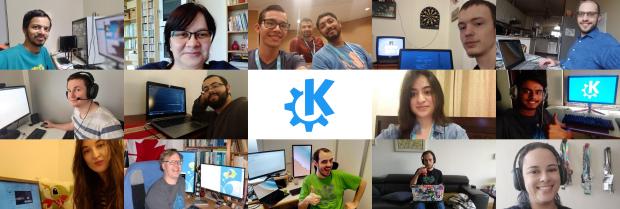
Si crees que tienes algo importante que presentar, por favor házselo saber a la organización. Y si crees que alguien debería presentar su ponencia, no dejes de animarlo para que lo haga. Todas las contribuciones son útiles.
Para más detalles, mira las líneas generales del Call for Papers. Tienes de plazo para enviar tu propuesta hasta el domingo 14 de Junio 23:59:59 CEST.
Vía: KDE News
¿Qué es Akademy?
Para los que no lo sepan, Akademy es el evento de la Comunidad KDE que aúna en una gran conferencia todo tipo de simpatizantes de KDE como desarrolladores, diseñadores, usuarios, traductores, promotores, ideólogos, etc. Allí se reunirán a lo largo de una semana para compartir charlas, cenas, ponencias, talleres y, en definitiva, para trabajar juntos.
Es una gran semana que sirve para unir más fuerte los lazos que unen nuestra Comunidad, así como para crear nuevos que se mantendran gracias a las listas de correo, canales irc o Sprints.
Hay que recordar que en España tenemos gran tradición en la celebración de Akademy ya que en 2011 se celebreo en Gran Canaria, en 2013 en Bilbao y en en 2015 en A Coruña, todos esos años junto con Akademy-es (como este año), y que fue un gran éxito tanto de asistentes, como de ponencias o de resultados. Así que no tienes excusa para asistir ya que por el «precio» de uno este año tienes dos grandísimos eventos a tu alcance.
Las novedades de KDE Connect de abril de 2020
Me desdigo de ayer, todavía me queda unas cuantas entradas para finalizar esta serie de cambios en las aplicaciones que llegaron el pasado mes de abril. Al conjunto de aplicaciones ya comentadas (Dolphin, Okular, KMail, Gwenview, Elisa y Kdenlive) se le une otra Killer App que une el mundo de los móviles con el escritorio Plasma. Es hora de hablar de las novedades de KDE Connect de abril de 2020. Una aplicación que ayuda a la tan deseada convergencia entre dispositivos.
Las novedades de KDE Connect de abril de 2020
 Esta es una de las viejas historias del blog: conocí el proyecto KDE Connect en una de las charlas relámpago de Akademy-es 2013 de Bilbao que llevaba por título «KDE y Android, una historia de Amor que realizó Albert Vaca. Básicamente Albert decía que se «sentía engañado por Microsoft cuando le prometió hace unos años transparencia de comunicación entre dispositivos». Esa promesa no se cunplió y Albert inició el desarrollo de un proyecto libre que pretendía romper todas las barreras entre tu móvil y tu ordenador.
Ese fue el inicio de KDE Connect, una aplicación que instalada en tu escritorio Plasma y en tu móvil permite realizar muchas acciones de esa deseada transparencia comunicativa: notificar llamadas y SMS, inidicar el estado de la batería del móvil, sincronizar portapapeles, control Multimedia (audio/video), otificaciones de pings, etc.
De esta forma, que nos encontramos en KDE Connect de abril de 2020 son las siguientes:
- Posibilidad de iniciar nuevas conversaciones con la aplicación de SMS, que se une a la que ya tenía de contestar SMS. Simplemente maravilloso.
- Nuevo conjunto de iconos de estado para las conexiones.
- Posibilidad de mostrar los reproductores multimedia remotos en la miniaplicación de reproducción multimedia
- Gestión de notificaciones de llamadas mejorado.
- Corregido el error que hacía que al compartir un archivo se bloqueara la aplicación que lo llamaba.
- Resuelto los problemas de las transferencias de archivos realmente grandes.
Como vemos, y como es habitual, pocos pero interesantes cambios, siguiendo la línea de la Comunidad KDE: poco a poco pero con buena letra.
#openSUSE Tumbleweed revisión de la semana 19 de 2020
Tumbleweed es una distribución “Rolling Release” de actualización contínua. Aquí puedes estar al tanto de las últimas novedades.

openSUSE Tumbleweed es la versión “rolling release” o de actualización continua de la distribución de GNU/Linux openSUSE.
Hagamos un repaso a las novedades que han llegado hasta los repositorios estas semanas.
El anuncio original lo puedes leer en el blog de Dominique Leuenberger, publicado bajo licencia CC-by-sa, en este enlace:
Durante esta semana se ha establecido un nuevo record: La snapshot de Tumbleweed con más errores que ha gestionado el servicio openQA.
Solo 9 test de más de 220 han sido aceptados. Todo lo demás falló. ¡Qué suerte tener este test openQA! Nada de esto llegó a los repositorios de los usuarios.
Para los más curiosos: los problemas vinieron de un recompilado incompleto después del cambio a Ruby 2.7. Pero aún así han llegado 6 nuevas snapshots (0429, 0501, 0502, 0503, 0504 y 0506)
Los cambios más importantes que trajeron estas snapshots son:
- GNOME 3.36.2
- VLC 3.0.10
- Mesa 20.0.6
- Linux kernel 5.6.8
- QEmu 5.0.0
- Cambio de plymouth a 0.9.5+git20190908
- Camnio a Ruby 2.7: todos los paquetes se han recompilado para ruby 2.6 Y ruby 2.7. Ruby 2.7 será la opción predeterminada, aunque todavía hay algunos paquetes que dependen de Ruby 2.6 (por ejemplo: vagrant)
- pam-config 1.3
Cambios que están esperando próximas publicaciones:
- MozillaFirefox 76.0
- KDE Plasma 5.18.5
- Linux kernel 5.6.11
- TeXLive 2020
- Qt 5.15.0
- Guile 3.0.2
- GCC 10 como compilador principal de la distribución
Si quieres estar a la última con software actualizado y probado utiliza openSUSE Tumbleweed la opción rolling release de la distribución de GNU/Linux openSUSE.
Mantente actualizado y ya sabes: Have a lot of fun!!
Enlaces de interés
-
-
- ¿Por qué deberías utilizar openSUSE Tumbleweed?
- zypper dup en Tumbleweed hace todo el trabajo al actualizar
- ¿Cual es el mejor comando para actualizar Tumbleweed?
- Comprueba la valoración de las “snapshots” de Tumbleweed
- ¿Qué es el test openQA?
- http://download.opensuse.org/tumbleweed/iso/
- https://es.opensuse.org/Portal:Tumbleweed
-

——————————–

Introducing the Karatek Status Page
Since Sunday, the 24th of May, we are having our very own status page hosted at status.karatek.systems.
openSUSE Tumbleweed – Review of the week 2020/19
Dear Tumbleweed users and hackers,
During this week, we managed to set a new record: the most broken Tumbleweed snapshot handed over to openQA. W whopping 9 tests out of > 220 passed, everything else failed. What a luck we have openQA, right? Nothing of that was mirrored out and sent out to users. Fur the curious ones: the issue came from an incomplete rebuild after the switch to Ruby 2.7. Still, we managed to release 6 snapshots during this week (0429, 0501, 0502, 0503, 0504 and 0506)
The major changes included:
- GNOME 3.36.2
- VLC 3.0.10
- Mesa 20.0.6
- Linux kernel 5.6.8
- QEmu 5.0.0
- Reverted plymouth to 0.9.5+git20190908
- Switch to Ruby 2.7: all rubygem-* packages are now built for ruby 2.6 AND ruby 2.7. Ruby 2.7 became the detault. Unfortunately, we can’t drop Ruby 2.6 just yet (e.g. vagrant)
- pam-config 1.3: the default pam configuration was switched from pam_cracklib to pam_pwdquality
Most of the larger things listed on Staging last week are still there:
- MozillaFirefox 76.0
- KDE Plasma 5.18.5
- Linux kernel 5.6.11
- TeXLive 2020
- RPM change: %{_libexecdir} is being changed to /usr/libexec. This exposes quite a lot of packages that abuse %{_libexecdir} and fail to build
- Qt 5.15.0 (currently beta4 is staged)
- Guile 3.0.2: breaks gnutls’ test suite on i586
- GCC 10 as the default compiler

SUSE carve out affecting openSUSE
SUSE’s partnership with EQT started last year - and now SUSE starts to separate more and more services from MicroFocus.
SUSE and openSUSE are not only cooperating and share code - often enough they also share the same services. As result, openSUSE is also affected from some of the separation work which is currently going on behind the scenes.
This weekend, the official bug tracking tool for openSUSE related issues (https://bugzilla.opensuse.org/) is one of the targets. The SUSE-IT team is migrating the service together with the bug tracking tool for SUSE to new systems in a new location. As the database has been grown over the last 25(!) years, the scheduled downtime is covering the whole weekend:
Friday (2020-05-08) until Sunday night (2020-05-10)
But there is currently more on the agenda: the identity management system, also shared between SUSE and openSUSE, needs to change as well. This IDM change will include at least also a password change request for everyone with an “openSUSE” account.
Note: there is even more coming up with this IDM change that will be covered in separate messages.
So please watch for further information provided via the usual channels:
- Discord,
- Forum,
- IRC channels,
- Mailing lists,
- Matrix,
- personal Emails,
- Telegram,
- Twitter,
- …
QEMU 5, Kismet, BRLTTY Packages Update in Tumbleweed Snapshots
There have been four openSUSE Tumbleweed snapshots released so far this month and they are all trending stable at a rating of 99, according to the Tumbleweed snapshot reviewer.
QEMU had a major version update in Tumbleweed this week and a new version of the BRLTTY daemon, which provides access to the Linux console for a blind person using a refreshable braille display, also updated in Tumbleweed earlier this week.
Snapshot 202000504 brought a new version of GNOME’s photo management application Shotwell. The new Shotwell version fixed an access issue with YouTube via OAuth scope. The bootsplash package Plymouth had more than six months of updates for Tumbleweed users; there were numerous updates in this package and it added support for firmware-splashes with rotation status bit sets and added a plymouth-avoid-umount-hanging-shutdown.patch. The expressive, extensible templating engine python-Jinja2 package updated to version 2.11.2 and fixed about a handful of bugs; one of which fixed a hang when displaying tracebacks on Python 32-bit. Xfce’s window manager, xfwm4, fixed the compositor without the required X11 extensions and fixed the window decorations without XRender extension in version 4.14.2.
The lone package that arrived in snapshot 202000503 was an update for to the wireless network and device detector/sniffer Kismet to version 2020_04_R3. The release was an ultra tiny bugfix release to fix a possible crash in Kismet and associated tools when compiled with the GNU Compiler Collection instead of the Clang compiler.
The major 5.0 version of the open-source emulator QEMU arrived in snapshot 202000502. There are multiple additions and new deprecated options in features for the new emulator. One thing pointed out in the changelog is that support for using an AArch32 host system to run KVM guests is now deprecated (because the Linux kernel has dropped its support for this) and will be removed in a future version of QEMU. A small release of Mesa 20.0.6 implemented the Vulkan 1.2 and OpenGL 4.6 Application Programming Interfaces (APIs), but some drivers don’t support all the features required in OpenGL 4.6. GNOME’s 3.36.2 also came in the snapshot. The gnome-shell package brings back support for empty StIcons, which is a simple styled texture actor that displays an image from a stylesheet. GNOME’s window manager Mutter syncs timelines to hardware vsync, fixes a screencasting for non-maximized windows and preserves the keyboard state on Virtual Terminal (VT) switch. GNU Privacy Guard had a fresh update to gpg2 2.2.20; new options in the GPG version have –include-key-block and –auto-key-import to allow encrypted replies after an initial signed message. There was also an effort to protect the error counter against overflows to guarantee that the tools can’t be tricked into returning success after an error. The Linux Kernel updated to 5.6.8 and had some fixes for a few Small Computer System Interfaces as well as some enhancements for the Advanced Linux Sound Architecture. The PDF rendering library Poppler had some updates to versions 0.88.0 and a few libraries like libburn, libisofs and libstorage-ng were also updated in the snapshot.
The 202000501 snapshot started off the week and it brought a minor version of brltty 6.1. The new version had a rewrite of the whole braille display and brought four new supported braille display models including the HumanWare BrailleOne, APH Chameleon 20, APH Mantis Q40 and NLS eReader. Salt 3000.2 fixed a typo in ‘minion_runner’ for AESFuncs exposed methods and added a few patches from the initial Salt 3000 release. Python Imaging Library python-Pillow updated from version 6.2.1 to version 7.1.2 in the snapshot. The new major version fixes JPEG, PCX and TIFF decoding overflows. Added support for shooting situations Exif IFD tags were made. There is also added reading of earlier ImageMagick PNG and EXIF data in the updated image library.
Canal público del blog en Telegram
Ya puedes recibir las novedades de este blog en tu aplicación de mensajería Telegram, suscribiéndote al canal público del blog

Telegram es una de las aplicaciones de mensajería que se utilizan mucho en el mundillo geek. Y desde hace un tiempo, utilizo Telegram como medio de mensajería con personas cercanas y queridas.
Poco a poco voy descubriendo las opciones que ofrece. Y ya me he suscrito a unos pocos grupos que me interesan como son el de openSUSE en español, el de Cañas y Bravas de KDE España y el de Linux y Tapas.
De momento y para empezar creo que son suficientes, no quiero que el móvil me este recordando que le de atención con multitud de notificaciones (aunque tengo silenciadas las notificaciones).
Y he pensado que igual era buena opción el hacer que este pequeño blog tuviera también presencia en Telegram. Viendo las opciones disponibles, me he decidido en crear un canal público en el que se irán posteando los artículos que vaya publicando por el blog.
A la opción de la suscripción por correo, o por RSS, ahora también tienes disponible el poder seguir desde Telegram mi blog, si te parece interesante.
Si lo he configurado bien, los artículos se publicarán automáticamente en el canal cuando se publiquen, mediante un bot.
Así que si encuentras este blog interesante y tienes Telegram, si lo deseas puedes suscribir al canal del blog para no perderte ningún artículo en este enlace:
Espero que os sea de utilidad… nos seguimos leyendo!!

Las novedades de Kdenlive de abril de 2020
Ya casi estamos finalizando la serie sobre los cambios en las aplicaciones que llegron el pasado mes de abril. De esta forma ya he comentado las mejoras de Dolphin, Okular, KMail, Gwenview y Elisa, y ahora toca las novedades de Kdenlive de abril de 2020, el editor de vídeo no lineal de la Comunidad KDE, que sigue mejorando, corrigiendo errores y añadiendo flexibilidad a su uso.
Las novedades de Kdenlive de abril de 2020
 Ya me quedan pocas aplicaciones por presenta de esta última gran actualización de algunas aplicaciones KDE. Ahora le toca el turno a las novedades de Kdenlive de abril de 2020 que nos ofrece pequeños pero significativos cambios:
- Muchas correcciones de errores, como los de seguimiento del movimiento, que no funcionaba en algunos sistemas.
- Nueva funcionalidad que permite añadir un filtro de compensación de lanzamiento, así como añadir «mover y cambiar de tamaño» a la forma «Rotoscopía».
- Corregido un bloqueo en el asistente de DVD y un error que se producía al cambiar el volumen de la grabación desde el mezclador.
- Añadidas la funcionalidades de etiquetado, puntuación y filtrado a la bandeja del proyecto.
- Kdenlive para Windows también contiene correcciones de errores para los diálogos de la línea de tiempo, que anteriormente no aceptaban entrada del teclado.
- Ahora se puede seleccionar el motor de sonido en Windows.
Más información: KDE
¿Qué es Kdenlive?
 Kdenlive (acrónimo del inglés: KDE Non-Linear Video Editor) (ˌkeɪdɛnˈlaɪv) es un editor de vídeo no lineal para KDE que soporta todos los formatos de vídeos de codificador FFmpeg (DV, HDV, mpeg, avi, mp4, mov, flv, ogg, wav, mp3, vorbis, …) y los formatos de imágenes clásicas (gif, png, jpeg, xcf, exr, tiff, svg, …)
Además, tiene las siguientes características:
- Dispone de linea de tiempo con función búsqueda.
- Copiado y pegado de clips.
- Función deshacer completa.
- Captura de por Firewire: DV y HDV
- Captura por Video4Linux
- Exporta en diferentes formatos: mpeg, avi, dv, flash, mov, …
- Múltiples efectos como: Automask, Box Blur, Charcoal, etc.
Más información: Kdenlive