
 Member
COVID-19 – Télétravail – #openSUSE Linux – VPN – #DNS RPZ – Ne Laissez Rien Au Hasard
J’ai été en mission chez plusieurs clients qui n’acceptaient pas de BYOD1, CYOD2, COPE6, télétravail. Initalisation de connexion uniquement sur leur matériel *et* en présentiel. « Whois right, whois wrong3 ? » A partir du jeudi 12 Mars, on est invité à faire du télétravail *et* garder ses enfants car il n’y a pas d’école ! COVID-19 oblige ! […]
The post COVID-19 – Télétravail – #openSUSE Linux – VPN – #DNS RPZ – Ne Laissez Rien Au Hasard appeared first on Network Users Institute - Cybersécurité, Intégration de Linux & Logiciels Libres à Rouen, Normandie..

 baltolkien
Flatery, otro tema de iconos planos para Plasma
Entre tanto evento y actualizaciones, hoy me complace presentaros un tema de iconos con los que personalizar nuestro entorno de trabajo. Se trata de Flatery, otro pack de iconos planos para Plasma sencillo y colorido.
Flatery, otro tema de iconos planos para Plasma
Como suelo decir, cambiar el tema de iconos de un escritorio es una de las formas de adaptación más completa que puedes realizar sobre tu PC, ya que modifica totalmente el aspecto del mismo a la hora de interaccionar con tus aplicaciones, documentos y servicios.
Para el escritorio Plasma de la Comunidad KDE hay cientos de temas disponibles, y en el blog le hemos dedicado muchos artículos a ir presentando algunos de ellos, pero siempre aparece alguno nuevo o remozado que hace que siempre le volvamos a dedicar una nueva entrada
Os presento Flatery, un bonito tema de iconos que nos viene de la mano de Cybernix que nos ofrece un conjunto de avatares para carpetas, aplicaciones y otros símbolos del sistema coloridos, simples y elegantes.
El tema no está completo, y el diseñador lo sabe, por lo que, de momento, pide que no se le hagan encargos de aplicaciones ya que él sabe que le faltan mucho e irán apareciendo con el tiempo.
Por cierto, Flatery utiliza licencia CC BY-NC-SA 3.0.

Y como siempre digo, si os gusta el pack de iconos podéis “pagarlo” de muchas formas en la nueva página de KDE Store, que estoy seguro que el desarrollador lo agradecerá: puntúale positivamente, hazle un comentario en la página o realiza una donación. Ayudar al desarrollo del Software Libre también se hace simplemente dando las gracias, ayuda mucho más de lo que os podéis imaginar, recordad la campaña I love Free Software Day 2017 de la Free Software Foundation donde se nos recordaba esta forma tan sencilla de colaborar con el gran proyecto del Software Libre y que en el blog dedicamos un artículo.
Más información: KDE Store

Eliminar dores com IoT sem analgésico.
Estimulação Elétrica Transcutânea do Nervo e Estimulação Elétrica Muscular com IoT… Em breve novidades (final deste semestre).


nginx 使用 SSL 憑證 with openSUSE Leap 15.1 in Azure 小記
- 他也是利用 Let's Encrypt 來讓使用者取得憑證



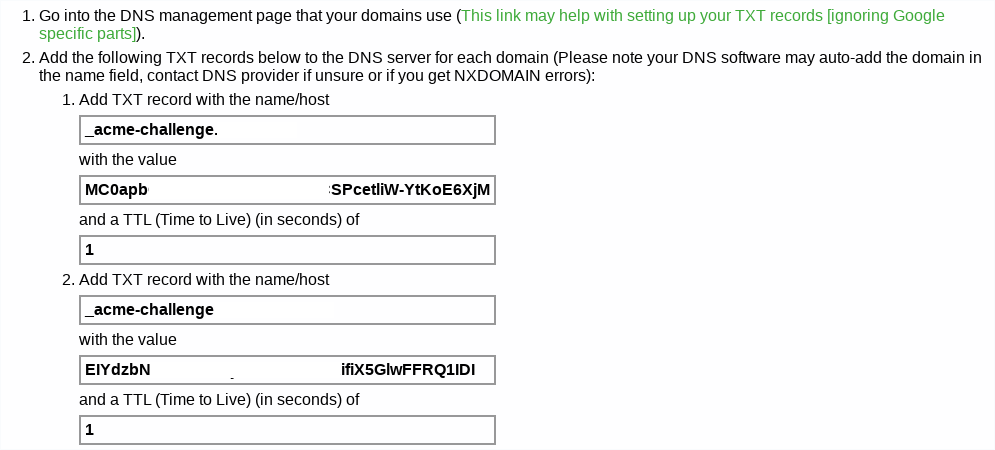
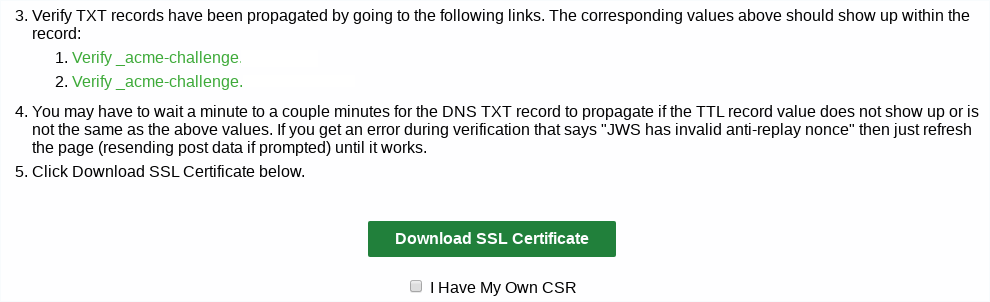
- 如果要確認是否設定完成, 可以使用 host 指令
- #host -t txt _acme-challenge.YOUR_DOMAIN
- Gandi 最小 TTL 值是 300 秒, 雖然他要求 1 秒的 TTL, 不過只要等 300 秒, 還是可以檢查 Value, 所以不影響
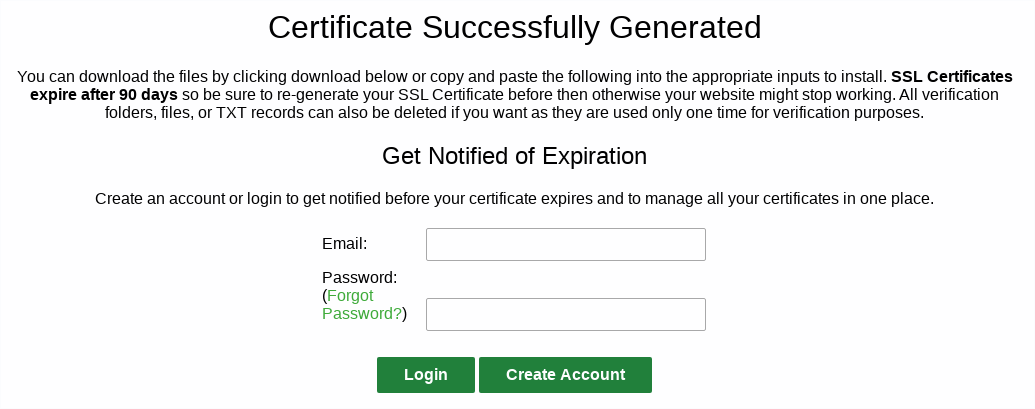

- ca_bundle.crt - 中繼憑證
- certificate.crt - 公鑰
- private.key - 私鑰
- ca_bundle.crt - 中繼憑證
- certificate.crt - 公鑰
- private.key - 私鑰
- 這邊注意第一個指令是用 > 輸出導向, 然後後面是用 >> 附加的方式
- certificate.crt 以及 ca_bundle.crt 順序要注意
- 加入上面紅色部分


Renovado Planet KDE, el agregador de noticias de la Comunidad
Seguimos con las noticias relacionadas con la promoción del trabajo de la Comunidad KDE. En esta ocasión me complace compartir con todos vosotros que se ha renovado Planet KDE, el agregador de noticias de la Comunidad KDE y con el que podemos estar al día a las novedades oficiales y no oficiales del proyecto.
Renovado Planet KDE, el agregador de noticias de la Comunidad
 Hace un par de días comenté la nueva página de KDE Connect, fruto del trabajo del grupo KDE Promo que junto con los desarrolladores Web de KDE están iniciando una mejora de la presencia de todos los proyectos de la Comunidad en la web.
Pues bien, hoy me toca hablar de la renovación del Planet KDE, un agregador de noticias de la Comunidad KDE en la que vemos recopiladas las entradas aparecidas en diversos blogs de un buen número de contribuyentes.
El trabajo realizado básicamente se ha centrado en hacerlo más claro y sencillo de leer, sobretodo en dispositivos móviles, algo que cada día es más importante.
La gran ventaja de Planet KDE es que navegando entre las entradas vemos el nivel de trabajo de los desarrolladores KDE, aunque se debe indicar que este volumen de trabajo en realidad es mayor ya que documentar lo que se hace día a día es también un trabajo adicional y muchos desarrolladores no pueden o no quieren invertir su tiempo en eso. En otras palabras, la Comunidad KDE avanza mucho más de lo que se mostrará en el Planet.
Una característica notable es que tiene la opción de filtrar por idioma, teniendo disponibles los siguientes idiomas:Català English Español Français Italiano 한국어 Português Português brasileiro Svenska Українська. Además nos ofrece los enlaces a Mastodon y a Reddit (r/kde)
Debo reconocer que me gustaría que la parte española y catalana del Planet fuera mucho más variada, así que os animo a crear blogs en estos idiomas.
O SURPREENDENTE resultado das regras OWASP CRS

O Fernando Galves ( OWASP SP Chapter Leader ) explanou para o AssuntoNerd o fantástico resultado dos testes submetidos ao OWASP ModSecurity Core Rule Set (CRS) comparado as soluções de mercado com custos relativamente elevado ( principalmente para startups ).
Em tempos de GDPR, LPGD e Bacen 4658, a segurança deixou que ser assunto para apenas as grandes corporações. O problema começa quando nos deparamos com subscrições de alto valores (impraticáveis por STARUPS) para produtos de WAFs de Mercado.
Então Tuomo Makkonen e sua equipe efetuaram testes para mensurar a respectiva eficiência dos WAFS de mercado com Azure WAF com as Regras CRS importadas e devidamente configurada.
O que é OWASP ModSecurity CRS?
O OWASP ModSecurity Core Rule Set (CRS) é um conjunto de regras para detecção de ataques utilizada no ModSecurity ou WAF compatíveis. O CRS tem como finalidade Aplicativos da Web de uma ampla gama de ataques, incluso o Top Ten da OWASP, com um mínimo de alertas de falsos positivo.
O Core Rule Set fornece proteção para as categorias de ataque abaixo:
| SQL Injection (SQLi) Cross Site Scripting (XSS) Local File Inclusion (LFI) Remote File Inclusion (RFI) Remote Code Execution (RCE) PHP Code Injection HTTP Protocol Violations |
HTTPoxy Shellshock Session Fixation Scanner Detection Metadata/Error Leakages Project Honey Pot Blacklist GeoIP Country Blocking |
O TESTE:
Foi coletado diversos ataques e invasões reais. Estes ataques foram utilizados para testes de efetividade. Para uma maior clareza e/ou visibilidade a seguir as categorias dos ataques:
Execução de comando: Comandos injetados no aplicativo aplicativo por meio das entradas disponíveis utilizado para comprometer o sistema.
Injeção SSI (Server-Side Inclui): O ataque acontece no servidor quando a injeção de scripts em paginas HTML é explora no aplicativo Web.
Injeção SQL: O ataque mais popular, pois consiste na inserção um comando SQL por meio dos dados de entrada do aplicativo cliente.
Path Traversal: É um ataque dos ataques mais perigosos, pois permite o acesso não autorizado aos arquivos e diretórios armazenados fora da pasta raiz da aplicação web.
Cross-Site Scripting (XSS): Outor tipo de injeção, ao invés de comando são inseridos scripts dentro das páginas web. Sou seja, o atacaque insere scripts maliciosos em páginas caracterizadas confiáveis (assim permitindo sequestrar o acesso de usuários e administradores).
Resultado dos testes
Os resultados do teste são apresentados na tabela a seguir. Para surpresa de todos, o WAF do Azure utilizando as regras OWASP CRS 3.1 superou os demais com uma grande margem. E também demonstrou se o único que apresentou um desempenho uniforme em todo conjunto teste.

Conclusão:
O Azure WAF com as regras OWASP foi o vencedor e o único serviço com bom desempenho ao bloquear ataques do mundo real em BASEADO NOS TESTE mencionado anteriormente.
Fonte da Informação: https://medium.com/fraktal/cloud-waf-comparison-using-real-world-attacks-acb21d37805e
Aplazado Akademy-es 2020 de Málaga
Tenía que pasar y pasó. La globalización tiene cosas muy buenas, pero también sus inconvenientes, y mucho de ellos tienen que ver con la propagación de enfermedades a velocidades de vértigo. Me entristece compartir con vosotros que ha sido aplazado Akademy-es 2020 de Málaga debido a la crisis sanitaria provocada por el COVID-19. Es obvio que la solidaridad y el compromiso social es uno de los valores más importantes de la Comunidad del Software Libre.
Aplazado Akademy-es 2020 de Málaga
Lo cierto es que me lo llegué a imaginar pero no esperaba que los acontecimientos se precipitaran de esta manera. Desde el inicio de este año he seguido con atención el desarrollo de la epidemia en China, quedándome anonadado con los acontecimientos y convenciéndome día a día de que las medidas de contención llegarían a España.
Finalmente así ha sido, y si bien no me ha pillado por sorpresa las medidas, si que me ha dejado perplejo las previsiones… quizás porque el tiempo me pasa muy rápido y no me he percatado el tiempo de las cuarentenas en otros países.
Como no podía ser de otra forma, la asociación KDE España y los organizadores del Opensouthcode han decidido ser responsables y han decidido aplazar los eventos que tenían previstos para el mes de abril. Una cancelación que se une a la cascada de actos suspendidos con el objetivo de frenar el número de contagios (hoy mismo se ha anunciado la cancelación de la visita de Richard Stallman a la Comunidad Valenciana que organizaba la asociación GNU/Linux Valencia).
El comunicado oficial es el siguiente:
Ante la situación generada por la pandemia del COVID-19, las recomendaciones de las autoridades sanitarias y la responsabilidad como organización, tenemos que comunicar que la edición del Opensouthcode 2020 así como Akademy-es que se iban a realizar de 24 al 26 de abril en el Polo Digital de Málaga quedan aplazada indefinidamente.
Intentaremos llevarla a a cabo en fechas más favorables, pensamos que tras el verano es un buen momento. En cualquier caso, informaremos en cuanto tengamos una fecha definitiva.
Apelamos a la comprensión de todos, especialmente de los ponentes, asistentes y patrocinadores. Sentimos mucho los inconvenientes generados que está decisión conlleva, pero, como seguro compartimos todos, es la decisión más razonable.
Muchas gracias

Es por tanto un día triste, pero no solo por el aplazamiento de estos eventos, sino por todos los problemas que esta crisis sanitaria provocará en el mundo. Esperemos que sea lo menos grave posible y que nos sirva, como sociedad, a replantearnos algunas cosas.

Reducing memory consumption in librsvg, part 1: text nodes
Librsvg's memory consumption has not been a problem so far for GNOME's use cases, which is basically rendering icons. But for SVG files with thousands of elements, it could do a lot better.
Memory consumption in the DOM
Librsvg shares some common problems with web browsers: it must
construct a DOM tree in memory with SVG elements, and keep a bunch of
information for each of the tree's nodes. For example, each SVG
element may have an id attribute, or a class; each one has a
transformation matrix; etc.
Apart from the tree node metadata (pointers to sibling and parent nodes), each node has this:
/// Contents of a tree node
pub struct NodeData {
    node_type: NodeType,
    element_name: QualName,
    id: Option<String>,    // id attribute from XML element
    class: Option<String>, // class attribute from XML element
    specified_values: SpecifiedValues,
    important_styles: HashSet<QualName>,
    result: NodeResult,
    transform: Transform,
    values: ComputedValues,
    cond: bool,
    style_attr: String,

    node_impl: Box<dyn NodeTrait>, // concrete struct for node types
}
On a 64-bit box, that NodeData struct is 1808 bytes. And the biggest fields
are the SpecifiedValues (824 bytes) and ComputedValues (704 bytes).
Librsvg represents all tree nodes with that struct. Consider an SVG like this:
<svg xmlns="http://www.w3.org/2000/svg" width="100" height="100">
  <rect x="10" y="20"/>
  <path d="..."/>
  <text x="10" y="20">Hello</text>
  <!-- etc -->
</svg>
There are 4 elements in that file. However, there are also tree nodes
for the XML text nodes, that is, the whitespace between tags and the
"Hello" inside the <text> element.
The contents of each of those text nodes is tiny (a newline and maybe
a couple of spaces), but each node still takes up at least 1808 bytes
from the NodeData struct, plus the size of the text string.
Let's refactor this to make it easier to remove that overhead.
First step: separate text nodes from element nodes
Internally, librsvg represents XML text nodes with a NodeChars struct
which is basically a string with some extra stuff. All the concrete
structs for tree node types must implement a trait called NodeTrait,
and NodeChars is no exception:
pub struct NodeChars {
   // a string with the text node's contents
}

impl NodeTrait for NodeChars {
   // a mostly empty impl with methods that do nothing
}
You don't see it in the definition of NodeData in the previous
section, but for a text node, the NodeData.node_impl field would
point to a heap-allocated NodeChars (it can do that, since
NodeChars implements NodeTrait, so it can go into node_impl:
Box<dyn NodeTrait>).
First, I turned the NodeData struct into an enum with two variants,
and moved all of its previous fields to an Element struct:
// This one is new
pub enum NodeData {
Element(Element),
Text(NodeChars),
}
// This is the old struct with a different name
pub enum Element {
node_type: NodeType,
element_name: QualName,
id: Option<String>,
class: Option<String>,
specified_values: SpecifiedValues,
important_styles: HashSet<QualName>,
result: NodeResult,
transform: Transform,
values: ComputedValues,
cond: bool,
style_attr: String,
node_impl: Box<dyn NodeTrait>,
}
The size of a Rust enum is the maximum of the sizes of its variants, plus a little extra for the discriminant (you can think of a C struct with an int for the discriminant, and a union of variants).
The code needed a few
changes
to split NodeData in this way, by adding accessor
functions to each of the Element or Text cases conveniently. This
is one of those refactors where you can just change the declaration,
and walk down the compiler's errors to make each case use the accesors
instead of whatever was done before.
Second step: move the Element variant to a separate allocation
Now, we turn NodeData into
this:
pub enum NodeData {
    Element(Box<Element>), // This goes inside a Box
    Text(NodeChars),
}
That way, the Element variant is the size of a pointer (i.e. a
pointer to the heap-allocated Box), and the Text variant is as big
as NodeChars as usual.
This means that Element nodes are just as big as before, plus an
extra pointer, plus an extra heap allocation.
However, the Text nodes get a lot smaller!
- Before:
sizeof::<NodeData>() = 1808 - After:
sizeof::<NodeData>() = 72
By making the Element variant a lot smaller (the size of a Box,
which is just a pointer), it has no extra overhead on the Text
variant.
This means that in the SVG file, all the whitespace between XML elements now takes a lot less memory.
Some numbers from a pathological file
Issue 42 is about
an SVG file that is just a <use> element repeated many times, once
per line:
<svg xmlns="http://www.w3.org/2000/svg">
  <defs>
    <symbol id="glyph0-0">
      <!-- a few elements here -->
    </symbol>
  </defs>

  <use xlink:href="#glyph0-0" x="1" y="10"/>
  <use xlink:href="#glyph0-0" x="1" y="10"/>
  <use xlink:href="#glyph0-0" x="1" y="10"/>
  <!-- about 196,000 similar lines -->
</svg>
So we have around 196,000 elements. According to Valgrind's Massif
tool, this makes rsvg-convert allocate 800,501,568 bytes in the
old version, versus 463,412,720 bytes in the new version, or about 60%
of the space.
Next steps
There is a lot of repetition in the text nodes of a typical SVG file. For example, in that pathological file above, most of the whitespace is identical: between each element there is a newline and two spaces. Instead of having thousands of little allocations, all with the same string, there could be a pool of shared strings. Files with "real" indentation could get benefits from sharing the whitespace-only text nodes.
Real browser engines are very careful to share the style structs across elements if possible. Look for "style struct sharing" in "Inside a super fast CSS engine: Quantum CSS". This is going to take some good work in librsvg, but we can get there gradually.
References
- Commits for the whole refactoring
- Turn the NodeData struct into an enum with variants for Element and Text
- Box the Element variant to make Text nodes smaller. The commit message has parts of the massif log with all the interesting numbers.
- Tracker bug for memory consumption

openSUSE.Asia Summit 2020 Announcement
Faridabad, India, Selected for openSUSE.Asia Summit 2020

India was accepted to host the openSUSE.Asia Summit 2020. openSUSE.Asia summit is going to be held for the first time in India, Faridabad.Faridabad is a district of Haryana situated in the National Capital Region bordering the Indian capital New Delhi.
The supporters of openSUSE in India, and of Free/Libre Open Source Software (FLOSS) at large are excited to organize
the most awaited openSUSE.Asia Summit event. In this activity, experts, contributors, end users, and technology enthusiasts
will gather to share experiences about the development of openSUSE and other things related to FLOSS and have a lot of fun.
The venue for the openSUSE.Asia Summit was chosen after being proposed by the Indian community during
openSUSE.Asia Summit 2019 in Bali, Indonesia. Finally, the
Asian committee decided Faridabad as the host of
openSUSE.Asia Summit 2020 from September 25 to September 27, 2020, at
Manav Rachna International Institute of Research & Studies, Faridabad.
Goals to be achieved in the openSUSE.Asia Summit 2020 in Faridabad include:
- To promote openSUSE in India.
- To attract new contributors for openSUSE from India and other Asian countries.
- To provide an alternative to the wider community that FLOSS can be a powerful tool for doing their daily job.
- To provide a platform for sharing user and developer experiences usually such discussions only occur online.
In the end, we are proud to present India as one of the best places for the openSUSE.Asia Summit.
Pre-announcement
openSUSE.Asia Summit 2020 will immediately open a call for paper for prospective speakers.
In addition, a logo competition for the openSUSE.Asia Summit 2020 will also be opened.
This would surely be an opportunity for designers in Asia to compete with each other to show their abilities and contribute
to this activity. More details about the above information will be informed in the near future through news.opensuse.org.
See you in India !!
La Free Software Foundation cancela su evento LibrePlanet y pasará a ser on-line
LibrePlanet es la conferencia anual organizada por la Free Software Foundation (FSF) y que este año 2020 debido al COVID-19 se cancela y pasará a ser un evento on-line

Hace unos días en este mismo blog pudiste leer sobre la cancelación, como medida de prevención por el COVID-19, de eventos como la SUSEcon o la openSUSE Summit que se iban a celebrar en Dublin.
Por su parte hace unos días la Free Software Foundation (FSF), como medida preventiva por el auge de COVID-19 anunciaba que también cancelaba la edición 2020 de LibrePlanet la reunión anual de hackers y entusiastas del software libre.
LibrePlanet es la conferencia anual organizada por la FSF, en la que se dan charlas, y hay talleres relacionadas con nuevas tecnología, sociedad y todo enfocado desde la perspectiva del software libre como nexo de unión.
Normalmente se celebra en Boston, EE.UU. por ser donde la FSF tiene su sede. Y este año ya habían anunciado las personas que darían las charlas principales y ya estaban ultimando los preparativos, cuando por motivo del auge del COVID-19 han decidido cancelar la cita de LibrePlanet 2020.
Pero no se cancela completamente, la buena noticia es que la cita se va a celebrar y se realizará on-line, retransmitiendo las charlas utilizando software libre, como no podía ser menos, para poder disfrutarlas desde cualquier rincón del planeta.
Así que este 14 y 15 de marzo de 2020, podrás disfrutar de un montón de buenas charlas, todas en inglés, ofrecidas por hackers y que tratarán de diversos temas. Puedes echar un vistazo a las charlas propuestas, que seguro hay alguna que te interese.
Temas que tratan diversos aspectos del software libre y de cómo este es la opción ética que puede liberar varios aspectos de la sociedad, no sólo el código de aplicaciones o programas, también otros aspectos menos tecnológicos.
Tienes toda la programación de las charlas y toda la información en su página web.
Enlaces de interés
- https://www.fsf.org/blogs/community/libreplanet-2020-in-person-component-canceled-but-well-see-you-online
- https://libreplanet.org/2020/speakers/
- https://www.fsf.org/blogs/community/everything-you-need-to-know-about-libreplanet-2020-now-fully-online
- https://libreplanet.org/2020/live/
