
 Member
 baltolkien
Fan Speed Monitor – Plasmoides de KDE (134)
Monitorizar nuestros sistemas puede ser útil en determinadas ocasiones. Para ello disponemos de muchos plasmoides, siendo una de ellos Fan Speed Monitor, el widget 134 presentado para el escritorio Plasma de KDE en el blog.
Fan Speed Monitor – Plasmoides de KDE (134)
 Debo reconocer que me pone nervioso escuchar que el ventilador de mi portátil se pone en marcha, siempre pienso que algo va mal en mi ordenador. Afortunadamente se apaga rápidamente y se me pasa.
Pero estoy seguro que si fuera algo habitual me pondría algún tipo de monitor de la velocidad de dicho ventilador para poder tener más datos para intentar resolver el problema.
De esta forma me complace presentaros Fan Speed Monitor, una interfaz para lmsensors y nvidia-smi, aplicaciones que monitorizan dicha actividad en nuestro sistema.
Se trata de un plasmoide creado por Dwardor que ha modificado el código de Thermal Monitor de Kotelnik y ha modificado el icono Fan Icon.

Y como siempre digo, si os gusta el plasmoide podéis “pagarlo” de muchas formas en la nueva página de KDE Store, que estoy seguro que el desarrollador lo agradecerá: puntúale positivamente, hazle un comentario en la página o realiza una donación. Ayudar al desarrollo del Software Libre también se hace simplemente dando las gracias, ayuda mucho más de lo que os podéis imaginar, recordad la campaña I love Free Software Day de la Free Software Foundation donde se nos recordaba esta forma tan sencilla de colaborar con el gran proyecto del Software Libre y que en el blog dedicamos un artículo.
Más información: KDE Store
¿Qué son los plasmoides?
Para los no iniciados en el blog, quizás la palabra plasmoide le suene un poco rara pero no es mas que el nombre que reciben los widgets para el escritorio Plasma de KDE.
En otras palabras, los plasmoides no son más que pequeñas aplicaciones que puestas sobre el escritorio o sobre una de las barras de tareas del mismo aumentan las funcionalidades del mismo o simplemente lo decoran.

nginx with openSUSE Leap 15.1 in Azure 小記 Part 2

- 前面有 1 台 openSUSE Leap 15.1 執行 nginx
- 後面有 2 台 openSUSE Leap 15.1 使用 container 執行 Web 服務
- 啟動 docker 服務
- # systemctl start docker
- 執行 container 然後 port 開在 80
- # docker run -d -p 80:80 russmckendrick/cluster
- Azure 該 VM 的網路設定內, 設定 port 80 可以連線
- 設定該 VM DNS 名稱
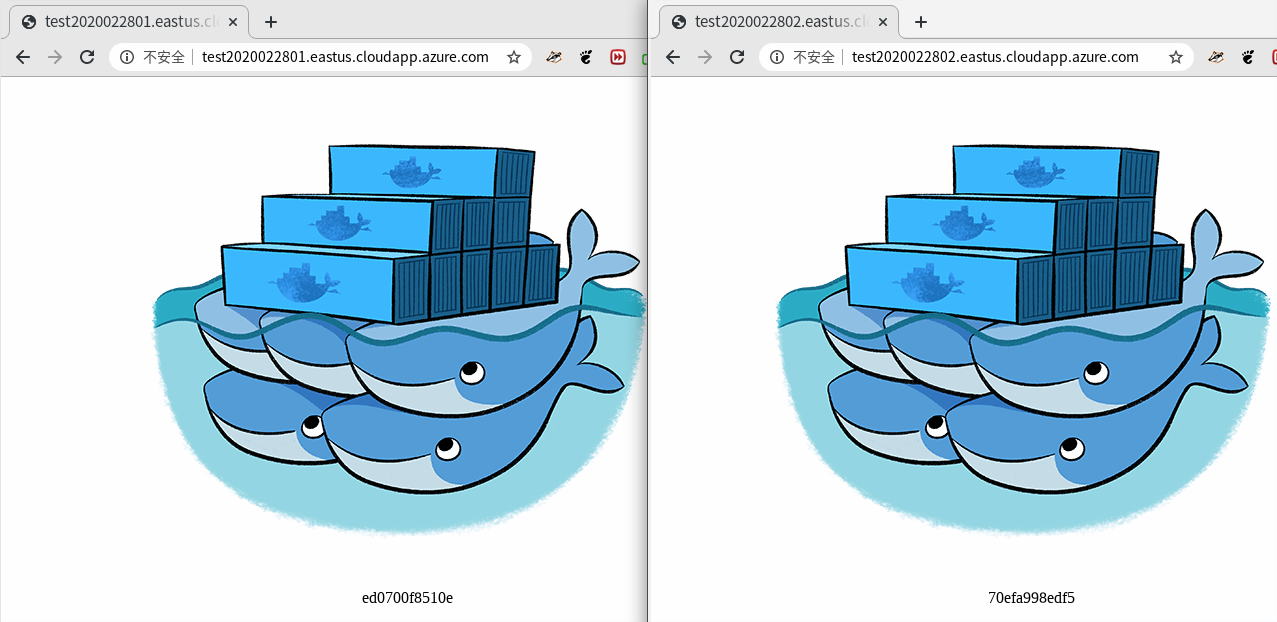
- 確認都可以進行存取
- 使用 zypper 指令 安裝 nginx
- # zypper install nginx
- 啟動 nginx 服務
- # systemctl start nginx
- # systemctl enable nginx
- 設定 DNS 名稱
- 參考官方文件
- 新增 upstream backend 區段, 指向剛剛建立的 2 台 Web 服務
- 新增 proxy_pass 指向 http://backend
- 一開始是寫獨立的 http 區段, 結果就被警告 http 重複設定
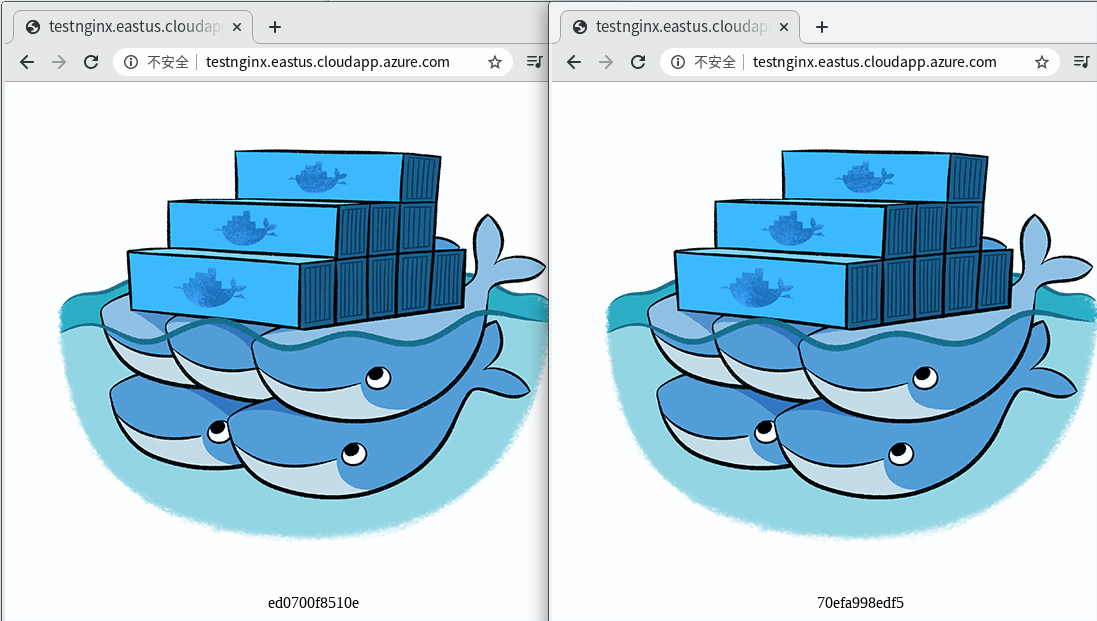
- 確認會導向後端不同的 Web 服務
- Nginx open source 支援其中4種, nginx plus 支援 6 種
- Round Robin ( 預設 )
- Least Connections
- IP Hash
- Generic Hash
- Least Time ( NGINX Plus only )
- Random
- 針對剛剛後端服務其中一台設定 weight=3
- 沒有設定的話, 權重設定預設是 1, 目前有 2 台機器服務, 所以總共是 3 + 1 = 4, 也就是說 test2020022801 被存取的次數就會佔 3/4 ( 75% ), 另外一台是 1/4 ( 25% )
- 觀察 2 台機器服務的顯示比例
openSUSE Tumbleweed – Review of the week 2020/09
Dear Tumbleweed users and hackers,
During this week we released 4 snapshots (0220, 0222, 0224 and 0226) – an average week from that perspective, yet there have been some interesting and well-awaited updates in these snapshots:
- zsh 5.8
- Mesa 19.3.4 & Mesa 20.0
- libcap 2.32
- GNOME 3.34.4
- KDE Plasma 5.18.1
- LLVM 6 has been removed from the repository
- ncurses 6.2
- Linux kernel 5.5.5
- Mozilla Firefox 73.0.1: it will now launch in Wayland mode inside a Wayland session
- MariaDB 10.4.12
Despite all those things happenings, stagings are still – or again – filled up:
- Zypper 1.14.34: beware! This version no longer supports abbreviated command line parameters (e.g
zypper in --no-ris no longer accepted) - KDE Plasma 5.18.2
- Qt 5.15.0 (currently betas being tested)
- Ruby 2.7 – possibly paired with the removal of Ruby 2.6
- GCC 10
- Python 3.8 (unchanged, awaiting the fix for salt)
- Removal of Python 2
- GNU Make 4.3
- RPM: change of database format to ndb

Citrix Workspace on openSUSE Tumbleweed
Please find a 2021 update below and furtherdown a comment from 2024!
Some companies offer their employees to access their corporate computer work space remotely using a remote desktop connection. The company Citrix provides software for such a connection. To connect, the employees need the software Citrix Workspace on their terminal devices. The company provides on their download page also files for Linux including openSUSE. Unfortunately, their version 1912 from 12 December 2019 did not just work on my openSUSE Tumbleweed 64bit computer (and earlier versions I tried neither).
Segmentation Fault and Missing Libraries
First, I tried to install the software package from the vendor.
- I downloaded the SuSE Full Package (Self-Service Support) Citrix Workspace app for Linux (x86_64) in version 1912 from 12 December 2019.
zypper in ICAClient-suse-19.12.0.19-0.x86_64.rpm- I logged into a corporate page, open a connection configuration file (*.ica) and nothing happened. So I assumed the application may have crashed. I downloaded the file and opened it in the terminal to see more.
/usr/lib64/ICAClient/wfica -icaroot /opt/Citrix/ICAClient configuration-file.ica- The app opened shortly and crashed then with the error message
segmentation fault (core dumped)
Then, I tried to install somebody’s own software package. Note that this requires trust or a review of the package.
- I downloaded the ICAClient from https://download.opensuse.org/repositories/home:/enzokiel/openSUSE_15.2_Update/x86_64/ for openSUSE 15.2 Update x86_64 (hence, not Tumbleweed).
- I installed the package despite the missing library
libcrypto.so.1.0.0. - I found the missing library openssl 1.0.0 and installed it.
Afterwards, the application did not segfault any longer. However, it produced an error due to a missing certificate from the GlobalSign Root CA.
- So I went to Firefox, went to the Privacy and Security tab in the Preferences, and clicked on “View Certificates”.
- I exported the GlobalSign Root CA certificate to e.g.
/tmp. There is more than one. Look for the one in the tree GlobalSign nv-sa. - Then, the certificate needs to be put into the certificate folder of Citrix Workspace. For the sofware package I use, this is
/usr/lib64/ICAClient/keystore/cacerts. Navigate in the terminal to this folder and copy the certificate file in it. Then usechown root:root [file.crt]andchmod 444 [file.crt]to adapt file ownership and properties.
Afterwards, Citrix Workspace worked for me. If I have too much time, I will try to use the vendor package and see if I still get the segfault considering that I have now openssl 1.0.0 installed.
Exchanging Data between Citrix Host and Citrix Client
There are two options to get data from your host OS to your Citrix client:
- Clipboard: Copy’n’paste of text from the host to the client is suppoted on Linux. It did not work for me with files.
- Mapping client devices: folders from the host can be mapped in the client as distinct drives. This is very useful to exchange files between host and client. To configure this option, launch from the startmenu “Citrix Receiver (configmgr)”. Alternatively, the tool can be launched from the command line with
/usr/lib64/ICAClient/util/configmgr -icaroot /usr/lib64/ICAClient. In the tool, mappings are configured in the tab file access.
Update 2021
At some point, the setup broke due to an expiring SSL certificate I believe. After some time trying, I ended up with the following easy setup:
- deinstall the outdated version:
zypper rm ICAClient - go to https://www.citrix.com/downloads/workspace-app/linux/workspace-app-for-linux-latest.html and downoad the rpm. In my case it was
ICAClient-suse-21.1.0.14-0.x86_64.rpm - install the rpm with e.g.
zypper install [your folder]/ICAClient-suse-21.1.0.14-0.x86_64.rpm - try to open a file. In my case, I got a “SSL error 61” (see Citrix help)
- I renamed the Citrix cacert storage:
mv /opt/Citrix/ICAClient/keystore/cacerts{,~} - I linked in the system storage:
ln -sv /etc/ssl/certs /opt/Citrix/ICAClient/keystore/cacerts
This did the trick!
References
- https://kenfallon.com/citrix-ssl-error-61-globalsign-root-ca/ with a tip on how to install the missing certificate
- https://docs.citrix.com/en-us/receiver/windows/current-release/optimize/map-client-devices.html with explanations on device mapping for Windows
38 gestores de ventanas o entornos de escritorio para Linux
Veamos una recopilación con 38 gestores de ventanas o entornos de escritorio disponibles para GNU/Linux

Imagen: Chema Madoz
Entre los entornos de escritorios para GNU/Linux podemos encontrar Plasma, GNOME, o Xfce, por nombrar los más conocidos y extendidos. Y entre gestores de ventanas podemos encontrar i3wm, openbox, o icewm…
Pero además de los que he nombrado hay muchos otros, quizás menos conocidos, o menos utilizados, pero que sin duda tienen una fiel comunidad que los utiliza y mantiene adaptándolos a las nuevas necesidades y dándoles nuevas funcionalidades.
En este artículo haremos un repaso a 38 de esos entornos de escritorio o gestores de ventanas disponibles en las distintas distribuciones de GNU/Linux.
Cada uno con su filosofía, con sus funcionalidades, y con sus objetivos a la hora de desarrollar su software. Los hay ligeros, llenos de funcionalidades, enfocados en el uso del teclado, en interfaces gráficas, etc…
Echa un vistazo y quizás descubras una nueva opción que reemplace la que estás utilizando actualmente. Ten cuidado, igual que existe el “distrohopping” también puede existir el “escritoriohopping” y en la búsqueda y prueba utilices uno cada día del mes… y todavía te sobran algunos!
Este artículo es una traducción adaptación de un artículo en inglés que puedes leer en la web fedoramagazine.org escrito por Troy Dawson bajo licencia CC. Esta es la lista:

9wm
Gestor de ventanas emulador de Plan 9 window manager 8½, también conocido como rio. Tiene una interfaz de usuario limpia y simple. Utiliza un sistema de fuentes X11, por lo que no tiene soporte para Unicode.
9wm no ofrece escritorios virtuales, personalización, atajos de teclado, etc. Es una buena base para escribir tu propio gestor de ventanas.
9wm se publica bajo una licencia MIT.
awesome
Es altamente configurable. Rápido, ligero y extensible. Está orientado para usuarios avanzados, desarrolladores y personas que quieren tener un control absoluto sobre su entorno gráfico a la hora de utilizar su equipo.
blackbox
Un gestor de ventanas muy pequeño en cuanto a requerimientos. Sigue el desarrollo de Blackbox que se hacía en Sourceforge, pero incorporando mejoras, parches que se fueron enviando.
bspwm
Un gestor de ventanas “tiling” o de “enlosado” pasado en un particionado binario del espacio de trabajo. Representa las ventanas como hojas de un árbol binario.
byobu
Un gestor de ventanas ligero y configurable, desarrollado sobre la base de GNU en un principio para la distribución orientada a servidores de Ubuntu.
Incuye gestión de perfiles mejorados, atajos de teclado, configuración de las utilidades y notificaciones tanto para Screen como para Tmux. Disponible para GNU/Linux, BSD.
Cinnamon
Cinnamon es un escritorio para GNU/Linux que ofrece tanto innovaciones y funcionalidades avanzadas sobre una base ya conocida y casi tradicional en los entornos de escritorio.
El escritorio es similar a Gnome 2 con tecnología basada en Gnome Shell. Cinnamon quiere ser un escritorio cómodo, nada complicado y fácil de utilizar. Está mantenido por la distribución Linux Mint.
cwm
Calm Window Manager del proyecto OpenBSD, para distribuciones GNU/Linux. Basado en la eficiencia y en hacer que el escritorio no sea una traba al utilizar tu equipo, y con una estética simple.
Deepin
Es el escritorio desarrollado por la distribución de GNU/Linux con el mismo nombre. Según su página web:
Deepin es un elegante, fácil de usar y fiable sistema operativo doméstico de escritorio lanzado por Deepin Technology Co., Ltd. WPS office, Skype, Spotify. Y otras aplicaciones deepin han sido preinstaladas en deepin. Le permite experimentar una variedad de actividades recreativas, pero también para satisfacer sus necesidades diarias.
Leyendo eso, no tengo nada que decir…
dwm
Dynamic window manager para X. Gestor de ventanas “tiling” con diferentes opciones para optimizar el espacio del escritorio y según sus palabras más ligero, rápido y simple que otras opciones.
enlightenment
Enlightenment (vaya nombrecito!!) comenzó su desarrollo en 1996 como gestor de ventanas para un entorno gráfico. Desde entonces ha crecido y además de su entorno de escritorio, también se adapta a los tiempos (interfaces para otros dispositivos).
En mi blog puedes encontrar tutoriales sobre este entorno de escritorio que he probado en openSUSE:
e16
La versión e16 del entorno Enlightenment, que todavía tiene un desarrollo activo.
fluxbox
Window Manager based on Blackbox dnf install fluxbox (optional) dnf install fluxbox-pulseaudio fluxbox-vim-syntax
fvwm
Fluxbox es un gestor de ventanas basado en el código de Blackbox 0.61.1. Consume pocos recursos y es sencillo de manejar y extremadamente rápido. Está desarrollado usando C++ y publicado bajo una licencia MIT.
GNOME
GNOME es uno de los grandes conocidos. Con una comunidad enorme y con detractores y defensores a partes iguales. Disponible tanto par X11 como wayland. Comenzó en 1999 y su nombre proviene de GNU Network Object Model Environment (Entorno de Modelo de Objeto de Red GNU).
Engloba tanto el escritorio como un montón de aplicaciones para tu equipo, lo que lo hace un entorno de escritorio global.
herbstluftwm
Un gestor de ventanas “tiling” manual.
i3

Improved tiling window manager. Uno de los gestores de ventanas “tiling” más conocidos. Y junto con Plasma una de mis opciones como uso de mi equipo día a día.
Cómodo, configurable, con un montón de complementos y opciones desarrolladas fuera del proyecto, por entusiastas, que se pueden instalar.
He escrito varios tutoriales y artículos en mi blog que puedes encontrar aquí:
icewm
Es el entorno de escritorio que utiliza YaST de openSUSE en su instalador, por eso está presente como alternativa al instalar openSUSE en nuestro equipo.
Es rápido, simple, y no intrusivo. Ofrece una barra de tareas, paginador y atajos de teclados globales y por ventanas. Las aplicaciones pueden utilizarse tanto con el teclado como con el ratón.
También a este entorno de escritorio le he dedicado algún artículo en mi blog:

jwm
Joe’s Window Manager está escrito en C y consume muy pocos recursos, por lo que lo hace buena opción para equipos con muy pocos recuros o por ejemplo para una Raspberry Pi. Está incluido en distribuciones ligeras como Puppy Linux.
Plasma Desktop
Plasma de la comunidad KDE, ofrece un entorno de escritorio completo, personalizable hasta límites insospechados, funcional y elegante. Uno de los grandes en entornos de escritorio y una gran comunidad que desarrolla no solo su entorno de escritorio, si no también un montón de aplicaciones que se integran en el escritorio.
Es mi opción desde que empecé a utilizar GNU/Linux con openSUSE hace casi 10 años. Tiene un desarrollo impresionante, una comunidad global que lo adapta a los tiempos. Y en el que el usuario tiene la última palabra sobre cómo utilizarlo.
Sobre Plasma y KDE en general tienes multitud de artículos en mi blog:
lumina
Entorno de escritorio ligero, escrito desde cero, customizable a gusto de quien lo utilice.
LXDE
El entorno de escritorio para equipos con limitado hardware como netbooks, dispositivos móviles o equipos antiguos. Diseño modular en el que pones o quitas lo que deseas.
LXQt
LXQt está basado en LXDE y un primigenio escritorio llamado Razor-Qt. Como puedes imaginar es un LXDE que utiliza Qt. Es ligero, consume pocos recursos, por lo que también se recomienda en equipos poco potentes.
Tiene una base de escritorio clásico, pero con una interfaz moderna basada en Qt.
MATE
MATE también está basado en GNOME 2. y como escriben en su web:
El entorno de escritorio MATE es la continuación de GNOME 2. Provee un entorno intuitivo y atractivo usando las metáforas tradicionales de Linux y otros sistemas operativos estilo Unix.
MATE está siendo desarrollado activamente para añadir apoyo para tecnologías nuevas, y a la misma vez preservar la experiencia tradicional de un escritorio.
musca
Un entorno de escritorio muy simple, sin barras, decoraciones de ventanas, etc. Pensado para utilizarlo con teclado, aunque también admite el uso del ratón.
Es un gestor de ventanas “tiling” pero manual, sin restricciones a la hora de dividir la ventana ni tus espacios de trabajo.
openbox
Un entorno de escritorio minimalista, pero aún así muy completo y adaptado a usos de aplicaciones “pensadas” para entornos de escritorio como GNOME o Plasma.
Puedes utilizarlo como alternativa simple y configurable en estos entornos de escritorio.
También en el blog hice un video tutorial sobre esta opción:
Pantheon
Este entorno de escritorio es la opción que ha desarrollado la distribución ElementaryOS. Un escritorio elegante, con funcionalidades y elementos gráficos modernos y sencillos que le dan un toque distinto a tu GNU/Linux.
pekwm
Basado en aewm++ pero con un desarrollo sobre este que lo diferencia de su origen.
qtile
Un gestor de ventanas “tiling” con la particularidad de que está escrito en Python. Por tanto si sabes programar en este lenguaje, puedes adaptarlo a tus necesidades y crear nuevas funcionalidades.
Optimiza tu forma de trabajar, es eficiente a la hora de gestionar las ventanas, simple pero extensible y publicado bajo licencia MIT.
ratpoison
Curioso nombre de este gestor de ventanas minimalista a más no poder. No incluye gráficos espectaculares, decoraciones de ventanas, dependencias de bibliotecas que hagan que el código crezca, etc.
Aprovecha el espacio del monitor por completo y la interacción con las ventanas se realiza bajo atajos de teclado. No tiene un desarrollo muy activo…
sawfish
Un entorno de escritorio ligero y extensible escrito en lenguaje Lisp. También con un desarrollo del código algo estancado.
spectrwm

Otro gestor de ventanas “tiling” basado en ideas de “xmonad” o “dwm” y publicado bajo licencia ISC
Sugar
Curioso proyecto y casi único en su especie. Es un escritorio orientado al aprendizaje de los más pequeños. Ofrece el conocimiento colaborativo de los niños y niñas en base a las actividades que ofrece.
sway
Gestor de ventanas basado en i3 pero pensado para el nuevo servidor gráfico Wayland. Soporta todas las funcionalidades y configuraciones de i3wm y añade algunos extras.
twm
Tab Window Manager, el desarrollo de este gestor de ventanas comenzó por el año 1987 por Tom LaStrange (al principio la T era por su creador Tom) y sirvió como código de base en el que se desarrollaron otros gestores de ventanas.
WindowMaker
Fue originalmente desarrollado para ofrecer una integración con el entorno de escritorio GNUstep, aunque se puede utilizar por separado.
Ligero, customizable, extensible, fácil de utilizar, son algunas de las características que destacan y muchas otras.
wmx
Un gestor de ventanas basado en el código de wm2.
XFCE

Otro de los entornos de escritorio más conocidos y uno de los habituales también en mi equipo al que de vez en cuando recurro.
Es sencillo de utilizar, es moderno, atractivo visualmente, con un montón de aplicaciones propias básicas (terminal, gestor de archivos, etc. Tiene una gran comunidad que ofrece complementos y temas que lo hacen una gran opción como escritorio diario.
Tradicionalmente tiene el título honorífico de consumir pocos recursos, por lo que no sobrecarga equipos limitados, mientras ofrece un entorno visualmente atractivo.
En mi blog, he escrito tutoriales y artículos sobre Xfce:
xmonad
Un gestor de ventanas “tiling” escrito en lenguaje Haskell. Utiliza el máximo espacio posible de tu pantalla, gestiona las ventanas a traves de atajos de teclado, aunque también soporta el uso del ratón.
Estas son las opciones que te presento, son muchas y como verás muy variadas. Desde opciones completas, gráficas elegantes y modernas a opciones más modestas y alternativas.
Todas tienen su público y todas tienen su escenario adecuado en el que utilizarlas. La variedad abarca desde equipos con mucha potencia a equipos más modestos o con menos capacidad.
En mi caso me decanto por Plasma de KDE como escritorio principal, y desde hace un tiempo vengo utilizando mucho i3wm. Me resulta cómodo y más ligero.
Xfce es otro entorno de escritorio que también tengo instalado y que de vez en cuando utilizo.
¿Cual es tu opción y cuales son tus motivos? Me gustará leerlo en los comentarios y así completas el artículo. ¿Alguna sugerencia que no aparece en el listado? No dudes en compartirlo en los comentarios.

Imagen: Markus Freak

DRM Plugin crashes after openSUSE Tumbleweed update
A few days ago openSUSE users started complaining about DRM Plugin crashes in Firefox after running a Tumbleweed update.

Netflix requires the DRM plugin in Firefox to be able to play encrypted videos. The plugin would crash due to a bug in Firefox 73. While this bug affected not just openSUSE users, but everyone using Firefox 73, it became apparent to TW users as v73 landed in the Tumbleweed repo.
Mozilla fixed the bug in the 73.0.1 release. I tweeted about that a little more than a week ago.
Yo Mozillians! #Firefox 73.0.1 has been released. Fixes crashes on Windows & Linux.https://t.co/UZsfGf2MgT
— Ish Sookun (@IshSookun) February 18, 2020
Firefox 73.0.01 is now available in the Tumbleweed repo. So, a quick update should fix your Netflix. 😉
Information for package MozillaFirefox:
---------------------------------------
Repository     : openSUSE-Tumbleweed-Oss
Name           : MozillaFirefox
Version        : 73.0.1-1.1
Arch           : x86_64
Vendor         : openSUSE
Installed Size : 186.7 MiB
Installed      : Yes
Status         : out-of-date (version 73.0-1.1 installed)
Source package : MozillaFirefox-73.0.1-1.1.src
Summary        : Mozilla Firefox Web Browser
Description    :
    Mozilla Firefox is a standalone web browser, designed for standards
    compliance and performance.  Its functionality can be enhanced via a
    plethora of extensions.

Semantic versioning and containers
Developers are used to express the dependencies of their programs using semantic versioning constraints.
For example a Node.js application relying on left-pad could force only certain
versions of this library to be used by specifying a constraint like
>= 1.1.0 < 1.2.0. This would force npm to install the latest version of the
library that satisfies the constraint.
How does that translates to containers?
Imagine the following scenario: a developer deploys a containerized application
that requires a Redi database. The developer deploys the latest version
of the redis container (eg: redis:4.0.5), ensures his application works fine
and then moves to do other things.
After some weeks a security issue/bug is found inside of Redis and a new patched release takes place. Suddenly the deployed container is outdated. How can the developer be aware a new v4 release of Redis is available? Wouldn’t be even better to have some automated tool taking care of this upgrade?
After some more weeks a new minor release of Redis is released (eg: 4.1.0).
Is it safe to automatically update to a new minor release of Redis, is the
developer application going to work as expected?
Some container images have special tags like v4 or v4.1 and the developer
could just leverage them to kinda pinpoint the redis container to a more
delimited set of versions. However using these tags reduces reproducibility
and debuggability.
Let’s imagine the redis image being deployed is redis:v4.1 and everything is
working as expected. Assume after some time the developer (or some automated tool)
pulls a new version of the redis:v4.1 image and suddenly the application
has some issues. How can the developer understand what really changed?
Wouldn’t it be great to be able to say something like “everything worked fine
with redis:4.1.0 but it broke when I upgraded to redis:4.1.9”?
There are some tools that can be used to find and automatically update old container images: Watchtower and ouroboros. However none of them allows the flexibility I was looking for (in terms of checks), plus they are both tailored to work only against docker.
Because of that, during the 2020 edition of SUSE Hackweek, I spent some time working on a different solution to this use case.
Introducing fresh-container
fresh-container is a tool that can be used to see if a container can be updated to a more recent release.
fresh-container is different compared to Watchtower and ouroboros because it relies on semantic versioning to process container image tags.
Semantic versioning is used to express the version constraints a container version must satisfy. This gives more flexibility, for example take a look at the following scenarios:
- I’m fine with any release of Redis that is part of the v4 code stream:
>= 4.0.0 < 5.0.0 - I’m fine only with patch releases of Redis that belong to the 4.1 code stream:
>= 4.1.0 < 4.2.0 - I’m don’t want any release of Redis after v6:
< 6.0.0
CLI mode
fresh-container can be run as a standalone program:
$ fresh-container check --constraint ">= 1.9.0 < 1.10.0" nginx:1.9.0

The 'docker.io/library/nginx' container image can be upgraded from the '1.9.0' tag to the '1.9.15' one and still satisfy the '>= 1.9.0 < 1.10.0' constraint.
Behind the scenes fresh-container will query the container registry hosting the image to gather the list of all the available tags. The tags that do not respect semantic versioning will be ignored and finally the tool will evaluate the constraint provided by the user.
It can also generate computer parsable output by producing a JSON response:
$ fresh-container check -o json --constraint ">= 1.9.0 < 1.10.0" nginx:1.9.0

{
  "image": "docker.io/library/nginx",
  "constraint": ">= 1.9.0 < 1.10.0",
  "current_version": "1.9.0",
  "next_version": "1.9.15",
  "stale": true
}
Server mode
Querying the remote container registries to fetch all the available tags of a container image is an expensive operation. That gets even worse when multiple containers have to be inspected on a regular basis.
The fresh-container binary can operate in a server mode to alleviate this issue:
$ fresh-container serverThis will start a web server offering a simple REST API that can be used to perform queries. The remote tags of the container images are cached inside of an in-memory database to speed up constraint resolution.
It’s possible to run fresh-container check against a fresh-container server
to perform faster queries by using the --server <http://fresh-container-server>
flag.
Kubernetes integration
fresh-container is a tool built to serve one specific use case: your provide some data as input and, as output, it will tell you if the container image can be updated to a more recent version.
It’s main goal is to be leveraged by other tools to build something bigger like fresh-container-operator.
This is a kubernetes operator that, once deployed inside of a kubernetes cluster, will look at all the kubernetes deployments running inside of it and finds the ones having stale containers.
The operator can also automatically update these outdated deployments to use the latest version of the container images that satisfy their requirements.
Usage
How does it work? First of all you have to enrich your deployment definition by adding some ad-hoc annotations.
For each container image used by the deployment you have to specify the semantic versioning constraint that has to be used to evaluate their “freshness”.
Take a look at the following example:
apiVersion: apps/v1
kind: Deployment
metadata:
  name: nginx-deployment
  annotations:
    fresh-container.autopilot: "false"
spec:
  selector:
    matchLabels:
      app: nginx
  replicas: 1
  template:
    metadata:
      labels:
        app: nginx
      annotations:
        fresh-container.constraint/nginx: ">= 1.9.0 < 1.10.0"
    spec:
      containers:
      - name: nginx
        image: nginx:1.9.0
        ports:
        - containerPort: 80
In this case the operator will look at the version of the nginx container
in use and evaluate it against the >= 1.9.0 < 1.10.0 constraint.
Note well: deployments that do not have any
fresh-container.constraint/<container name> will be ignored by the operator.
Find stale deployments
The operator adds the special label fresh-container.hasOutdatedContainers=true
to all the deployments that have one or more stale containers inside of them.
This allows quick searches against all the deployments:
$ kubectl get deployments --all-namespaces -l fresh-container.hasOutdatedContainers=true
NAMESPACE   NAME               READY   UP-TO-DATE   AVAILABLE   AGE
default     nginx-deployment   1/1     1            1           19m
Why is a deployment stale?
The details about the stale containers are added by the operator as annotations of the deployment:
kubectl describe deployments.apps nginx-deployment
Name:                   nginx-deployment
Namespace:              default
CreationTimestamp:      Thu, 27 Feb 2020 10:32:55 +0100
Labels:                 fresh-container.hasOutdatedContainers=true
Annotations:            deployment.kubernetes.io/revision: 1
                        fresh-container.autopilot: false
                        fresh-container.lastChecked: 2020-02-27T09:45:07Z
                        fresh-container.nextTag/nginx: 1.9.15
For each stale container the operator adds an annotation with
fresh-container.nextTag/<container name> as key and the tag of the most recent
container that satisfies the constraint as value.
In the example above you can see that the nginx container inside of the
deployment can be updated to the 1.9.15 tag while still satisfying the
>= 1.9.0 < 1.10.0 constraint.
Automatic upgrades
The next step is to allow fresh-container-operator to update all the deployments that have stale containers.
This is not done by default, but can be enable on a per-deployment basis
by adding the fresh-container.autopilot=true annotation inside of the
deployment metadata.
What comes next
As I stated in the beginning I created these projects during the 2020 edition of SUSE Hackweek. They are early prototypes that need more love.
I would be happy to hear what you think about them. Feel free to leave a comment below or open an issue on their GitHub projects:

Moving to the new News
In an effort to make contributing to openSUSE easier, openSUSE News has moved from being a Wordpress application to a Jekyll static site developed directly on Github. Now you too can write an article, or a series of articles, by sending pull requests to the openSUSE/news-o-o repository.
How to do it
The repository contains _posts directory, that’s where you will upload your own markdown formatted post, following the structure of other posts in the folder. Additionally, you can upload your images to assets/images directory, and reference them from the post.
After you pull request a post like that, the marketing team will review and, if needed, suggest improvements. A successfully reviewed post will be merged into the repository and published at the date specified by the post itself.
Nueva versión de Latte Dock con mejoras en Wayland
Sigue el desarrollo de la barra de tareas definitiva, según muchos usuarios para el escritorio plasma de la Comunidad KDE. Y es que ha sido lanzada una nueva versión de Latte Dock con mejoras en Wayland,lo que evidencia que esta aplicación tiene en su punto de mira el futuro de los entornos de trabajo. ¿Te pica la curiosidad? Sigue leyendo.
Nueva versión de Latte Dock con mejoras en Wayland
Como ya dije en el blog, Latte Dock es una creación conjunta de los desarrolladores de Now Dock y Candil Dock, psifidotos y @audoban respectivamente, los cuales colaboraron hace unos meses para crear esta barra de tareas de aspecto excelente aspecto y funcionalidades y personalizaciones asombrosas y crecientes. Este resultado fue posible gracias a la inestimable ayuda gráfica de @varlesh, que dotó al proyecto de un diseño propio espectacular que ha cautivado a una legión de usuarios.
El pasado 26 de febrero fue lanzada una nueva versión de Latte Dock, la cual nos aporta una extenso número de mejoras como:
- Optimización en Wayland que hace que la aplicación no se cierre al hacer clic derecho en el plasmoide.
- Inicialización correcta de los archivos de configuración durante el inicio.
- Actualizada la velocidad de las animaciones para soportar los valores de la velocidad de la animación del plasma 5.18.
- Ahora se muestra el tamaño del icono de las tareas correctamente durante el inicio cuando el efecto parabólico está desactivado.
Y muchas más, hasta llegar a unas 30 mejoras, las cuales puedes ver en la lista de cambios. También es interesante ver el vídeo presentación de esta nueva versión.
¿Qué ofrece Latte Dock?
Aunque os aconsejo visitar la página oficial de Latte Dock para ver todas las funcionalidades detalladas, aquí os hago un pequeño resumen:
- Efecto zoom al pasar el puntero por las aplicaciones.
- Posibilidad de añadir tantos docks como queramos
- Soporte de multimonitor.
- Diversos modo de visibilidad así como la posibilidad de ajustar los tiempos de acciones como el ocultamiento automático.
- Ajustable dinámicamente al tamaño de la pantalla.
- Posibilidad de exportar e importar las configuraciones

En definitiva, Latte Dock se postula como una de las alternativas más espectaculares del entorno Plasma 5 de la Comunidad KDE, un ejemplo más de las infinitas posibilidades de este gran proyecto.
Lo podéis encontrar tanto en la Store de KDE como en Github.

Rouen 28 Mars – Libre En Fete #openSUSE #Cybersecurite #DNS RPZ #Lujam #Logiciels Libres
Le samedi 28 Mars 2020, nous organisons notre Journée Mensuelle du Logiciel Libre et de la Cybersécurité à la Maison St Sever à Rouen. (Rez-de-chaussée, centre commercial St Sever, 10-12 rue Saint-Julien, 76100, Rouen) de 14h00 à 18h00. Cet évenement s’inscrite dans le cadre du Libre En Fête : https://www.libre-en-fete.net/2020/evenements.html Nous profitons de l’occasion pour […]
The post Rouen 28 Mars – Libre En Fete #openSUSE #Cybersecurite #DNS RPZ #Lujam #Logiciels Libres appeared first on Network Users Institute - Cybersécurité, Intégration de Linux & Logiciels Libres à Rouen, Normandie..