
 Member
 aluna
alunaKDE Connect: Controla tu PC desde tu smartphone

¿Qué es KDE Connect?
- Recibir las notificaciones del teléfono en la computadora de escritorio y responder a los mensajes
- Controlar la reproducción de música en nuestro escritorio desde el teléfono
- Usa el teléfono como control remoto para nuestro escritorio
- Ejecutar comandos predefinidos en la PC desde dispositivos conectados. Veáse la lista de comandos de ejemplo para más detalles.
- Comprueba el nivel de batería del teléfono desde el escritorio.
- Llamar al teléfono para ayudar a encontrarlo.
- Compartir archivos y enlaces entre dispositivos.
- Navega tu teléfono desde el escritorio
- Controla el volumen del escritorio desde el teléfono.
-
Implementa un protocolo de comunicación seguro a través de la red, y permite a cualquier desarrollador crear complementos sobre él.
-
Tiene un componente que instalas en tu escritorio.
- Tiene una aplicación cliente de KDE Connect que ejecutas en tu teléfono.
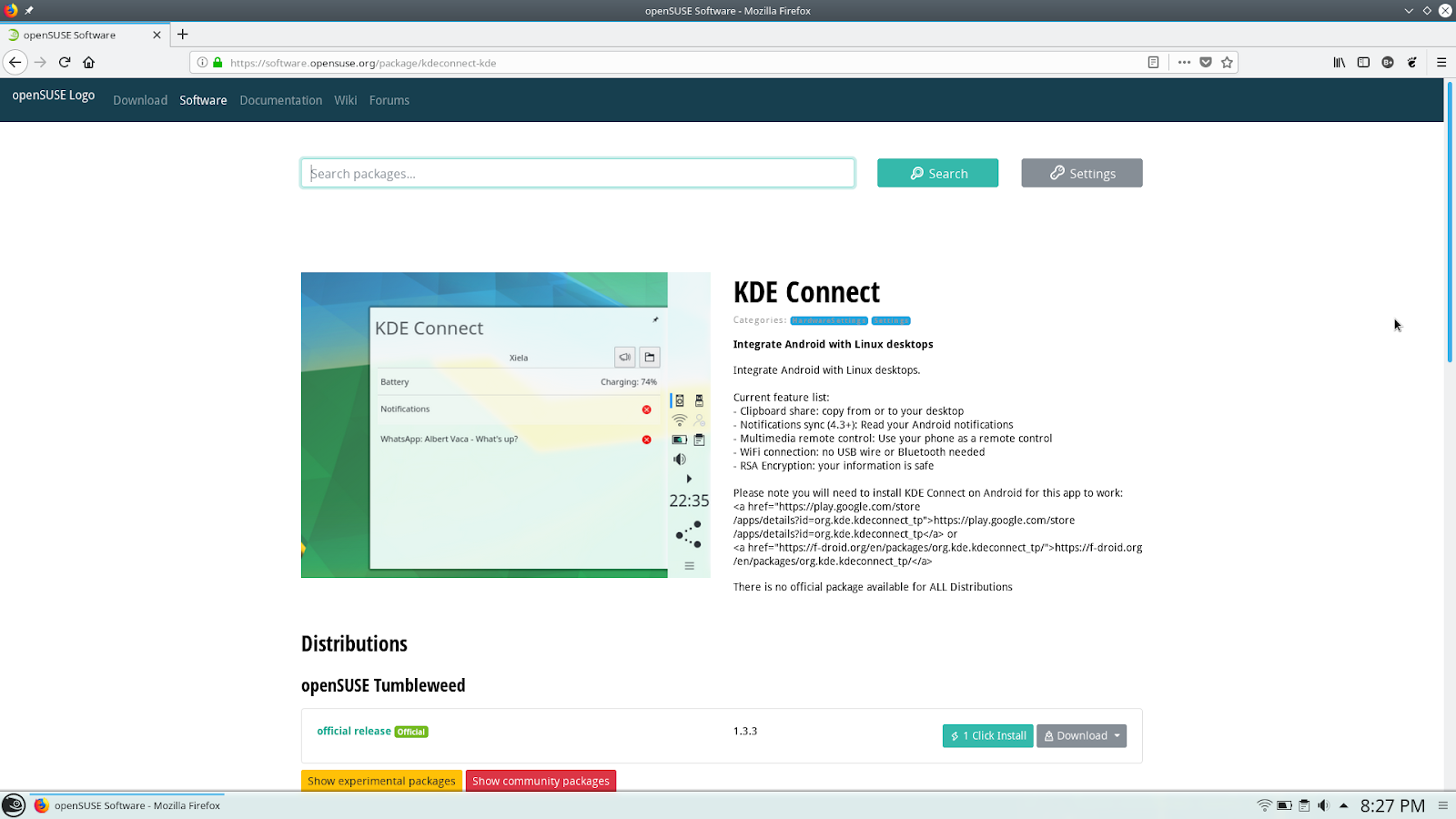
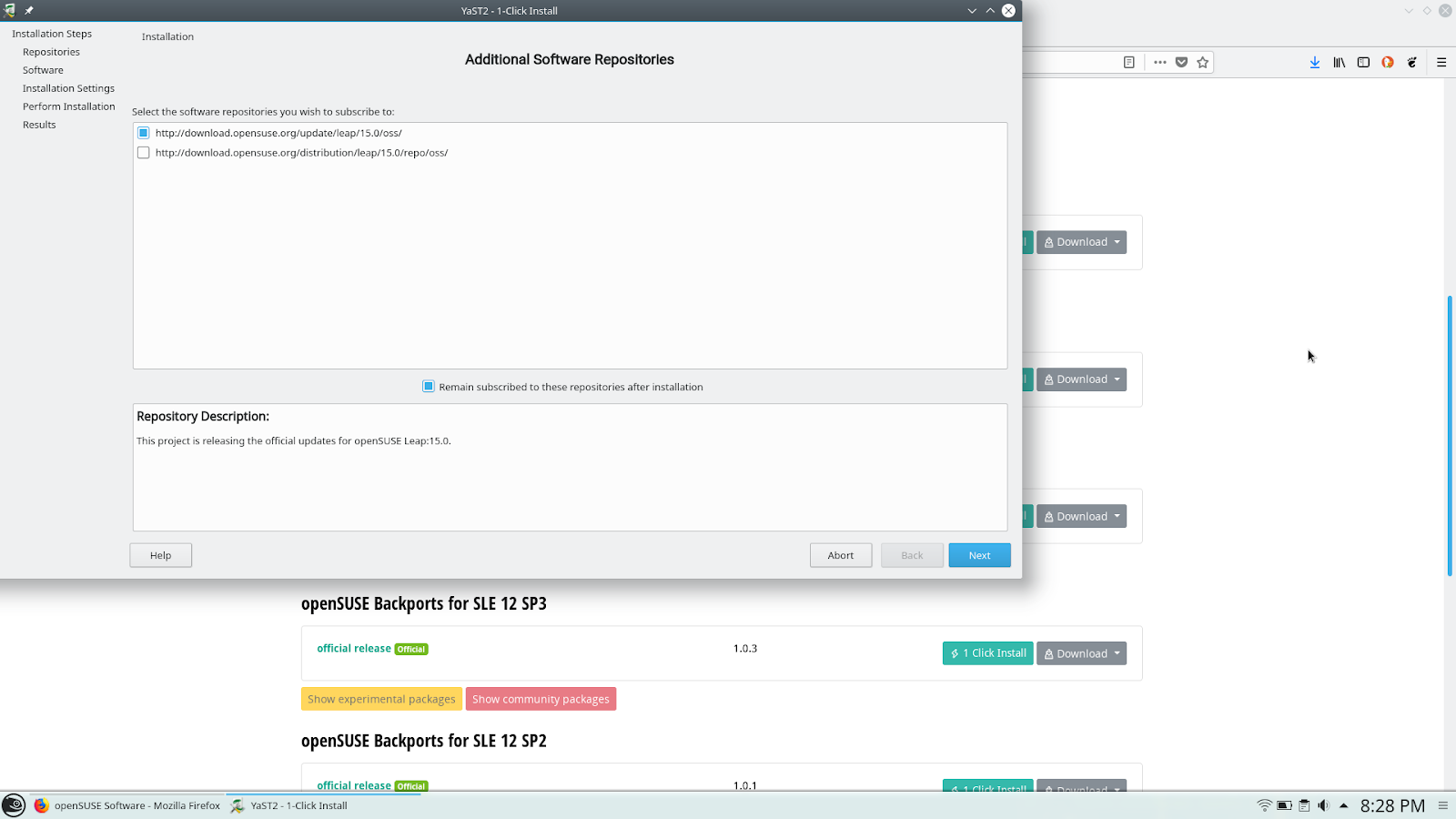
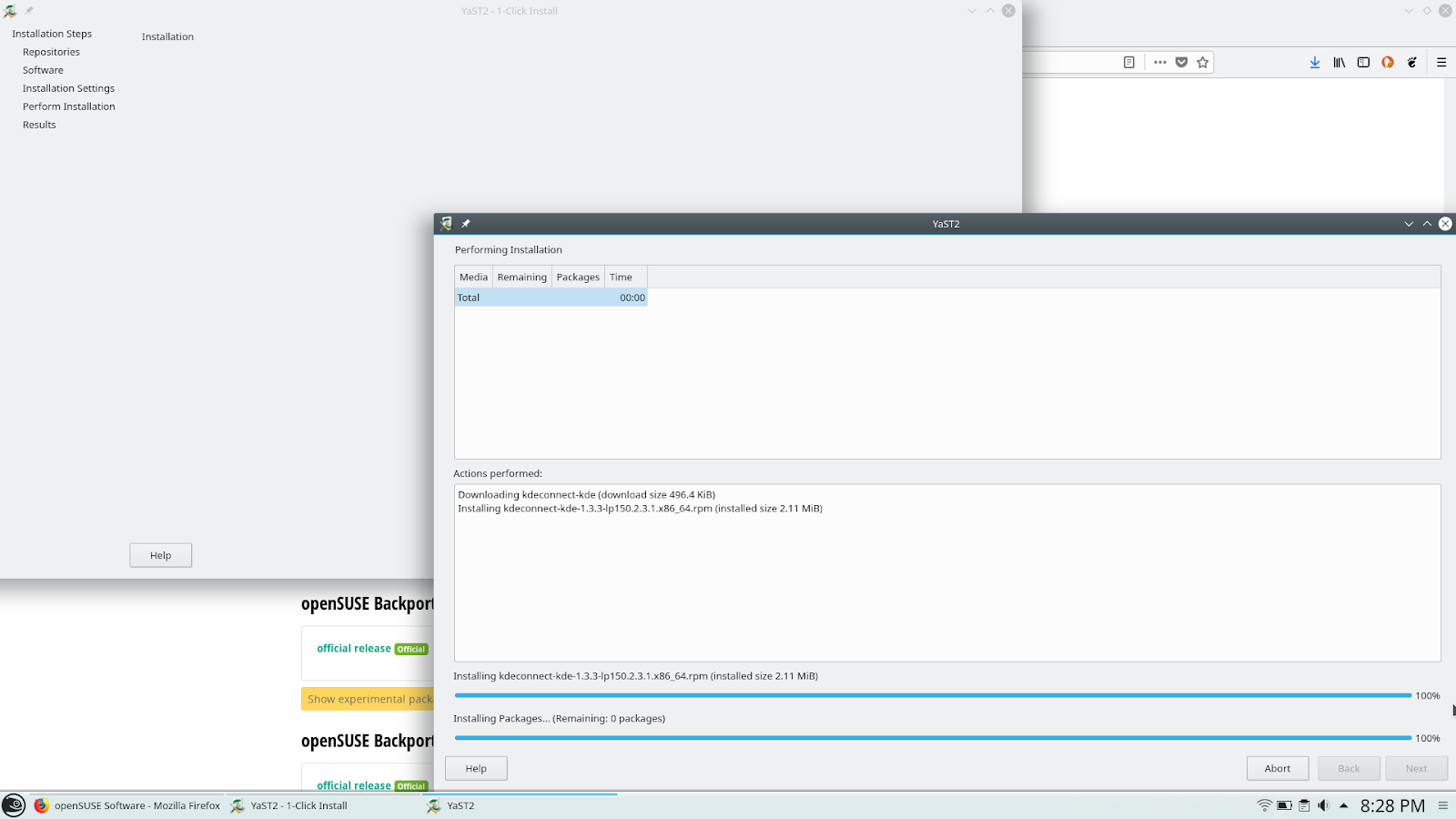
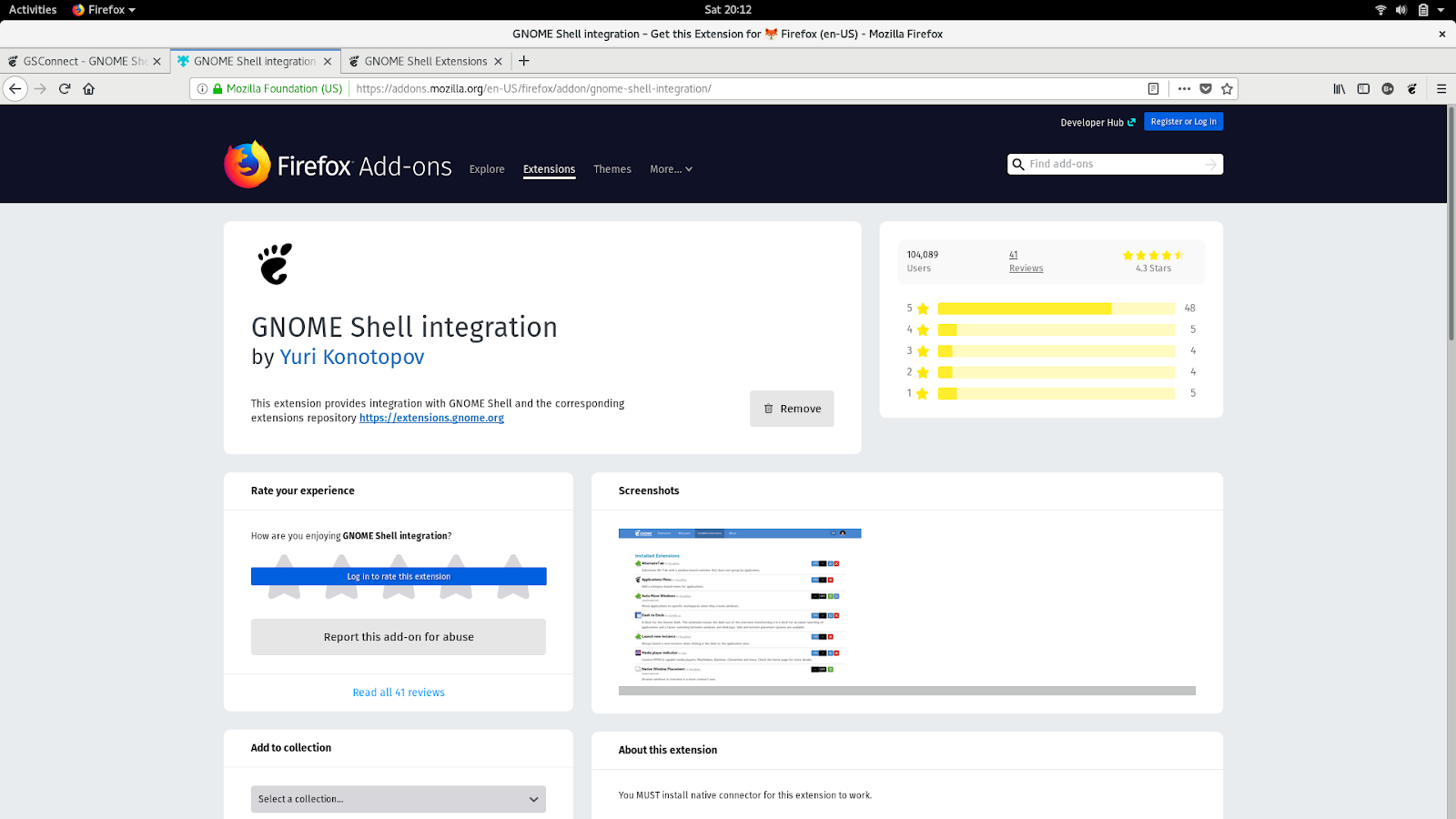
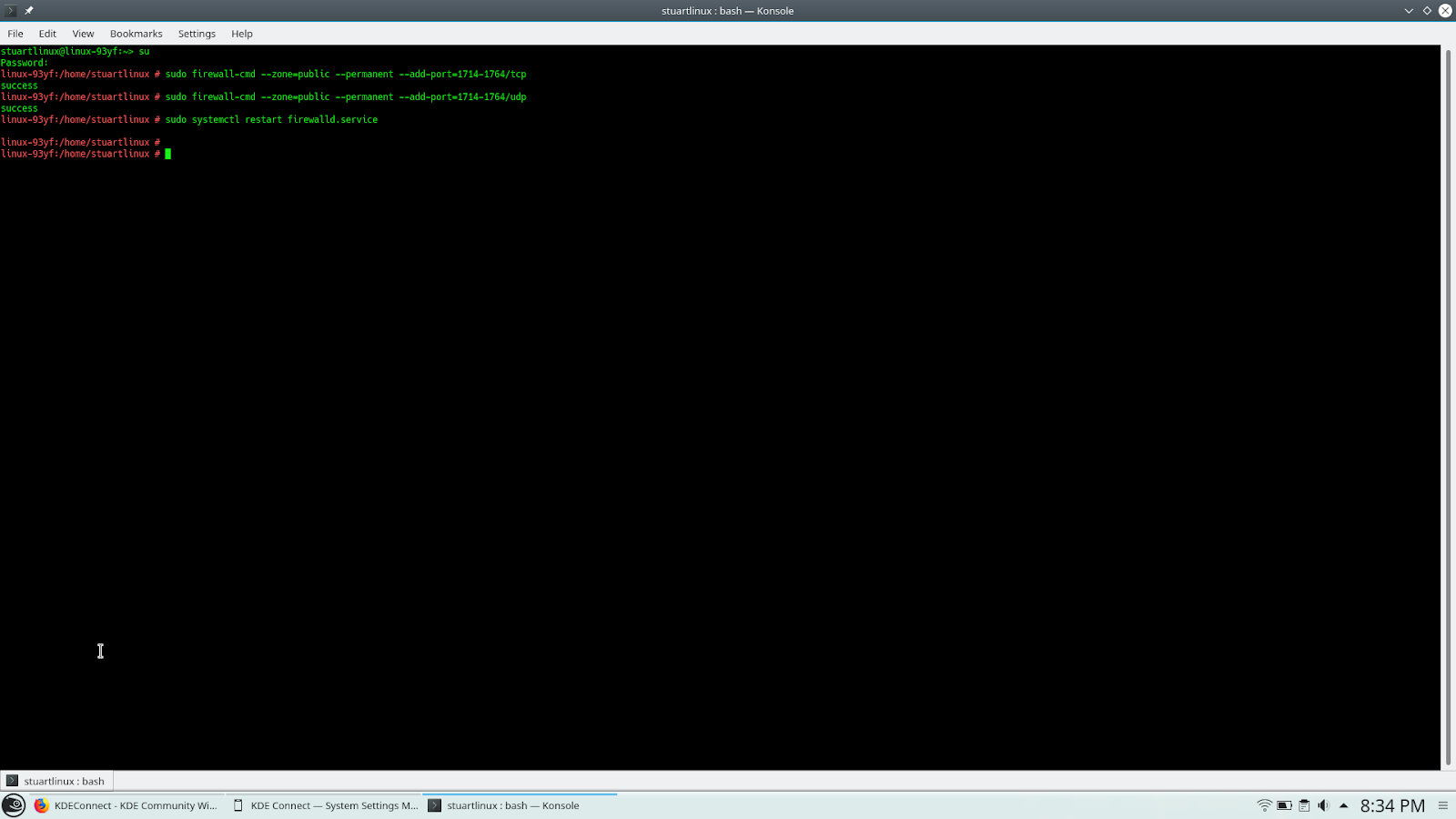
Instalación en openSUSE LEAP 15





In support of Coraline Ada Ehmke
Last night, the linux.org DNS was hijacked and redirected to a page that doxed her. Coraline is doing extremely valuable work with the Contributor Covenant code of conduct, which many free software projects have adopted already.
Coraline has been working for years in making free software, and computer technology circles in general, a welcome place for underrepresented groups.
I hope Coraline stays safe and strong. You can support her directly on Patreon.

Konqueror is Still Awesome
My GUADEC 2018 presentation
I just realized that I forgot to publish my presentation from this year's GUADEC. Sorry, here it is!

You can also get the ODP file for the presentation. This is released under a CC-BY-SA license.
This is the video of the presentation.
Update Dec/06: Keen readers spotted an incorrect use of opaque pointers; I've updated the example code in the presentation to match Jordan's fix with the recommended usage. That merge request has an interesting conversation on FFI esoterica, too.
USB or Removable Media Formatting in Linux

GNUHealth conference 2018 aftermath

GNU Health Con is an annual conference that brings together enthusiasts and developers of the Free/Libre Health & Hospital Information System. It hosted in Las Palmas de Gran Canaria, Spain on November 23rd until 25th.
I met the people behind the project during the openSUSE conference 2018. Since I'm health professional, this projects fits me. So I introduced myself to the community and started to write some articles and translate in Greek. I didn't have in mind to join GNU Health Conference by that time. I just liked the project and wanted to contribute. The idea to attend came after summer, during another conference. GNU Health is sponsored by openSUSE. So openSUSE planed to be there both with a presentation and a booth. I would like to thank openSUSE sponsoring me to attend to such an awesome conference.
My Odyssey for me started going from Thessaloniki to Hamburg (about 3 hours flight) and then Hamburg to Las Palmas (about 5 hours flight). I arrived just before midnight and the weather was rainy. Heavy rain. I didn't feel it much because I was exited to attend the conference.
The first day of the conference there were couple of interesting presentations such as Digital Health: Health for all by Tomas Karopka, Patient information governance standards by Dr Richard Fitton where he talked about the GDPR, Orthanc: Free ecosystem for medical imaging by Sebastien Jodogne, a project that is very useful even to veterinarians. I liked Isabela's presentation about Privacy and security of your health information. She introduced us to Tor project and mission. A cool thing I learnt there was the facebookcorewwwi.onion (it allows access to Facebook through the Tor protocol) and onionshare (an open source tool that lets you securely and anonymously share a file of any size). Ghazal Hassan explained what it's happening in Morocco. The title of his presentation was Challenges in health data management in low-income countries. The day closed with Ludwig Nussel presenting openSUSE Leap and Tumbleweed an overview. The feedback was very positive on openSUSE. Many implementations are on openSUSE and the guys that use it, they say that it's very stable system even they have some obstacles to overcome on infrastructure. The day closed with a round table about open source on health. A conclusion that came out from this talk is that we have to document everything we do, so more people can use our product.
During the coffee break, we had our group photo.

The second day started with Axel Braun talking about the community followed by Vincenzo Virgilio that analyzed what is happening with migrants in Italy. It's something that it's happening in my country also and it's important to have a managing health platform for immigrants. Armand Mpassy-Nzouma analyzed how you can manage a project with GNU Health. He made a quite funny and inspiring talk. My friends from Argentina, Ingrid Spessotti and Francisco Moyano Casco talked about Diamante health information system. Francisco mentioned that they use Pentium 4 as servers. It's an example that if there is no money for technology, use what ever you have at the time. Emillen Fouda talked about the impact that GNU Health has at the Bafia District Hospital. Closing the day, Luis Falcon introduced the book of life and the GNU Health Federation. The day ended with GNU Health Social Medicine Awards 2018 and a dinner at a fancy restaurante.

Sunday was the last day of the conference. Actually it was workshop day. There was a demo of the federation and also the command line.
Personally, I helped at the booth, although there were not countless attendees. We had a pretty cozy booth. People got swag and asked questions about Leap and how it's connected to SUSE.

My experience was unbelievable. I'm very happy that openSUSE community supports a fantastic "health and healthy community". Usually doctors aren't that enthusiasts when it comes to conferences. But if you mix with open source, you get a hybrid. I can't wait to meet you again guys. Maybe FOSDEM, maybe next conference.
Here is a vlog (in Greek) about my trip to Las Palmas and the conference.
to see more from my trips, subscribe to my channel...
Pine A64 Set Up and First Run

Weblate 3.3
Weblate 3.3 has been released today. The most visible new feature are component alerts, but there are several other improvements as well.
Full list of changes:
- Added support for component and project removal.
- Improved performance for some monolingual translations.
- Added translation component alerts to highlight problems with a translation.
- Expose XLIFF unit resname as context when available.
- Added support for XLIFF states.
- Added check for non writable files in DATA_DIR.
- Improved CSV export for changes.
If you are upgrading from older version, please follow our upgrading instructions.
You can find more information about Weblate on https://weblate.org, the code is hosted on Github. If you are curious how it looks, you can try it out on demo server. Weblate is also being used on https://hosted.weblate.org/ as official translating service for phpMyAdmin, OsmAnd, Turris, FreedomBox, Weblate itself and many other projects.
Should you be looking for hosting of translations for your project, I'm happy to host them for you or help with setting it up on your infrastructure.
Further development of Weblate would not be possible without people providing donations, thanks to everybody who have helped so far! The roadmap for next release is just being prepared, you can influence this by expressing support for individual issues either by comments or by providing bounty for them.
Refactoring allowed URLs in librsvg
While in the middle of converting librsvg's code that processes XML from C to Rust, I went into a digression that has to do with the way librsvg decides which files are allowed to be referenced from within an SVG.
Resource references in SVG
SVG files can reference other files, i.e. they are not
self-contained. For example, there can be an element like <image
xlink:href="foo.png">, or one can request that a sub-element of
another SVG be included with <use xlink:href="secondary.svg#foo">.
Finally, there is the xi:include mechanism to include chunks of text
or XML into another XML file.
Since librsvg is sometimes used to render untrusted files that come from
the internet, it needs to be careful not to allow those files to
reference any random resource on the filesystem. We don't want
something like
<text><xi:include href="/etc/passwd" parse="text"/></text>
or something equally nefarious that would exfiltrate a random file
into the rendered output.
Also, want to catch malicious SVGs that want to "phone home" by
referencing a network resource like
<image xlink:href="http://evil.com/pingback.jpg">.
So, librsvg is careful to have a single place where it can load secondary resources, and first it validates the resource's URL to see if it is allowed.
The actual validation rules are not very important for this
discussion; they are something like "no absolute URLs allowed" (so you
can't request /etc/passwd, "only siblings or (grand)children of
siblings allowed" (so foo.svg can request bar.svg and
subdir/bar.svg, but not ../../bar.svg).
The code
There was a central function rsvg_io_acquire_stream() which took a
URL as a string. The code assumed that that URL had been first
validated with a function called allow_load(url). While the code's
structure guaranteed that all the places that may acquire a stream
would actually go through allow_load() first, the structure of the
code in Rust made it possible to actually make it impossible to
acquire a disallowed URL.
Before:
pub fn allow_load(url: &str) -> bool;

pub fn acquire_stream(url: &str, ...) -> Result<gio::InputStream, glib::Error>;

pub fn rsvg_acquire_stream(url: &str, ...) -> Result<gio::InputStream, LoadingError> {
    if allow_load(url) {
        acquire_stream(url, ...)?
    } else {
        Err(LoadingError::NotAllowed)
    }
}
The refactored code now has an AllowedUrl type that encapsulates a
URL, plus the promise that it has gone through these steps:
- The URL has been run through a URL well-formedness parser.
- The resource is allowed to be loaded following librsvg's rules.
pub struct AllowedUrl(Url);  // from the Url parsing crate

impl AllowedUrl {
    pub fn from_href(href: &str) -> Result<AllowedUrl, ...> {
        let parsed = Url::parse(href)?; // may return LoadingError::InvalidUrl

        if allow_load(parsed) {
            Ok(AllowedUrl(parsed))
        } else {
            Err(LoadingError::NotAllowed)
        }
    }
}

// new prototype
pub fn acquire_stream(url: &AllowedUrl, ...) -> Result<gio::InputStream, glib::Error>;
This forces callers to validate the URLs as soon as possible, right after they get them from the SVG file. Now it is not possible to request a stream unless the URL has been validated first.
Plain URIs vs. fragment identifiers
Some of the elements in SVG that reference other data require full files:
<image xlink:href="foo.png" ...> <!-- no fragments allowed -->
And some others, that reference particular elements in secondary SVGs, require a fragment ID:
<use xlink:href="icons.svg#app_name" ...> <!-- fragment id required -->
And finally, the feImage element, used to paste an image as part of
a filter effects pipeline, allows either:
<!-- will use that image -->
<feImage xlink:href="foo.png" ...>

<!-- will render just this element from an SVG and use it as an image -->
<feImage xlink:href="foo.svg#element">
So, I introduced a general Href parser :
pub enum Href {
    PlainUri(String),
    WithFragment(Fragment),
}

/// Optional URI, mandatory fragment id
pub struct Fragment(Option<String>, String);
The parts of the code that absolutely require a fragment id now take a
Fragment. Parts which require a PlainUri can unwrap that case.
The next step is making those structs contain an AllowedUrl
directly, instead of just strings, so that for callers, obtaining a
fully validated name is a one-step operation.
In general, the code is moving towards a scheme where all file I/O is
done at loading time. Right now, some of those external references
get resolved at rendering time, which is somewhat awkward (for
example, at rendering time the caller has no chance to use a
GCancellable to cancel loading). This refactoring to do early
validation is leaving the code in a very nice state.
elementary os 5.0 Juno

1. ASUS X553M:
https://wiki.archlinux.org/index.php/ASUS_X553MA
By adding the kernel parameter modprobe.blacklist=dw_dmac,dw_dmac_core
2. 基本安裝:
https://ithelp.ithome.com.tw/users/20107229/ironman/1409
3. 基本安裝2:
https://www.ubuntupit.com/best-things-to-do-after-installing-elementary-os/
4. 應用程式圖示無法正確顯示:
修改 /usr/share/applications/ 下的 *.desktop 刪除 Icon[zh_TW]=...
5. 安裝 wingpanel-indicator-ayatana
https://elementaryos.stackexchange.com/questions/16502/missing-icons-in-the-wingpanel
6. 修改 fcitx 系統匣圖示:


7. 安裝 desktop folder:
https://www.omgubuntu.co.uk/2018/01/elementary-desktop-icons-files-app
8. 設定 plank 或安裝 ubuntu 版本(支援 zoom 功能):
https://elementaryos.stackexchange.com/questions/2680/how-can-i-customise-plank
https://elementaryos.stackexchange.com/questions/1933/plank-magnifying-effect
9. X553M ramdom freeze:
http://forums.debian.net/viewtopic.php?f=10&t=130571
You might try adding intel_idle.max_cstate=1 to the GRUB line that boots your system