
 Member
 AJaeger
First Survey on openSUSE Version naming is open now
Following my last blog post on “how to name the distribution release“, I’ve opened up a public survey and look forward to your votes. There is also a good discussion going on on the opensuse-project mailing list.
This is the first iteration. Coolo and myself discussed to use a second survey with the group of winners on connect.opensuse.org.

openSUSE 11.4 Release Party
We are planning a community release party this coming Thursday, March 17, 2011 to celebrate the 11.4 release. We are planning on having some media and usb thumb drives for anyone that would like to install 11.4.
This time we are changing the location a little. We are still having the party on Novell’s Provo campus, but in one of the executive briefing rooms building H which is the tall south most building.
Everyone is welcome. If you are planning on coming please let us know by sending me an email sshaw ]at[ decriptor ]dot[ com. We are hoping to have food and swag to give away.
Details:
March 17, 2011
6:30 to 8:00 pm
Executive Briefing Center, Building H
Novell Provo Campus
Here is the poster we threw together. The artwork was provided by someone in the community and the poster was put together by my awesome wife.


opensuse 11.4 a quick disappointed look... part2
1. 'import setup' of partitioning. Love that! Allowed me to copy over my old partition settings. Saves a whole lot of pain.
2. Seamless update after that X worked and everything else worked 'out of the box'.
The only draw back probably is to reinstall a few of the application I have running on the box that is not in the stock install. I am going to put back a few of the points I took away the day before when the upgrade fuched up.
So if you are upgrading from 11.3 to 11.4 you might want to use the reinstall path. It might turned out to be better and smoother.
opensuse 11.4 a quick disappointed look...
Along came 11.4 and I did not hesitate based on my past experiences, but boy was I wrong. Right after the upgrade my box booted up to no Xdisplay, no sax2 (wtf ! I know I should have read the release notes, but then no alternatives ?!). The no display I can deal with but the next bit really took me for a doozer. The network did not start up even though it was in runlevel 5. Initially I thought it was because my network card was left un configured but configuration and 6 reboots later did not solve the problem. I resigned myself to a putting 'rcnetwork start' to /etc/rc.d/boot.local.
I did not find other people with the same problem querying uncle google, but for the life of me I can't get it to work. It would just boot up and say that it has reached runlevel 3 or 5 but then I have to manually start up networking using 'rcnetwork start'. These problems really surprised me as openSuSE prior to this has always good to me and upgrades works right from version 10.3 to 11.3 without problems. I guess I got to stop boasting to people how good openSuSE is ... :(

GNOME 3 Live image 0.1.0 released - Geeko strikes back

This week has been a busy week : GNOME people worked really hard on 2.91.91 release and openSUSE people worked really hard on release openSUSE 11.4.
So, let's please everybody with this week GNOME 3 Live image 0.1.0 : it features GNOME 2.91.91 on top of the brand new openSUSE 11.4.
If you tested previous live image, you'll notice a lot of changes, so don't be surprised :
- image is no longer persistent when installed on USB stick : it was slowly first boot a lot (and we don't want to give people testing the image it is slowww) and sometime, if shutdown wasn't done properly, the persistent partition could become corrupted and you had to either remove it completely or redump the key
- language / keyboard / timezone selection at startup is gone : again, it was slowing the boot and the experience was completely different from GNOME3 experience. But you can still choose the language (as well as keyboard / timezone) : either in the boot menu at startup or later, in GNOME Control Center (in GNOME Shell, top right menu then System Settings and Regions / Language)
- no more password for demo user (named 'tux' ) nor root user : again, simplicity prevaled. If you get asked a password at any time, just press enter.
- virtualbox guest support is not available (temporary issue for this image and we still don't support GNOME Shell in virtualbox)
- a lot of translations have been added
- many GNOME packages have been ported to GNOME 3 platform and are preinstalled in the image
- since we rebased the image on openSUSE 11.4, we will try to stick to kernel and X11 drivers shipped with it.
As always, you'll find the image at http://gnome3.org/tryit.html
Enjoy.
(Yes, I know above photo isn't a gecko but I only had iguane in my photo albums :)
How to name the distribution releases?
We had this week a discussion on IRC on how to name the next release and I took the action item to do a poll on connect.opensuse.org now to help us solve the naming of openSUSE distribution releases. I’ve started earlier today a discussion on the opensuse-project list and already incorporated some comments I received in this text.
openSUSE does not have a major and minor numbering, even if it seems so. There is right now no difference in any way between what we would do for openSUSE 11.4 or 12.0 – and no sense to speak about openSUSE 11 or openSUSE 11 family. We also have no process on how to name the next release (when to increase which parts of the number).
Here are some options, if I miss some, please tell me and I will then soon setup a poll. I’m listening the next version we would use as well as how the following would be called as an example. Remember we have releases every 8 months, so the next releases will be in:
November 2011, July 2012, March 2013, November 2013, July 2014, March 2015.
Here are the options I collected so far:
- “Old school”: The same we do right now but let’s decide when tochange the right number: we count it always until 3.
Next release is 12.0.
Following releases: 12.1, 12.2, 12.3, 13.0 - “Fedora style”: Just integers.
Next release is: 12
Following release: 13, 14, 15 - “Mandriva style”: YYYY.counter (4 digit year, counter starts a 0)
Next release is: 2011.1
Following releases: 2012.0, 2013.0, 2013.1, 2014.0, 2015.1 - “Old school /Mandriva variation”: YY.counter (2 digit year, counter starts at zero)
Next release is: 11.5 (otherwise this won’t work)
Following releases: 12.0, 13.0, 13.1, 14.0, 15.1 - “Ubuntu style”: YY.MM (2 digit year, 2 digit month)
Next release is: 11.11
Following releases: 12.07, 13.03, 13.11, 14.07, 15.03 - “Ubuntu style variation”: YYYY-MM (4 digit year, 2 digit month)
Next release is: 2011-11
Following releases are: 2012-07, 2013-03, 2013-11, 2014-07, 2015-03 - “octal”: Coolo came up with calling the next release “o 12” and then proposed to go octal (so 012). We decided to start with 012 even if that 10 in decimal.
Next release is: 012
Following releases: 013, 014, 015, 016, 017, 020 - “Seasons”: “Season YYYY” since March is in spring, July in summer, and November is in autumn.
Next release is: Autumn 2011
Following releases: Summer 2012, Spring 2013, Autumn 2013, Summer 2014
During the last rounds of discussions about the versioning scheme, the following wishes have been distilled:
- It must be clear which release is newer
- It must be clear how to the next release is called, we need an easy algorithm
Coolo suggested to do the poll in two rounds: first list all – even obscure – options that have been proposed and in the next round only include those that got
more than 80% of the winner. Of course if there is only one, the second round can be removed. The first round you would be able to tick every option you like, the second one only tick your favorite.
I’m collecting proposals now until end of Monday, 14th of March.

How to use tin to read the openSUSE Forums
The openSUSE forums also support the NNTP protocol (usually referred to as "news"). There are plenty of GUI news readers out there (thunderbird, knode, pan, ...), but as I'm using mutt to read my emails as well as irssi for IRC in screen sessions (in urxvt, I wanted a console based NNTP client for that as well. (No, I don't use lynx or w3m for web browsing, I'm not a masochist ;).)
Hence I installed trn.
Here is how to set it up to access the openSUSE forums with it:
- Obviously, first install
trn:
zypper install trn - then run
rtinonce, which will give you an error message and exit, but that will create its configuration file tree in~/.tin:
rtin - next, edit the configuration file
~/.tin/newsrctableand add the following line:
forums.opensuse.org /home/XXX/.tin/foo foo
(where you replace /home/XXX with your actual home directory)
If you are not fluent with text editors, you can also simply execute the following command from a shell (just copy/paste it):
echo "forums.opensuse.org $HOME/.tin/foo foo" >> ~/.tin/newsrctable - now we can actually run
rtinto connect to the openSUSE forums:
rtin -a -g foo
(note that the-aflag turns on color support, and-g footellsrtinto connect to the server we configured as "foo" in~/.tin/newsrctable) - you are now greeted with an (almost) empty screen: press the
ykey (yank in/out) to get a list of all the forums in order to subscribe to those that are of interest to you: simply use the arrow keys to scroll the list and press theskey (subscribe) to subscribe those you want to follow
openSUSE Linux 11.4 Lançado
openSUSE 11.4 traz o kernel 2.6.37, drivers para placas Broadcom, suporte melhorado a tablets Wacom e as versões mais recentes do Xorg e Mesa, propiciando melhor aceleração 2D e 3D. O KDE Plasma Desktop 4.6 traz o gerenciamento mais fácil de atividades, possibilidades de criação de scripts para o KWin e melhorias no gerenciamento de rede e dispositivos bluetooth.
O GNOME 2.32 traz melhorias na usabilidade e acessibilidade e o GNOME Shell (parte do futuro GNOME 3) já está disponível para testes. O Firefox 4 sofreu redesign da sua interface e a tecnologia “Firefox Synch” permite sincronizar bookmarks, senhas e históricos entre as suas diferentes instalações do Firefox.
Adicionalmente, além do openSUSE 11.4 um conjunto de outros serviços estão disponíveis: Tumbleweed (repositório rolling-release), o Build Service (geração e liberação de pacotes para diversas distros) e o SUSEStudio (solução completa para geração de appliances openSUSE configurados para as sua necessidades).
Leia também: Anúncio Oficial, Novidades do KDE no openSUSE 11.4, On the tenth day, openSUSE 11.4 changed everything, openSUSE 11.4 Highlights."
[referência: news.opensuse.org]
Fonte: BR-Linux.org
Sobre o openSUSE Linux 11.4:

Clique na imagem para ampliar.
http://en.opensuse.org/Portal:11.4
Faça o download aqui.
Avise se algum erro for encontrado nesse artigo.
O conteúdo desse artigo pode ser modificado ou atualizado, por isso, visite essa página constantemente e mantenha-se atualizado.
openSUSE 11.4 – A New Hallmark For The openSUSE Project
We are proud to announce the launch of 11.4 in the openSUSE tradition of delivering the latest technology while maintaining stability. The 11.4 release brings significant improvements along with the latest in Free Software applications. Combined with the appearance of new tools, projects and services around the release, 11.4 marks a showcase of growth and vitality for the openSUSE Project! Read on for more details about this release…
Base System
openSUSE always concentrates on a stable foundation that is usable for different workloads. The base system of 11.4 brings better scalability and performance, an enhanced boot processes and significantly faster repository refresh, package install and update.

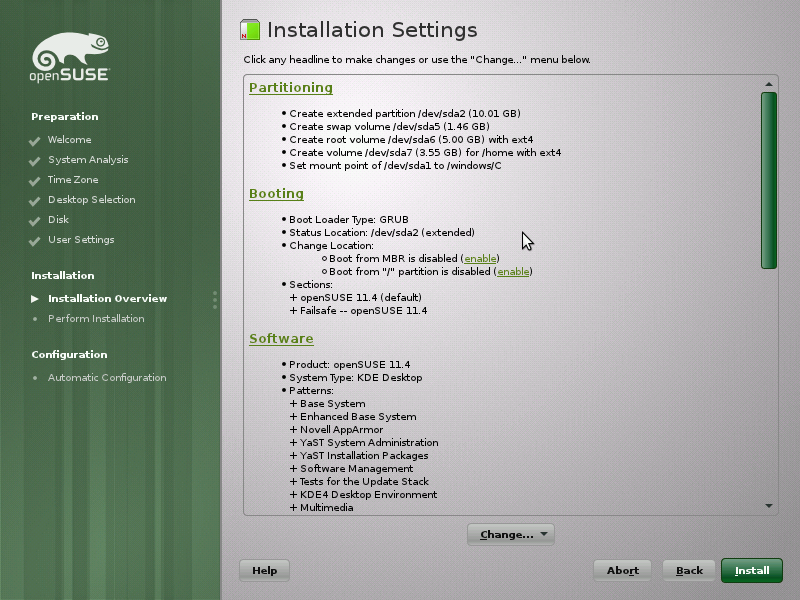
New tools for an enhanced boot process. The latest gfxboot 4.3.5 supports VirtualBox and qemu-kvm while Vixie Cron has been replaced with Cronie 1.4.6 supporting the PAM and the SELinux security frameworks. The more experimental software options include GRUB2 and systemd.
The ZYpp package management introduces a MultiCurl backend, support for zsync transfers, and Metalink download support. With simultaneous downloads from multiple servers, and fetching of only changed parts of files, the result is a significantly faster repository refresh, package install and update. The new backend gives better support for network proxies and allows for HTTP BASIC password-protected repositories. On the desktop, KPackageKit replaces the KDE applet and both KDE and GNOME applets now default to installing all package updates, not just patches.
Desktops and Applications
openSUSE is committed to flexibility and choice, providing all major desktops and a full range of applications, well integrated and supported. The desktops and applications of 11.4 take the next step with a revamped user experience, all the popular up to date Free Software applications and consistent functionality even in lighter desktops.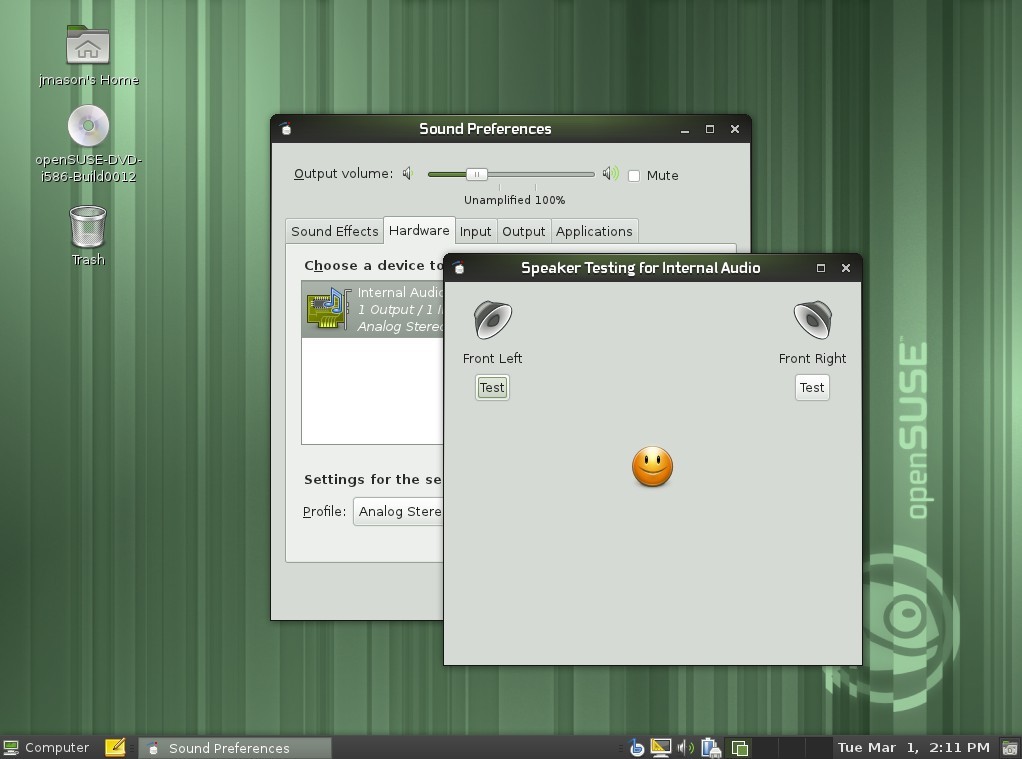


Firefox 4.0, first to ship in 11.4, introduces a major redesign of the user interface with tabs moved to the top of the toolbar, support for pinning of tabs and more. Firefox Sync synchronizes bookmarks, history, passwords and tabs between all your installations. Firefox 4 also supports newer web standards like HTML5, WebM and CSS3. 11.4 includes even more of the popular up to date Free Software applications as it’s the first major distribution to ship LibreOffice 3.3.1. Delivering it’s cleaner, faster code base and features like import and edit SVG files in Draw, support for up to 1 million rows in Calc and easier slide layout handling in Impress. 11.4 also débuts the result of almost 4 years of work with the Scribus 1.4 release based on Qt 4 and Cairo technology. Improved text rendering, undo-redo, image/color management and vector file import are highlights of this release.
openSUSE offers deep integration of all these technologies. By carefully creating ‘patterns’ of software, openSUSE ensures consistent functionality even in lighter desktops like XFCE and LXDE. Keyboard shortcuts are set, menu layouts tweaked, user-friendly file associations chosen and branding and theming integrated. 11.4 furthermore improves on the LibreOffice and Firefox integration in KDE Plasma, using native file dialogs, oxygen styling (also for GTK applications) and respecting the user’s mail client and browser choices.
Professional tools for administrators and developers
openSUSE aims to be the perfect power tool for system administrators to keep their network safe and their systems under control. And as developing and maintaining free software is the bread and butter task of the openSUSE Project the distribution naturally brings everything a software developer needs. 11.4 ships the latest virtualization and web server stacks and all the major development languages, platforms and associated IDEs.
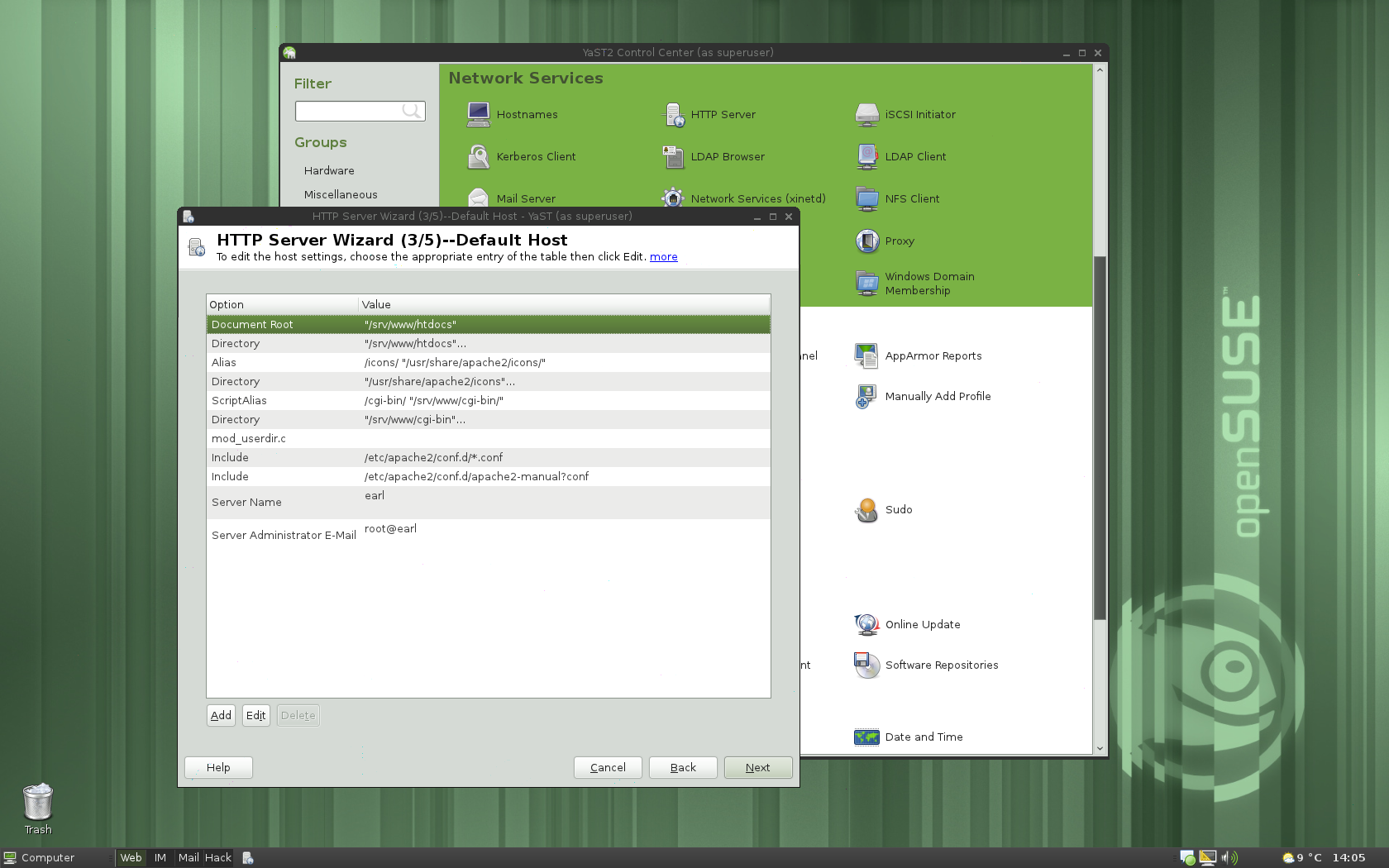
openSUSE ships with the latest web server stack featuring Apache 2.2.17, lighttpd 1.4.26 and ngninx 0.8.54. As well as the main databases like version 9.0.3 of PostgreSQL, a release that brings major features like easy-to-use replication, a mass permission-changing facility, and anonymous code blocks. And MySQL 5.1.53 (community edition), and its fork MariaDB 5.1 that offers a drop-in replacement with better performance and some extra features are complemented while SQLite features a new transaction control mechanism using a write-ahead log.
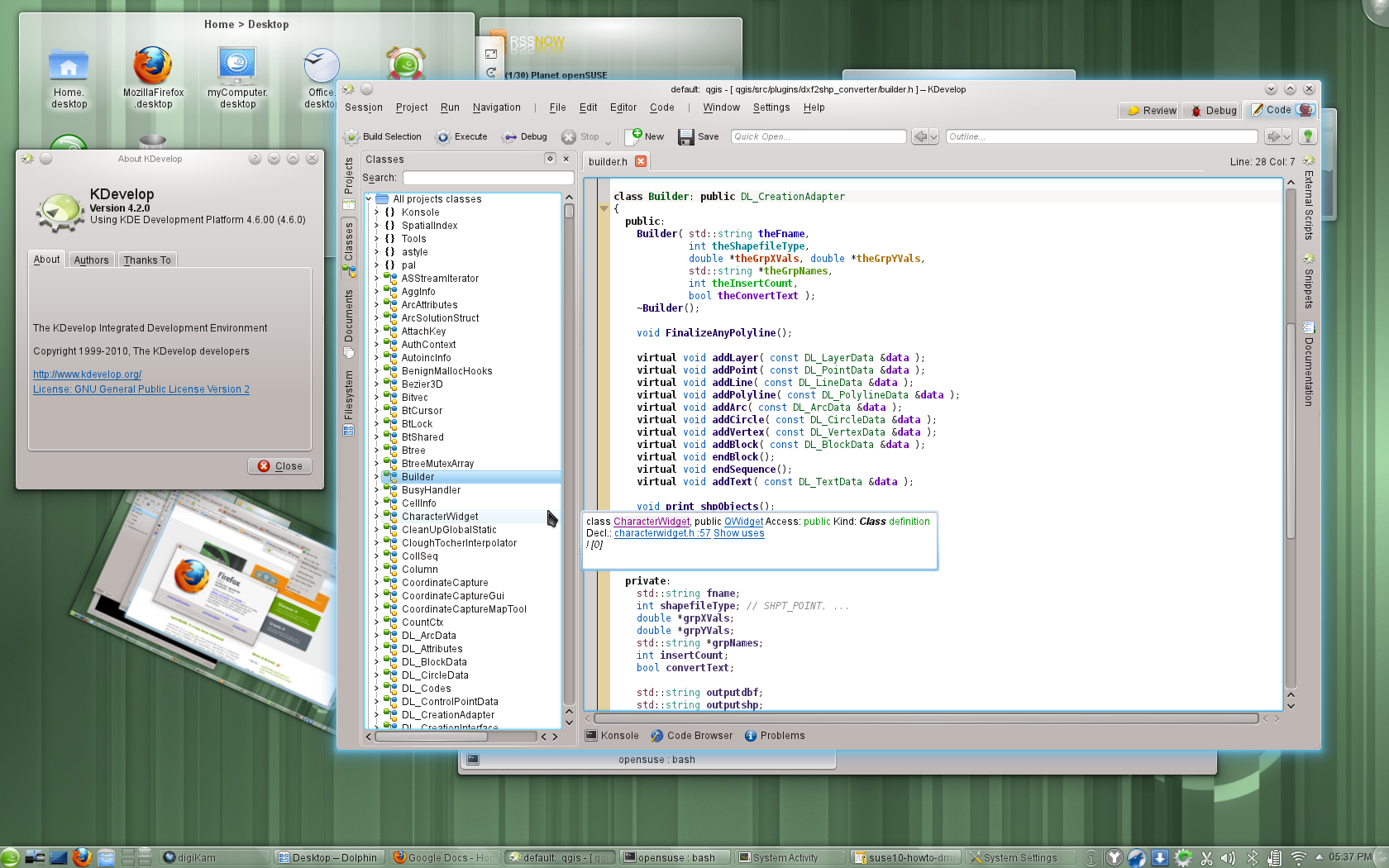
openSUSE 11.4 comes with all the major development languages, platforms and associated IDEs. Qt 4.7.1 and QtCreator 2.1 bring a better and faster WebKit and support for the QML Declarative language, also supported in the KDE Development Platform 4.6 which in turn introduces a ‘Mobile Build Target’ for a thinner version of its libraries. The GNOME 2.32 platform brings Vala and Python support to Anjuta and Glib 2.26 supports Gsettings. 11.4 ships with GTK+ 3 bringing improved device input handling, fully Cairo based drawing (with multiple backends) and much easier theming to developers who want to develop for the upcoming GNOME 3 release. For developers who are interested in working on LibreOffice, openSUSE offers the unique advantage of using a ‘split build’, making it easy to get involved.
Around 11.4
Additionally to the distribution the openSUSE project also provides a variety of tools, projects and services to its fellow Free and Open Source community members and its users. Supporting 11.4 are Tumbleweed, a rolling release repository, the Build Service to easily create and release open source software and 11.4 inside susestudio for you to experiment with.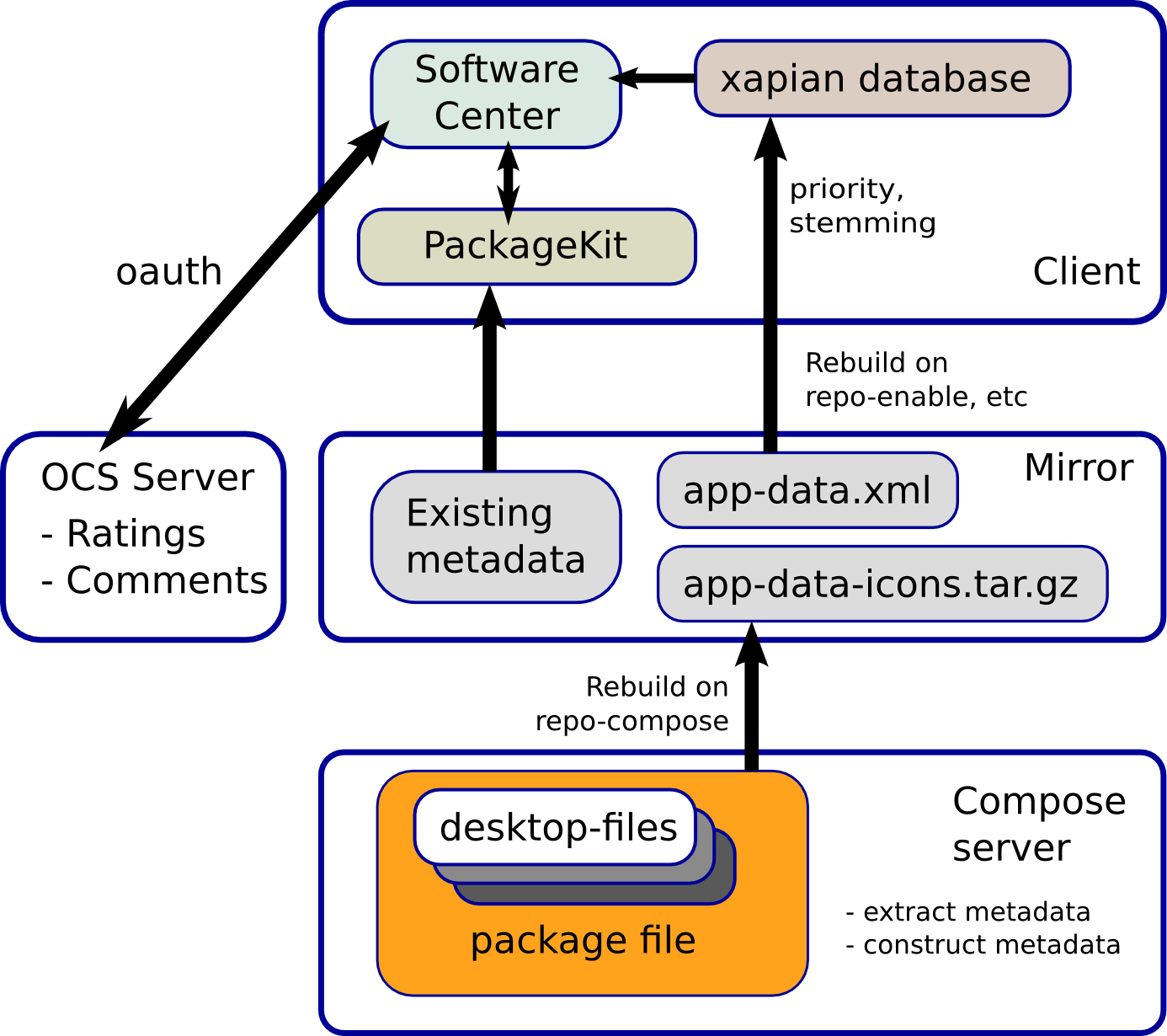
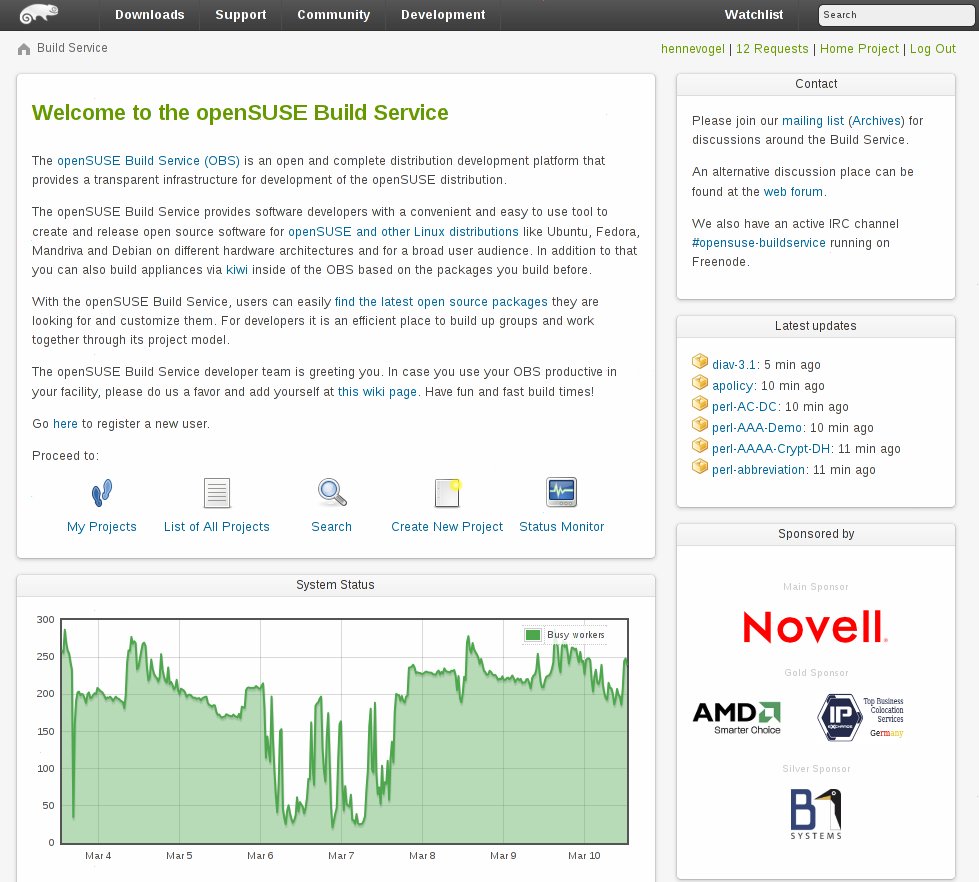
The Free and Open Source software developers are greatly aided in the distribution of their software by the innovative technologies developed or initiated by the openSUSE Project. Like the newly released Build Service 2.1.6 which provides the infrastructure to easily create and release open source software for openSUSE, Fedora, Debian and many other Linux distributions and projects like Bretzn or Appstream which support developers in building and distributing their applications and users in getting it.
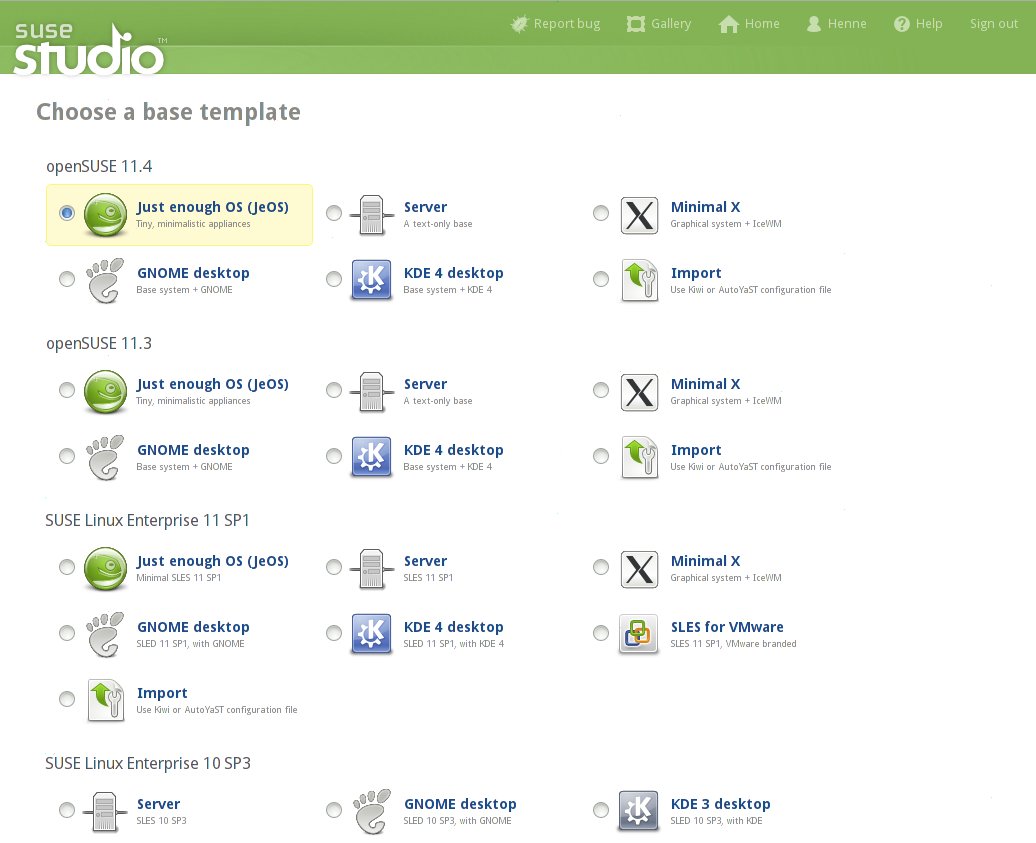
We are also happy to also announce that Novell’s SUSE Studio, building upon openSUSE technology like KIWI, offers 11.4 as a base to build appliances upon from its convenient webinterface. We invite anyone to visit susestudio.com to experiment with 11.4, to create custom versions as Live CD, USB or VM images and to share them on susegallery.com!
Get 11.4 now
openSUSE is now available for immediate download. You can also purchase a retail box with 11.4 that includes 90-day installation support, physical media, and a printed Getting Started guide. Read more about what is new in openSUSE 11.4 in our Product Highlights!Thanks!
openSUSE 11.4 represents the combined effort of thousands of developers who participate in openSUSE and projects shipped in openSUSE. The contributors, inside and outside the openSUSE Project, should be proud of this release, and they deserve a major “thank you” for all of the hard work and care that have gone into 11.4. We hope that 11.4 is the best openSUSE release yet, and that it will help to encourage the use of Linux everywhere! We hope that you all have a lot of fun while you use 11.4, and we look forward to working with you on the next release!About the openSUSE Project
The openSUSE Project is a worldwide community that promotes the use of Linux everywhere. It creates one of the world’s best Linux distributions, working together in an open, transparent and friendly manner as part of the worldwide Free and Open Source Software community. The project is controlled by its community and relies on the contributions of individuals, working as testers, writers, translators, usability experts, artists and ambassadors or developers. The project embraces a wide variety of technology, people with different levels of expertise, speaking different languages and having different cultural backgrounds.Πηγή: http://news.opensuse.org/2011/03/10/opensuse-11-4/
flash + 11.4 + youtube
Всему виной как оказалось, включенное апаратное усорение во флеше.
Отключить его можно в меню "Settings" flash плеера.