
 Member
 llunak
On-demand package installation in openSUSE 11.3
KDE Project:
You most probably have already run into this at least once. You use the computer, try to do something and you get an error message saying "sorry, application foo is not installed", "the required plugin bar is not installed" or similar. And that's it, there it stops. You have to find out what package the required functionality is in, install it manually and try again. Like if the computer couldn't ask "but maybe I can install that, do you want me to try?" and handle it itself.
And that's what my goodie for this openSUSE release is about. I've been examining a bit about what various parts of the desktop could do this and there indeed are some cases. For example, clicking in Dolphin on a file that has no associated application installed usually results in the "Open with?" dialog. And that dialog has nowhere in it the option "the application that can open it, silly". Especially given that if the installation medium is accessible (i.e. usually if the network connection is up), it's rather easy to find out the right application for the file and install it:

This specific case is actually a bit tricky. The file, example.kvtml, is a file with pairs of words or expressions that e.g. KWordQuiz can use for teaching (words for language lesson, for example). The problem is that technically the data is stored as XML and the mimetype (file types) specification has a concept of subclasses that is and in not useful depending on how you look at it. A C++ source file is a subclass of a plain text file, so you can edit it just like a plain text. Good. An XML file is also a subclass of a plain text file, so you can view XML as plain text. Good? I'm not quite sure on this one, since while XML is human-readable, any decent up-to-date XML is certainly not human-understandable anyway, so I fail to see the point. But, since .kvtml files are XML files, they are a subclass of them, and that means you can view them just like a plain text.

Good??? Probably not. They are supposed to be opened in an application that can show the lesson nicely, who'd be crazy enough to decipher it from the XML? Well, but that's the reason for the dialog looking this way, the above is what the dialog is trying to tell you. Sorry :). This should get eventually sorted out somehow in the mimetype specification, but for now I had to go with this.
The short version is: Just say you want an application that can handle exactly the file type, that's usually the right choice here. And if there are more applications that can handle it, you'll get a choice:

There is another, rather obvious case, where this can be useful. Amarok on its first start usually likes to complain about lack of support for certain well-known and widely used multimedia format and 11.3 will be no different. However, Amarok has also some support for solving this problem and has this dialog:

And that is where the new feature comes into play.

This time, however, there is the usual problem: The openSUSE distribution is not allowed to include the necessary support, because <a lot of ugly legal babble that causes headache>. Some distributions may try to include it and hope that residing in a country without such laws solves the problem. Or, even better, not having a load of money in bank avoids a lot of trouble too (what's the point of sueing somebody who can't pay afterwards, these merry patent folks don't do it just for the sports). That doesn't quite work for openSUSE, being supported by Novell, and I bet every big company has been already sued for much more stupid things than this, just in case it'd work out. So openSUSE simply can't include the support and can't even really tell you where to get it. As long as the world is the way it is, there can't even be any "install all I need" button in openSUSE. Sorry. That's the way it is :(.
So what happens in this case it that the required packages will not be found. However, there are many repositories for openSUSE not provided by openSUSE, and you can add the right one and try again (BTW, the URL in the link doesn't work yet, that will be fixed in time for 11.3).

Choosing to enable additional repositories will simply launch the YaST module for configuring repositories. And, as I said, it cannot point you "here" and tell you which repository to add (because, if nothing else, it doesn't know anyway). But adding a repository is not really that hard.

After adding the right repository it will proceed with installation. Again, the usual allmighty YaST. Nothing hard about it, and this part should be mostly automatic anyway.

There it is. As simple as possible (sigh) and now it's ready (but the dialog is actually right, restart is required for technical reasons).

There of course can be more places where this could be useful. The crash handler has already support too, so generating proper bugreports with full backtraces should be now much simpler as well. This is so far just experimenting with the feature and seeing how it works out, if it works well, even more can be added after 11.3.
A Linux type?
- I found that the more open the new user is to a new OS, being more open to forget about Windows they are the more enjoyable the process is. "This used to work so much better on my laptop in Windows ..." kinda attitude will almost guarantee a world of pain.
- Having a positive attitude helps ... as in you are home ... your printer does not work instantly ... instead of just chalking it up to the new OS being bad just give it a whirl and think of the fun of trying out something new will make it enjoyable.
- Trusting your new OS as well as your new found friend (me) when it comes to buying peripherals will help during the transition.

Community Discussion - Part 8
Wiki structure: New tools
Temporary openSUSE Wiki is created few moths ago to allow test of new tools and content reorganization without disrupting daily operation of openSUSE Wiki. It is running on MediaWiki version 1.15.1. The basic software is already much better then the old version 1.5, but the goal is not only to have one time cleanup, but also to organize wiki that will provide benefits for all involved parties: visitors, writers and maintainers. To achieve this we added few extensions to the basic MediaWiki listed here .
Semantic MediaWiki is complex extension that has its own extensions.It can become one of our flagships, but at the time of this post I don't know much about it.
We already have working implementations of the following extensions:
CategoryTree is navigational tool, intended to provide compact list of other pages that user might want to visit. It is based on MediaWiki categories , which means that creation and maintenance of categories and its structure, is one of the primary tasks for all involved.
FlaggedRevs will allow better content quality control. It is set to show casual visitors only article revisions that passed quality control process. Editing is not prevented, so anyone can change page content, but that is hidden from visitors until some of reviewers check the article.
MultiBoilerplate is meant for simplified creation of articles, providing ready to go templates for different types of articles that wiki user can choose from drop down list. The openSUSE version is patched to allow different sets of templates for different namespaces.
InputBox provides 3 functions:
- Different modes search boxes,
- Creation of pages using predefined templates, which overlaps in functionality with MultiBoilerplate to some extent, but allows article writer tight control over used template.
- Adding comments to existing pages which can be used, for instance, to simplify collection of user comments, user contributed tips, simplify contribution to hardware compatibility list.
ParserFunctions allow some kind of macro language to be used in templates.
SimpleFeed is used to import feeds from other pages to the wiki. It was used in old wiki for the right column news.It can be used to import news to any of the portal pages.
VideoFlash is simple extension that allows author to embed YouTube and other Flash videos in the wiki pages.
SyntaxHighlight will make easier reading of the code snippets on the wiki page.
Tools for users and administrators:
SpecialInterwiki is a tool for wiki administrators.
Hermes Notify is our notification agent.
openSUSE GNOME Team Meeting
It has been far too long since the GNOME Team actually put their heads together and talked about what is going on in the garden. As such regular meetings are re-starting, but with a slight difference – it will be monthly on the 3rd Tuesday of each month at 1400UTC, for localised times please see here.
That means the next meeting will be held this Tuesday, 18th May 2010, in the garden (otherwise known as #opensuse-gnome on Freenode). The Agenda is pretty simple and can be added to on the wiki. For those curious it will kind of follow the lines of:
1. openSUSE GNOME Status
1.1 Packaging
1.2 Bugs
1.3 Q & A
2. Upstream GNOME Status
2.1 What’s New
2.2 Bugs
2.3 Q & A
3. General Q & A
So please come buy the garden, pull up a chair and crack a cold one open. Join in the fun and add anything you need to the agenda.

Lugaru is opensource – Lugaru is on packman
Just a shot, Lugaru HD has been released as opensource, we can build and give it to all of you…
well.. done 
i just packaged it, so just wait for servers to sync
http://packman.links2linux.org/package/lugaru/
Have fun players

openSUSE-LXDE and Italian Press
We all know we are doing well, we see that from your feedbacks, bugreports, obs submitreqs, and IRC. So guys.. Thank you a lot for supporting and helping us.
But do you think there is something better to see your work on a magazine? a national magazine? I guess it’s really exciting isn’t it?
Well we did it! The Italian Linux Magazine wrote two entire pages for us, and our live cd (together with XFCE one) was into the attached DVD or CD!
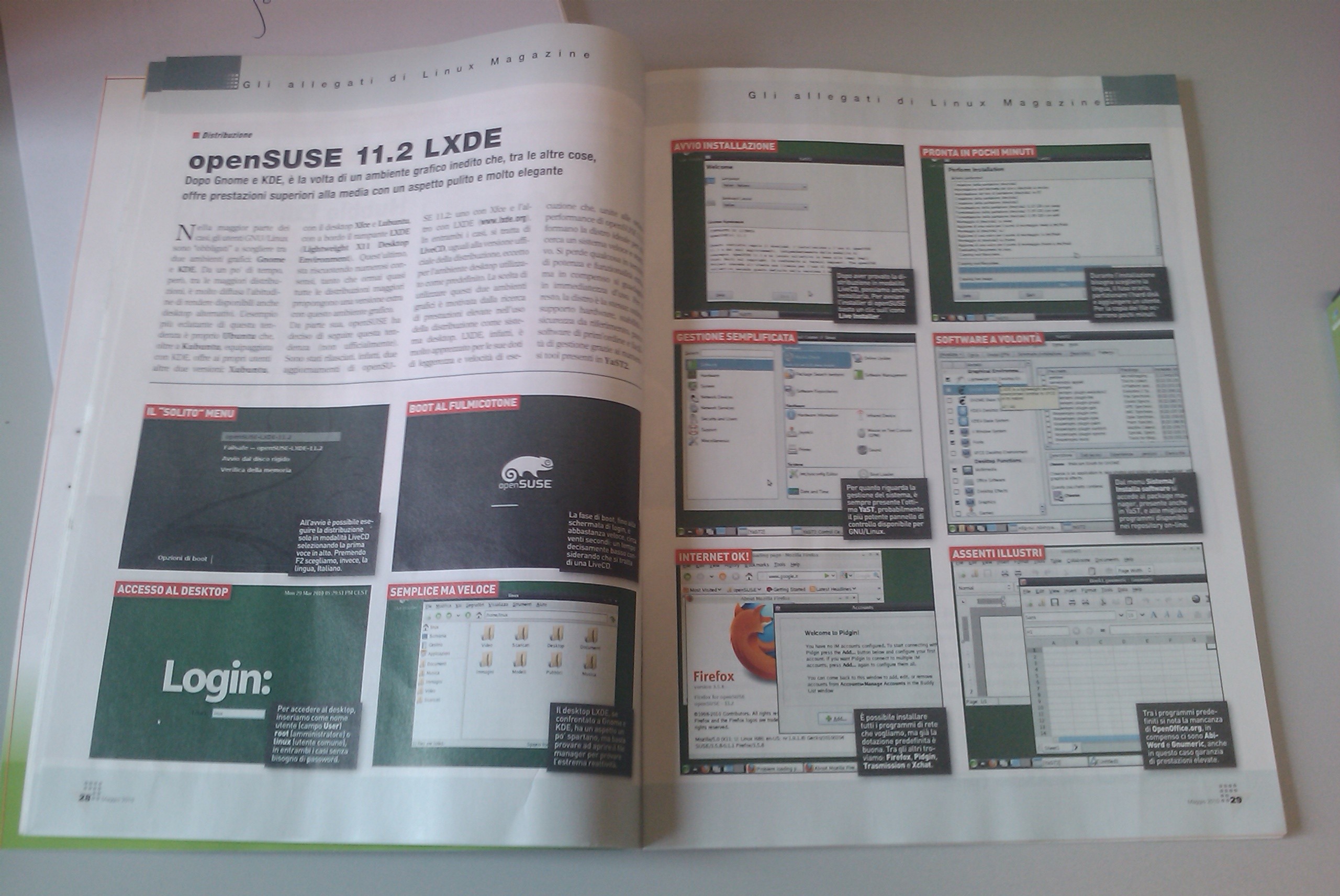

That was cool!!!
Andrea
Your own OEM configuration: YaST Firstboot
Have you ever thought how users should configure their systems, deployed by AutoYaST or kiwi? One of possible answers is called YaST Firstboot.
The YaST firstboot utility is a special kind of configuration workflow that can be run after the basic system is installed. It is started on the first boot of the system and guides a user through a series of steps that allow for easier configuration of their desktops. YaST firstboot does not run by default and has to be configured to run by the user or the system administrator. It is useful for image deployments where the system in the image is already configured (read: AutoYaST, SUSE_Studio, KIWI), and end-user should do only the last few steps, like setting the root password.
Enabling Firstboot
To enable running firstboot configuration sequence on the machine, it is necessary to:
- Have yast2-firstboot package installed. Depending on your installation method, this means adding the package to the list of packages to be installed (e.g. for AutoYaST) or that are part of installation image.
- Create the empty file /var/lib/YaST2/reconfig_system. If this file is present on system boot, firstboot configuration sequence is started. YaST Firstboot removes the file when the configuration is done.
Customizing YaST Firstboot
There are two files that control the behavior of Firstboot: the firstboot control file (firstboot.xml) and the sysconfig file /etc/sysconfig/firstboot. The control file defines the steps that should be part of your configuration sequence, in the sysconfig file it is possible to define custom messages and paths to various files.
Customized Messages
Most important texts configurable in sysconfig file is the text shown in the License Agreement screens. For license texts, there are sysconfig variables FIRSTBOOT_LICENSE_DIR and FIRSTBOOT_NOVELL_LICENSE_DIR.
The license text is read from the file ‘license.txt’ or from ‘license_<locale>.txt’. The license texts of the Novell base product are by default installed to the directory /etc/YaST2/licenses/base/ — you can set different value to FIRSTBOOT_NOVELL_LICENSE_DIR if they are elsewhere. Use FIRSTBOOT_LICENSE_DIR to indicate a path to directory containing vendor licence texts; it is preferred to put these license texts into another subdirectory of /etc/YaST2/licenses/.
To show two license texts in one dialog (typically the one from vendor and one from Novell), use ‘firstboot_license_novell’ step in your firstboot.xml file. This client will use the license texts specified by both FIRSTBOOT_LICENSE_DIR and FIRSTBOOT_NOVELL_LICENSE_DIR.
Customized Workflow
The default firstboot workflow can be controled using one single file which uses the same syntax as the control.xml file used to control the complete installation. The firstboot control file consists of workflow and proposal configurations and can be used to add or remove configuration screens depending on the end configuration of the system. The file firstboot.xml is installed with the yast2-firstboot package and can be found at the following location: /etc/YaST2/firstboot.xml.
This file can be modified to match the post installation requirements of the product in question. In addition to the default and pre-installed components, custom screens can be added to enable maximal flexiblity during post installation. Look into the example firstboot.xml file coming with your yast2-firstboot package for more available steps.
Custom Scripts
Not everything can be achieved with already prepared steps, and it is usually not necessary to write your own ycp dialogs.
You can add schell scripts to be executed at the end of the firstboot configuration. Scripts should be placed in /usr/share/firstboot/scripts or in a custom location that can be set using the variable SCRIPT_DIR of /etc/sysconfig/firstboot configuration file. The scripts are executed in alphabetical order of their names.
AutoYaST Support
It is possible to configure the firstboot process as a part of autoinstallation, so the system can be installed with most of the default values set via AutoYaST profile, leaving the rest to the end user during the firstboot sequence.
As a part of autoinstallation configuration, you need to provide all the changes mentioned above:
- Customize /etc/sysconfig/firstboot: it can be done e.g. via Sysconfig Editor in System section of AutoYaST configuration module.
- Provide customized firstboot.xml file and point to its location in FIRSTBOOT_CONTROL_FILE value of /etc/sysconfig/firstboot.
- Enable Firstboot: do it via GUI in Misc/Firstboot section of AutoYaST configuration module or manually by adding the section
<firstboot>
   <firstboot_enabled config:type="boolean">true</firstboot_enabled>
</firstboot>
to your AutoYaST profile.
This is the shortened version of the article published at http://en.opensuse.org/YaST_Firstboot
9-15/05/2010 : A week that will be a Milestone on gnu/linux Gaming
During the last week blogs, twitter, facebook and other means of communication for the users experienced a lot of traffic related to the Humble Indie Bundle. This bundle was nothing more than a package composed of 6 DRM-Free games developed by 6 Independent game developers that could be obtained at a price set by the user. This bundle included the games World of Goo, Aquaria, Gish, Lugaru HD, Penumbra Overture and Samorost 2. The bundle was available for one week and the earnings went to the developers, The Child’s Play Charity and Electronic Frontier Foundation depending on the will of the buyer. At the end of the week the bundle reached 1’000.000 US$ of income, reason for which Aquaria, Gish, Lugaru HD and Penumbra Overture are releasing their code under FLOSS licenses. As you can see here was already released under GPL2, and the other games source code is being prepared to be released within this week.


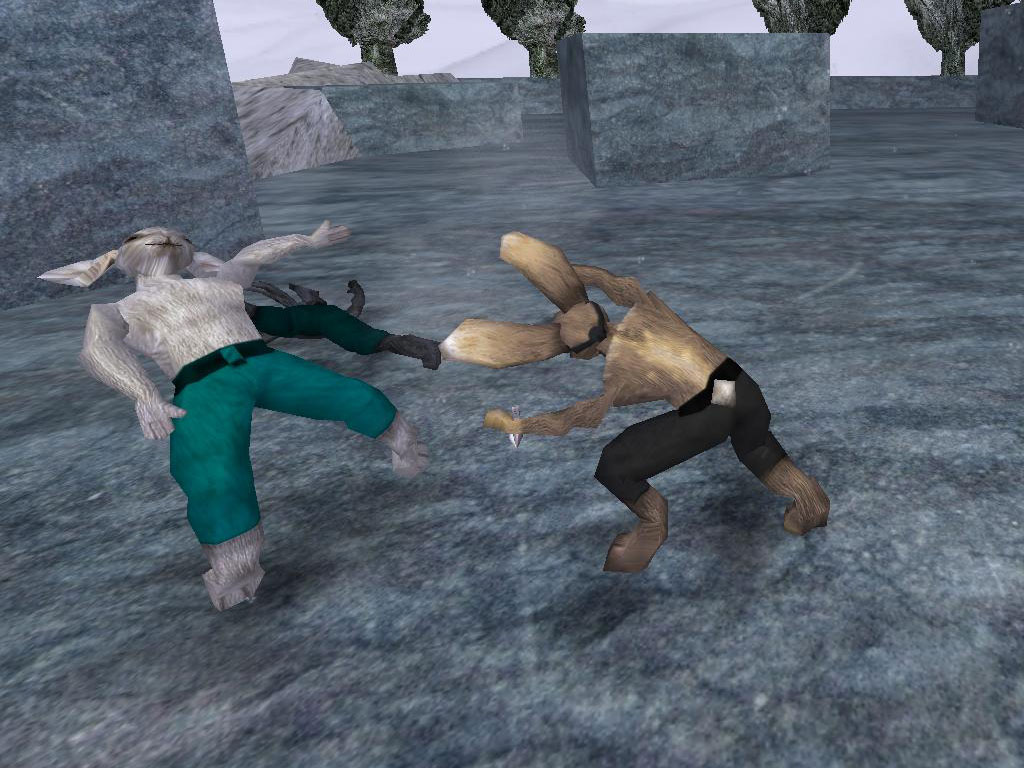

In addition to this, it was officially announced that Steam will be available for Linux at the end of this summer, which means lots of games and lots of fun is coming to gnu/linux and the breach in gaming between gnu/linux and other OSs is getting smaller.
Here some trailers of the games that will be released as FLOSS from the Humble Indie Bundle
Aquaria | Gish | Lugaru HD | Penumbra Overture
Linux gamers it is time to have even more fun
jaom7