
 Member
 FunkyPenguin
Community Discussion - Part 7

Wiki:Structure
Article Ontology is Overrated: Categories, Links, and Tags talks among other things about application domain of ontology.
Now applied to our wiki, we have:
- mix of both stable well defined categories and new topics that are in flux,
- relatively restricted domain - Linux and openSUSE, but we go into a lot of details there,
- mix of topics that cross boundaries of disciplines,
- participants are more or less not experienced,
- there is a limited number of people interested in the work on the wiki, specially to spend time learning how it works
Support burnout
Supporting people with problems too long creates support burnout. Those that suffer from it can't find that by themselves, and even resist to accept facts when confronted. It manifests in to much attention to details that should provide better support, but actually stand in a way for the primary goal of any support effort, a happy user.
Today I had one more touch with that.
One of people that supports open-slx version of openSUSE wanted to add Support Database (SDB) to the new wiki Main page and he did it. I objected, but did nothing to remove the entry. First it is visible only in a draft page (our wiki is using FlaggedRevs, a MediaWiki extension), so normal visitors will not see it, and second I want to discuss this on the wiki mail list.
Why giving so prominent place to Support Database is bad?
SDB has many articles from those that solve problems with openSUSE, to few that explain how to use Linux for daily tasks. What will be opinion of a new user that just installed Linux thing and has no required background knowledge to explain large disproportion between articles about problems vs. advices how to do regular daily tasks using new applications and functionality. I know that I would not feel comfortable with software that has many problems and few useful functions, and I have no reason to think that that majority will have different opinion.
Ditto, SDB should be easy to find, but giving people with problems few other options before they start digging trough it, like it was done in Support article. I must admit that now reading article again, I can see my support burnout in the tone of the article and the fact that SDB link was first in the section "Non interactive", before Spyhawk (Remy) added documentation link as a first and saved the day.
In my opinion, we (openSUSE) have to keep advices about daily tasks and problem solutions for irregularities separated as much as it is possible in the visitor eyes, which fits fine with current description in Help:Namespaces :
What can be better presentation of your new operating system then articles that will explain how you can do all that you did before and of course much more.

openSUSE and the ways of a11y
Getting openSUSE from A to Y

Banshee 1.7.0
We just released the first of the unstable/beta releases leading up to Banshee 1.8. We are aligning with the GNOME release schedule for 1.8, like we did for 1.6. The Banshee calendar has the full release schedule. Our download page describes how to get beta releases. See the 1.7.0 release notes for more information.
One small new feature is the ability to switch sources quickly via the keyboard. You can type 'g' to activate the switcher, then type a source's name, acroynm, or substring of the name to switch to it — eg g then np to switch to Now Playing.
Busy BusyThere is a lot going on in the Banshee community! For example:
- Alex Launi was accepted to Google Summer of Code to work on Banshee's Now Playing source, making it slicker and more useful. Banshee co-maintainer Alexander Kojevnikov will be mentoring him.
- Mike Urbanski is working hard to get his podcast-ng branch merged into master, get it tested, and possibly replace the current Podcast extension for 1.8.
- Paul Cutler is preparing to ramp up his docs branch work, adding in-app end-user documentation to Banshee.
- I'll be speaking about Banshee at GUADEC. More on this later.
- We'll be making very frequent 1.7.x releases, quickly getting contributors' fixes and features into users hands.
There will be dozens of other features in 1.8, but they depend on what piques contributors' interest and motivation. You can wait and see what makes it — or get involved and make things happen!

Second round of pictures from the FLISOL Venezuela

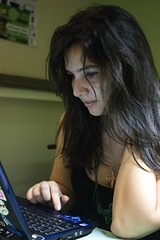 Continuing with another round of pictures from the Venezuelan FLISOL, i bring here a small recopilation of pictures from galleries of the main site, Caracas, where openSUSE has presence like in the other 19 sites.
This time, i wanna take time to thank Maria “tatica” Leandro, the national coordinator of the event, for all the invaluable help and dedication that she put to get our FLISOL a really great live experience.
She is a famous Fedora Ambassador in the region, that got the sponsorship from Novell for all the sites, and even to get spread the openSUSE word in other post-flisol events. I would like help her in getting the material, but this happens in a time that i was bloated of work. So, I hope she gets her beatification from her invaluable help in the event.


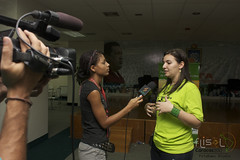
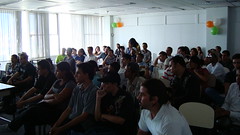
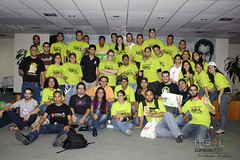
(some of the photos are under a creative commons license)
FLISOL Nicaragua 2010
MOV08028Hi!
Well as it always has been, opensuse was present in the three branches of FLISOL.
Here is the report for each one.
Managua:
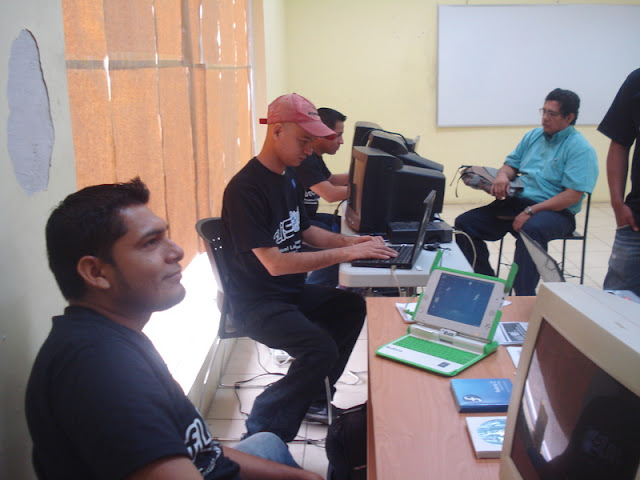
For this seat, was attended for 150 (the number of that can be change)people all of there take a free promoDVD of opensuse 11.2 and 11.1, some people take the live CD of gnome
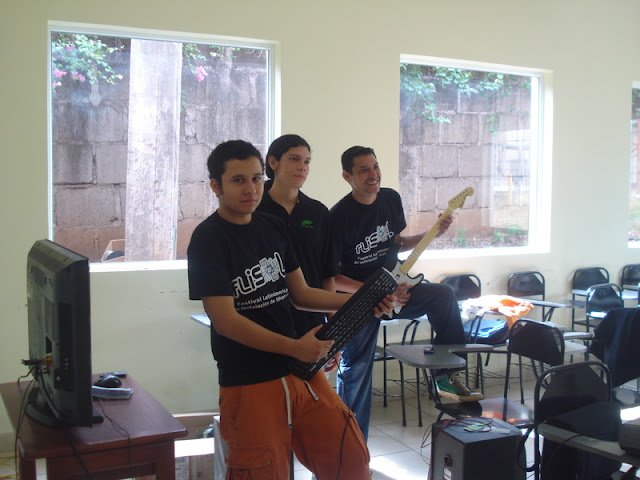
All stuffed animals were raffled among attendees, the raffled consist in win a little tournament of Frets On Fire with an special national proyect of Frets On Fire called FoF nica; this proyect is about a personalize fof with national rock musica, just as it was with T-shirts
The event was great, but we have a little problems with the AC jejeje, which greatly affects the presentation of frets on fire because the room was uninhabitable for more than a song of time and people just came to see but came out very quickly.
We decorate our stand with some t-shirts and geckos, and we has a HD TV for play FOF jejeje. The people ask a lot about the double slice dvd, we are very famous in nicaragua jejejeje
Esteli:
Well… very very very early (6am), we made the trip to the north
city called Esteli here at Nicaragua.
Prepared with all the novell and opensuse stuff, ready with our
conferences, full power and energy !!!
At 8am we were looking for the university “UNI Norte” (National
University of Engineering of the North)
It was located, like 3 miles deeper in a trail to the mountains.
When we got there, there was some kind of a protest, I we realized
that the administrative personal and teachers had the university
taken.
Despite our attempts to convince them to allow us to make the event,
we were not allowed entry to the university.
We had to improvise and, outside the buildings had to put out the
banner of free software and start talking to
students, who were near, to show them the system and give away DVDs
and information to enter the linux community
We had to use my car as a table to put the info, T-shirts,
information, records and everything we could.
At noon we gave up because the teachers thought that we were mocking them.
We went to eat a snack at a restaurant called “La Casita” and we
talked about communities and linux
And so we returned to the capital Managua to help a little bit to the
installations of this site, and to talk a little more free software’s
topics.
We left with a lot of energy for the event almost failed in Esteli,
will be back, because some computer science teachers were impressed
with the features of this system.
We lost a battle but not war!
here some picture 


Now the best FLISOL in nicaragua!!
Granada:
The event was stared at 9:30 AM, because some technical problems with our ISP, and that was necessary for the register system, and then we has to put a table in the middle of a principal door, because the WIFI was to low jejeje
At 9:30 AM we started the demostrations, and all the people take his promoDVD and liveCD of gnome, we has 10 installation, all installation was opensuse 11.2 =) Many people came and ask about opensuse
The most important demostration was Multimedia Aplication bye Jose Angel Bonilla, because there was a person who asked about free alternative for adobe products, that’s was interesting because we have a little discussion about gimp, inkscape, blender, ardour, lmms, audacity. That’s was amazing!!!
We have a picasa album, for this event, because there was a lot of picture jejee
http://picasaweb.google.com/agusro2310/Flisol_granada