
Super Mario Bros. 3!

Y con un control como este, mas NEStopia y un Rom de Super Mario Bros. 3 (busquenlo aquí), fuimos harto felices.
Creo que buscare de esos clones de NES que venen en SAMS para tener en casa... Mario lo vale.
Chrome OS en la Mini Dell 10v
Hoy me levanto con la noticia de que la comunidad de Dell creó un build de Chrome OS para la Mini Dell 10v. Pueden bajarlo de aquí.
Para los desesperados, la imagen esta aquí. Necesitan un USB de 8 gigas y copian la imagen asi: dd if=ChromiumOS_Mini10v_Nov25.img of=/dev/sdb (donde sdb es el identificador de su memoria usb, chequen bien antes de escribirlo). Los passwords y mas información estan aquí.
Definitivamente, la comunidad de las Mini Dell esta MUY activa. También ví que tienen un chorro de información de cómo poner el MacOSX en esas pequeñas bestias.
 Member
 mvyskocil
New pm-utils for openSUSE
The current SUSE version of pm-utils is pretty old. Rpm -q said somethink like 0.99.4.20071229. And it also contains a hacked support for s2ram, which is nowadays in upstream version. There has been also a bnc#378883 – Need an updated pm-utils I started a work on this week.
A new pm-utils package for openSUSE is available in home:mvyskocil:branches:Base:System. The HIBERNATE_METHOD is no longer supported, because upstream version contains something better – modules. There are three methods how to run software suspend on Linux
- kernel – plain echo something > /proc/something
- suspend – tool contains a lot of quirks needed on some HW
- tuxonice – kernel and userspace support for hibernate, not in upstream kernel, nor in openSUSE
Because there are too many ways in current Linux world, pm-utils simply support all by specific modules stored in /usr/lib/pm-utils/modules.d, which implements appropriate functions for suspend/hibernate and hybrid. The SUSE default is uswsusp module calls s2ram/s2disk/s2both from software suspend project, because it should be considered as a safe default.
If you want to use different module, you can add a config file somewhere to
/etc/pm/conf.d/
and set the value of SLEEP_MODULE.
# The default sleep/wake system to use.  Valid values are:

#   kernel    The built-in kernel suspend/resume support.

#             Use this if nothing else is supported on your system.

#   uswsusp   If your system has support for the userspace

#             suspend programs (s2ram/s2disk/s2both), then use this.

#   tuxonice  If your system has support for tuxonice, use this.

#

# The system defaults to "kernel" if this is commented out.

SLEEP_MODULE="uswsusp"
You can type more methods, which will be called, so SLEEP_MODULE=”kernel uswsusp” will use kernel and if it fail, or not available, it call uswsusp. Please note that config files are read in C sort order, so names matters.
So please install new pm-utils and test it and tell me if you found any regression (please inform me about a regressions only, I cannot fix generic suspend problems).
Push Email for GNOME Evolution’s Exchange MAPI provider (exchange 2007)
Firefox de visita en la ESIME Culhuacan

Charlas
“Firefox en la escuela… y en tu vida”.
Ponente: Ricardo Meza, Mozilla México.
Las actividades de las personas continúan en su permanente cambio y adaptación según las tecnologías presentes, en la actualidad nos comunicamos, entretenemos, organizamos, hacemos negocios y realizamos trámites con los gobiernos a través de Internet y las tecnologías web.
El navegador web es quizá una de las herramientas software más utilizadas en todo el mundo y se ha convertido en un factor clave en el desarrollo y progreso de las tecnologías web.
Uno de los trabajos que más han llamado la atención son las localizaciones de los productos Mozilla a las lenguas/idiomas de México, ven a conocer nuestros avances en Maya, Zapoteco y recientemente en Tarahumara para Firefox.
“Thunderbird, liberando tu correo”.
Ponente: Liliana Itzel Ramon, Mozilla México.
Thunderbird es una aplicación para administrar tus cuentas de correo electrónico de servicios como Gmail, Yahoo mail, Windows Hotmail o para las cuentas de hosting personal o el de organizaciones. Ven a descubrir los avances que ha estado haciendo la Fundación Mozilla en esta aplicación.
“Software libre: Aprendiendo a compartir”.
Ponente: Mauro Parra-Miranda, OpenSuse.
En esta conferencia, aprenderás el concepto de software libre, su historia y casos de uso en el ámbito privado y publico, así como diversas aplicaciones útiles para la escuela.
“Un mundo mas allá de Firefox”.
Ponente: Odin Mojica, Mozilla México e Infotec.
Si bien es cierto que el navegador es una herramienta fundamental para poder usar Internet y que el navegador Firefox es el proyecto de mayor impácto de la fundación, existen otros proyectos de la fundación que también son importantes y los cuales desarrollan herramientas que de igual forma satisfacen nuestras necesidades diarias, como el cliente de correo electrónico Thunderbird, el reproductor de música Songbird, la suite SeaMonkey, Bugzilla para el seguimiento de errores durante el desarrollo de un poryecto, etc.
En esta charla hablaremos un poco mas de estas herramientas con el objetivo de que el asistente las conozca, conozca sus virtudes y se anime a usarlas.
“Add-ons de Firefox”.
Ponente: Andrés Leonardo Hernández Bermúdez, LIDSOL UNAM.
Los complementos de Firefox buscan extender la funcionalidad del navegador agregando nuevas características. En esta platica se dará a conocer qué es un add-on, donde se obtienen y la forma de instalación, así como la estructura básica de un add-on.
“Licencias de software”.
Ponente: Rolando Cedillo, Red Hat.
Ponentes
Los ponentes que darán las charlas del proyecto “Firefox en la escuela” pertenecen a proyectos relacionados con el software libre como Mozilla México, OpenSUSE y a empresas comprometidas con éste como Red Hat e Infotec.
Si deseas formar parte de este equipo o quieres que tu escuela participe escribe a: firefoxenlaescuela@gmail.com
¡Tu escuela también tiene una voz que la represente!
Por que en cada escuela siempre hay una voz para ser escuchada, queremos que participen con una plática en cada ciclo. Pueden hablar de cualquier tema relacionado con las tecnologías de la información.
Consulta nuestro programa de actividades aquí.
Liliana Itzel Ramon
Encargada de la localización de Thunderbird al español mexicano (es-MX) y miembro reciente de Mozilla México. Ella conoce de primera mano la necesidad de contar con un cliente de correo electrónico en el escritorio que sea ligero, seguro y fácil de usar como lo es Mozilla Thunderbird.
Actualmente estudia la carrera en Informática Administrativa en la Universidad del Valle de México Campus Coyoacán.
Mauro Parra-Miranda
Embajador y desarrollador de openSUSE y evangelizador del uso de Software Libre en el mundo. Miembro de GUL Ciudad de México, UNAM LIDSOL, UNAM Larval Stage, IEEE y autor ocasional en INGENET (http://www.ingenet.com.mx).
Su página web: http://mechulk.com. Síguelo en twitter @mauropm.
Odín Mojica
Ha organizado diferentes congresos relacionados con el software libre, como lo son: CONSOL, FLISoL, sobre la Privatización del Conocimiento (Simposio privatización del conocimiento) entre otros más relacionados con las TI, ha impartido varias charlas/conferencias referentes al software libre y la filosofía del mismo, siendo un evangelizador mas de este movimiento. Actualmente se encuentra colaborando con Infotec en un proyecto de gobiernos estatales y municipales digitales.
Ha participado con varias asociaciones civiles en donde ha realizado diversas publicaciones, siendo representante ante la ICANN – LACRALO de una de ellas. Actualmente esta estudiando la carrera de Licenciado en Tecnologías de Información por parte de la Universidad Virtual de Guadalajara.
Ricardo Meza
Representante y miembro activo de Mozilla México, está a cargo de los equipos de localización de los productos Mozilla a las lenguas mexicanas y es el encargado de la localización de Firefox al español mexicano (es-MX), además, participa en otras actividades como la promoción de los productos Mozilla dando conferencias en diversos eventos.
También participa como evangelizador de software libre, en especial, exponiendo su uso como factor clave en el éxito de las estratégias organizacionales.
Trabaja en el diseño y desarrollo de sitios web y sistemas informáticos y estudia la licenciatura en informática administrativa en la Universidad del Valle de México (UVM).
Rolando Cedillo
Desarrollador y consultor de soluciones de software y hardware en plataformas Open Source.
Integrantes por sede:
UNAM – Andrés Leonardo Hernández Bermúdez
Integrante del Laboratorio de Investigación y Desarrollo de Software Libre (LIDSOL) Facultad de Ingeniería, UNAM.
ESIME Culhuacan – Jose Rodrigo Ayala Jose Rodrigo Ayala Caballero
Desarrollador de aplicaciones empresariales, dominio en diversas tecnologías web y de escritorio. Ha participado en diversos eventos apoyando siempre el uso y distribución del software libre. Actualmente se encuentra en el desarrollo del proyecto Dermo como programador RIA, apasionado por las Tecnologías de Información.
Ha trabajado para BDsign, LemonHit, Evolution Technologies y PublicityX como desarrollador de sistemas empresariales y desarrollo web.
Autodidacta por excelencia, compartiendo siempre esta filosofia. Desarrollador y webmaster de www.sectorweb.net
ESCOM -IPN – Josue Guillermo Araujo Mayorga
Mozilla Campus Rep de ESCOM-IPN, Integrante del Grupo de OSUM-ESCOM, Integrante del Grupo de Usuarios de Software Libre de la
ESCOM, entusiaste y difusor del Software Libre. En sus tiempos libres, entrena a una abeja, para que continue la difusión del Software Libre en la ESCOM.

Report from openSUSE 11.2 Release Party in Prague
On November 20th, the Czech members of the openSUSE Boosters Team organized openSUSE 11.2 Release Party. The party took place in the nice building of Faculty of Mathematics and Physics.
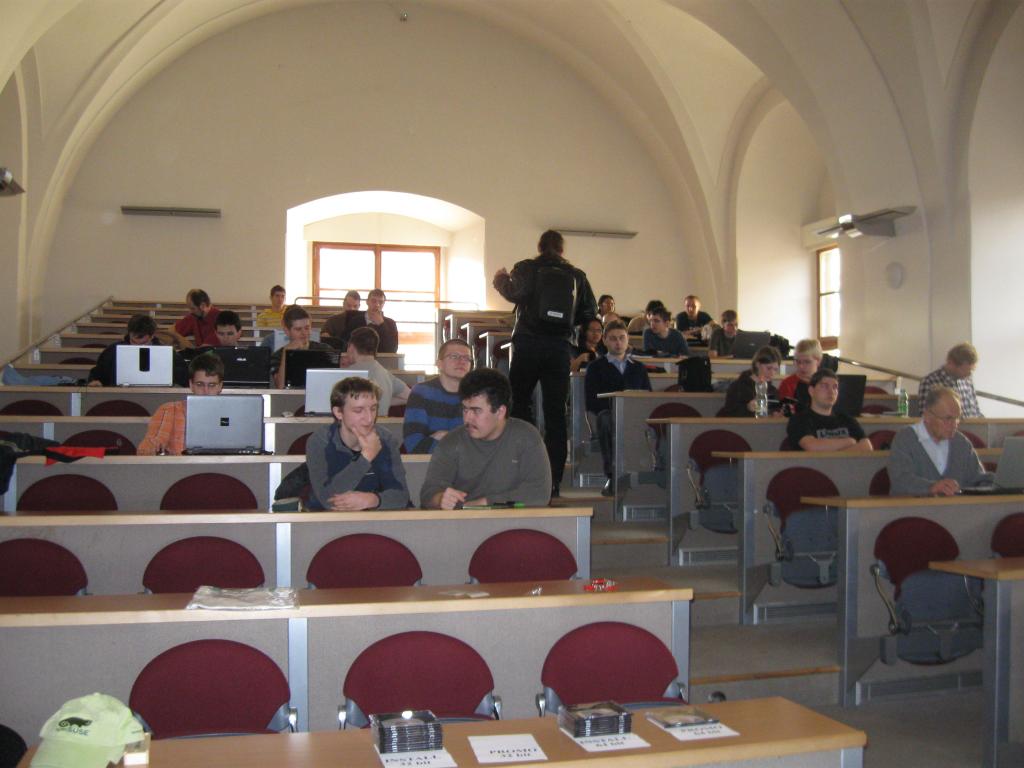
We have prepared installation DVDs, which we’ve burnt with Pavol the day before the party – about 20 32bit and the same amount of 64bit DVDs together with some promo DVDs. It was interesting that the 32bit DVDs were taken before the 64bit ones – we expected it to be the other way round. We had also some promotional stuff like T-shirts, caps, stickers etc. Everything disappeared in several minutes, so it seems that people enjoy wearing T-shirts with that little green creatures. 
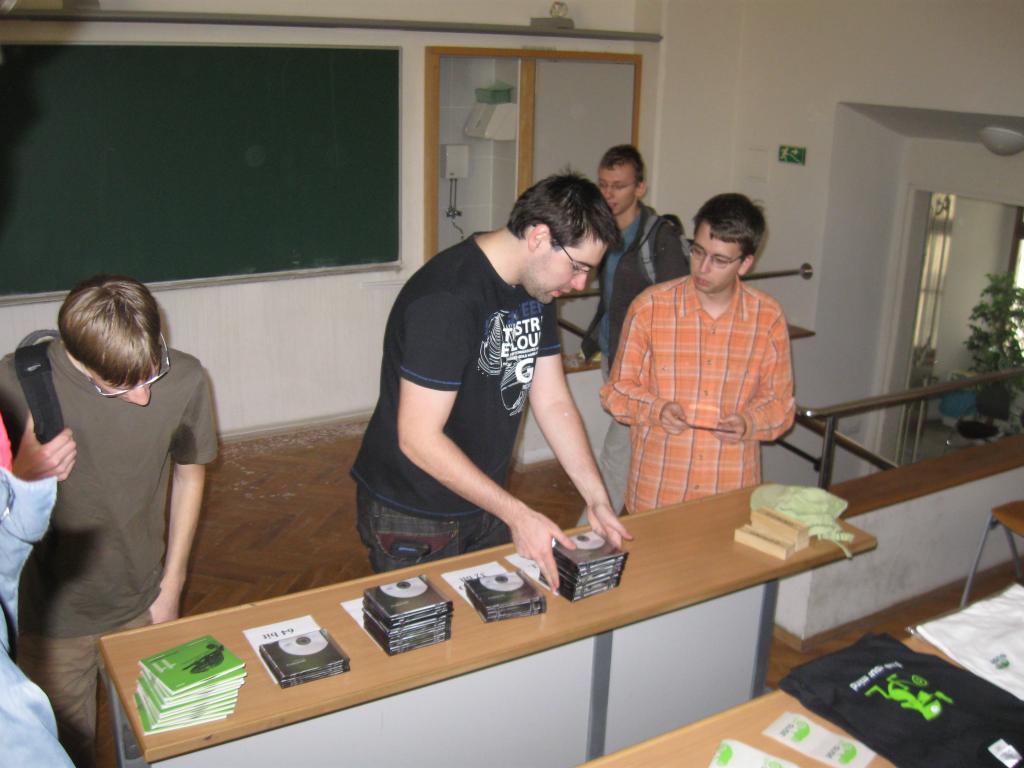
It was hard to estimate how many people will come – we have expected something around 20 participants. However, to our pleasant surprise, about 40 people showed up. Moreover, not only students and young people were present, but also two or three colleagues born a bit earlier.
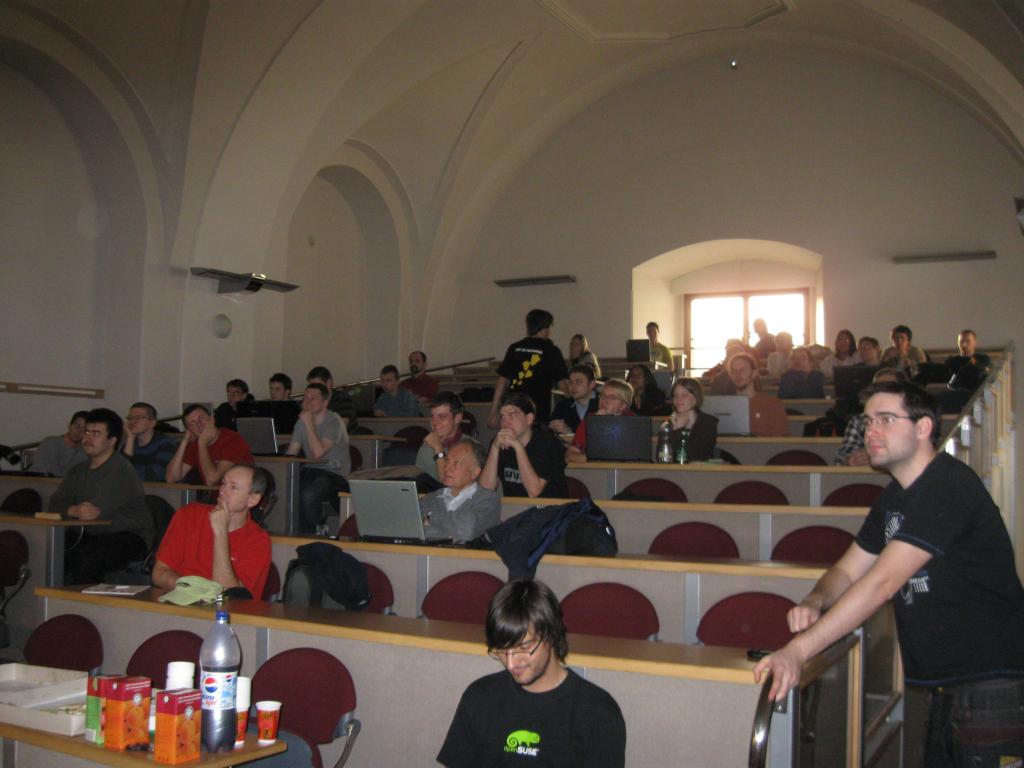
After Pavol’s quick introduction of members of Czech openSUSE Boosters Team, Michal Hrusecky started his talk about new features in openSUSE 11.2 and new look and feel. Finally, Michal noted opening of Factory, new development model with devel projects, the Contrib repository and Junior Jobs.
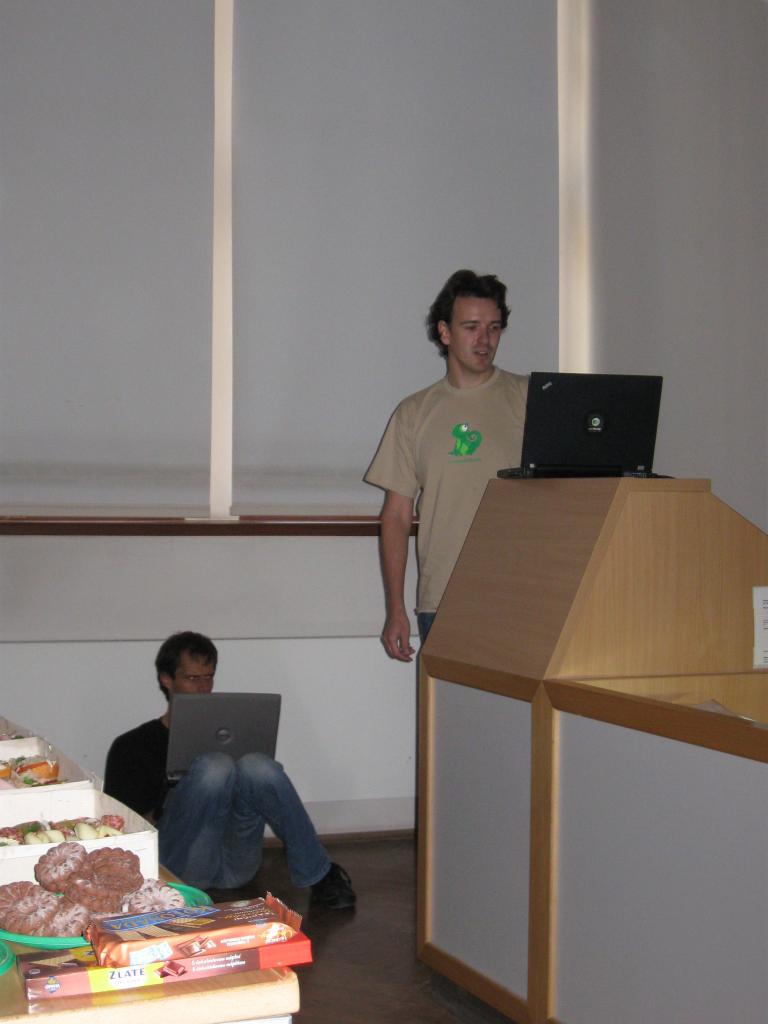
After a short snack break, Lubos talked about new KDE in openSUSE 11.2. It seems that the rotating cube effect never bores, so Lubos was asked to rotate his desktop. After having some troubles with figuring out how to switch the cube on, he of course succeeded and the cube worked – WOW! Next, Lubos exhumed his about two years old presentation named ‘What will be new in KDE 4.0’ (or something like that) and retroactively evaluated what the KDE developers achieved or not.
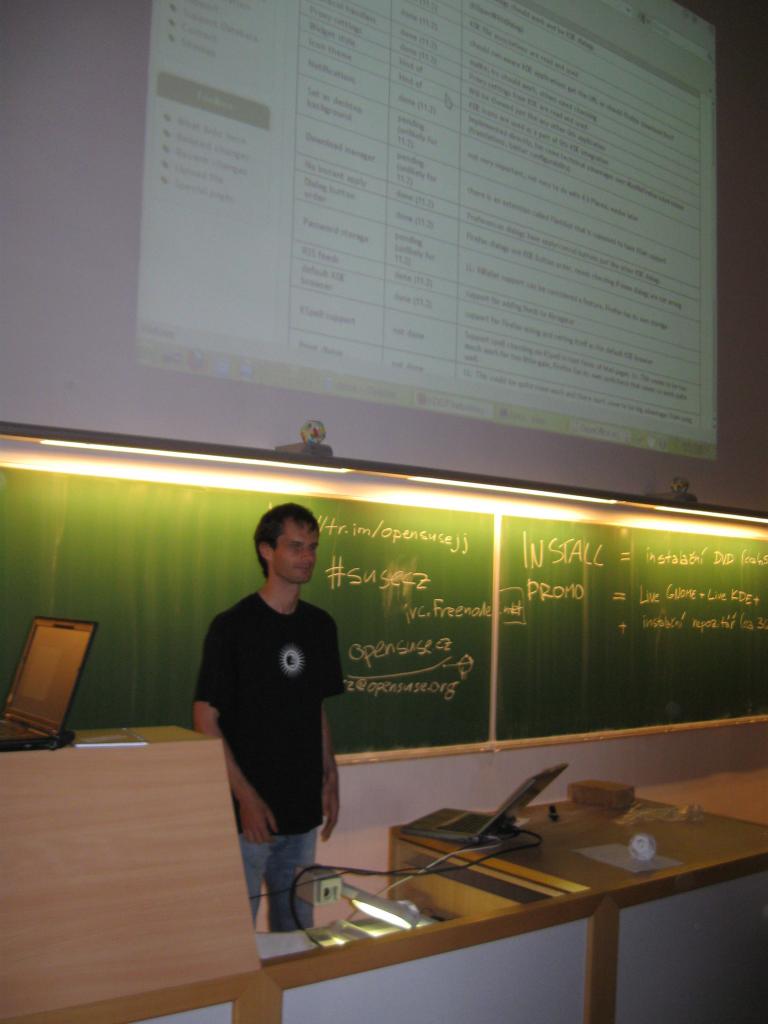
The rest of the party was rather interactive. Boosters and other participants helped with installation of 11.2, solving problems, answered questions and helped with creating bugzilla accounts and reporting bugs in case we had no clue.
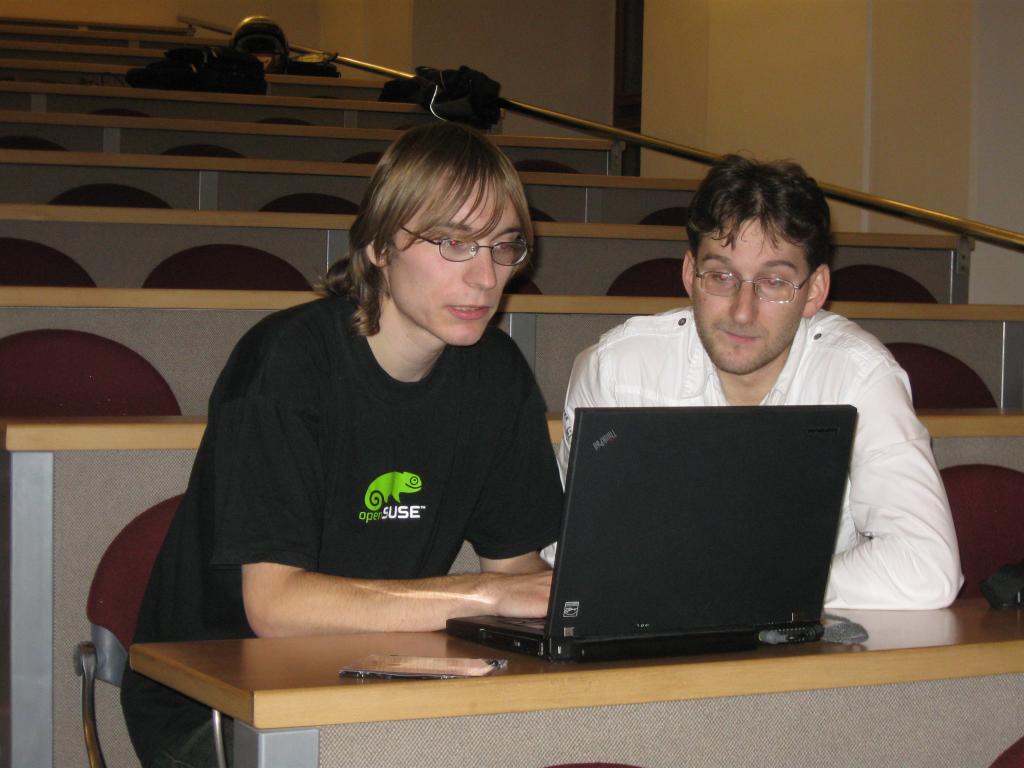
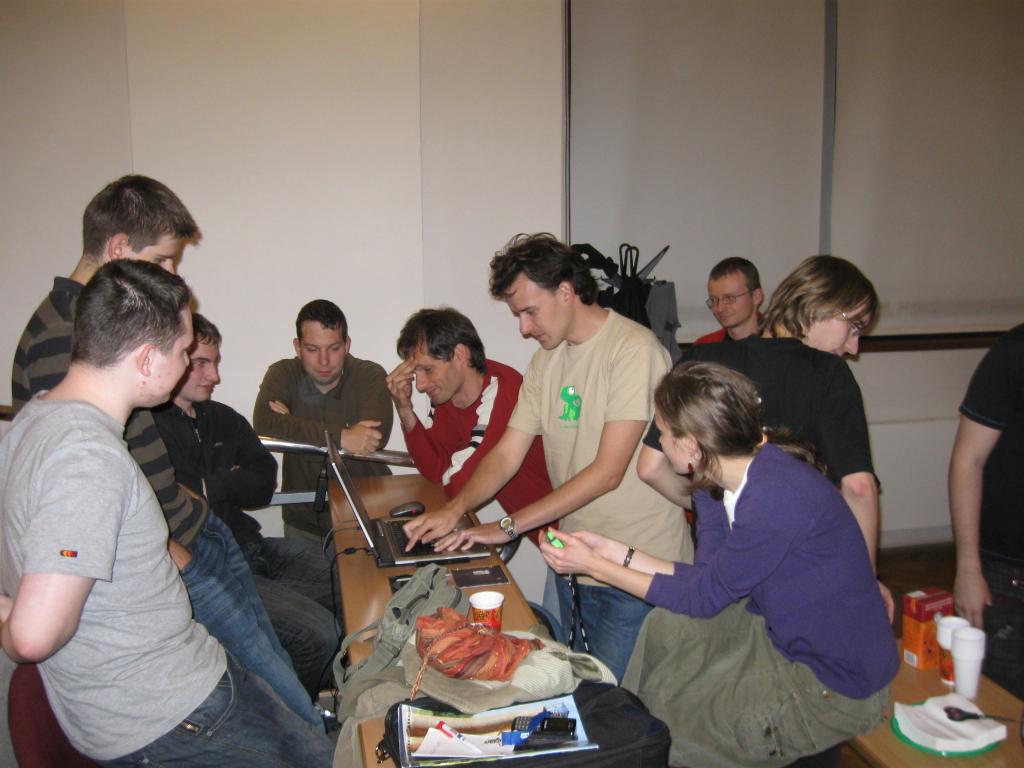
Our thanks belong to Faculty of Mathematics and Physics for allowing us to use classroom, SUSE CZ for sponsoring the promotional stuff and snacks and last but not least, to everybody who showed up at the party. Thanks!
For more photos from the party, please visit picasaweb.

New Tomboy Releases with Ubuntu One support on all platforms, and other goodies in the Tomboy world
- Official support for Ubuntu One (and any other server that implements the Tomboy Web REST API and uses OAuth 1.0a...Snowy uses OAuth 1.0). This patch comes from friend and Canonical employee Rodrigo Moya.
- Always show note icons in the recent notes menu.
- Link to correct version of our help document on Windows and Mac.
- Translation updates, etc.
With Tomboy 1.1.0, you also get these fixes and features:
- New D-Bus methods for manipulating notebooks thanks to Clemens Buss.
- New Synchronize Notes menu item for the panel applet.
- Cleaned up the sync dialog so it shouldn't cut off text anymore.
- A ton of great fixes for Windows users from Stefan Cosma, and printing should now work on Windows Vista and Windows 7.
- Translation updates, other fixes, and another new D-Bus method from Matt Jones.
For openSUSE users, packages are available in GNOME:Apps:Tomboy and GNOME:Apps:Tomboy:Unstable. Ubuntu Jaunty and Karmic users can use packages from our stable PPA or our development PPA.
But the most exciting things happening in the Tomboy world right now aren't really about Tomboy at all. :-)
You may have already seen Eitan Isaacson's new Note Statistics add-in. It's not the first add-in like this, but it seems to be the most comprehensive, and it's up on github for added coolness. I'm trying to decide if I should add this to the upstream Tomboy add-ins, or use it to kick-start a community add-in repository. Any opinions?
Back on the subject of Ubuntu One and note synchronization, I want to first say that Snowy, the AGPL web service for Tomboy notes, is still an active project, and we still plan to have Tomboy Online in beta in the next few months. Having both main developers on the same team at Novell just means we both get busy with work at the same time. :-)
 Manuel's Tomboy Online Logo Mockup
But recently, Manuel Holzleitner has posted some mockups for the following:
- A front page for Tomboy Online
- A new website for Tomboy
- A new project website for Snowy
- New logos for all
- (Somewhat hidden) A new layout for Snowy:
 Manuel's Tomboy Online Mockup
I'm not a designer or UI expert, but I'm a big fan of these mockups. For one thing, I've been wanting to revamp the Tomboy website for a long time now, and Manuel's idea of unifying the design of all of these sites seems obvious in retrospect. I also think the proposed logos are ridiculously cute and web-appropriate. There seem to be a few folks interested in helping us out with our HTML/CSS, etc, so I'm really looking forward to having a better-looking Snowy in the near future.
Once we expand our test suite a bit and work through our deployment story, I don't think there will be much standing in the way of a Tomboy Online alpha running Snowy.
 Manuel's Snowy Logo Mockup
Of course, in the mean time, people can use Ubuntu One, since those guys were awesome enough to use the same REST API for sync as Snowy uses. In fact, as I've mentioned before, Rodrigo and Stuart from Canonical both helped out with the design of this API, and even the implementation in Snowy. It's still proprietary software, but at least the guys working on it are awesome. ;-)
And if you have been wanting to get your notes from Tomboy to Ubuntu One to your Android device, there is now working code to do this in Tomdroid's web-sync branch. Thanks to Benoit Garret holding my hand, I was even able to contribute a patch. :-P With Benoit's latest code in bzr, you can now sync Tomdroid with Ubuntu One. There are still a few fixes needed to make this releasable, but for anyone who's looking to get involved in Android development, here's a fun project to hack on for you!
In a similar story, Cornelius Hald has been updating Conboy (a C port of Tomboy for Maemo devices) so that it, too, can sync with Ubuntu One. It already supported Snowy sync last I heard, so the only hurdle was (again) supporting the changes in OAuth 1.0a. Last week Cornelius got it working, so I wouldn't be surprised if he has a release soon.
In other fun news, about a month ago Mohanaraj Gopala Krishnan emailed me to discuss a presentation he was planning for the FOSS.my conference in Malaysia. The topic of the presentation was Tomboy, Snowy, web sync, Ubuntu One, etc etc. Go read his fun slides on his blog .
That's all for now! I'll talk to you again after non-Canadian Thanksgiving.
Unleash your (F-Spot) toolbox
 Rumor has it that, during latest UDS, Ubuntu planned to drop Gimp from the default distro and the LiveCD. I won't comment this decision as 1) I have no clue if that's a rumor or more, 2) it was already commented too much, 3) I'm not a whiner, 4) there's a rationale behind that decision and I think I understand it, 5) the full Gimp is only one apt-get away.
But some were concerned about the lack of basic image editing. Enters F-Spot, the loved Photo Manager and his little brother, the --view mode. The --view mode is a standalone application, which, on top of F-spot loaders and widgets, provide a simple (ala eog) image viewer, which only view the images, and let you browse the metadata. This is it. Or was it 1h30 ago. With very few code, I plugged the main F-Spot editors inside the single view mode. And that worked quite well !
Of course, F-Spot editors are nowhere close to Gimp's, and don't even aim too. But they cover 90% of your daily usage and are (probably) simpler to use than Gimp. And even more, you can write (read contribute) some additional ones in very few lines of code. e.g. the BlackAndWhite extension is 120 lines long with the UI, despite behing optimized to run on Simd !

Expect this to be available soon on git, and a bit later in a release !
No Sound in Flash?

I've upgraded my openSUSE 11.1 64bit using esound to 11.2 64bit recently and the result was no sound in flash (e.g., YouTube and other streamed video) but everywhere else it worked. I've googled around a bit but didn't find anything that would work for me. So I tried to switch to pulseaudio but the result was still the same.
It took me some time but finally I found out that flash-player was installed in 32bit version but there were no 32bit libraries for pulseaudio installed. After I installed them and did the windows-like reboot, sound in flash suddenly started working.