
 Member
 dmulder
SELinux Insanity: Doing the same thing over-and-over and expecting security convergence
Every time a piece of software encounters a new access pattern, the answer is to tweak the policy. Then tweak it again. Then tweak it again. Then tweak it again. Then tweak it again. At what point does this stop being a security model and start becoming an endless process of granting exceptions?
There is one thing in open source software that consistently consumes more time than it has any right to.
SELinux.
Every few weeks it seems like another SELinux issue appears.
Implementing a new feature? Fix SELinux. Fixing a bug? Fix SELinux. Scratching your butt? Gotta fix your SELinux policy. Repeat forever.
At some point we should start asking the question: What exactly is this accomplishing?
The Concept
The idea is straightforward. If an attacker compromises a process, SELinux limits what that process can access. The attacker is confined to a security domain and prevented from reaching resources outside that domain.
That’s a reasonable goal.
I’m not arguing against the idea of mandatory access control. I’m questioning whether this was the right tradeoff.
The Cost of Convergence
If a piece of software has been around for twenty years, and enough users have run into enough denials, and enough maintainers have added enough exceptions, then sure, maybe the policy eventually becomes stable.
But what a ridiculous way to get there.
The model seems to be: run the software, wait for SELinux to break something, examine the denial, add a rule, repeat until users stop complaining.
That’s not design. That’s playing whac-a-mole.
We’re not thoughtfully defining a security model. We’re painfully discovering the application’s behavior by tripping over every possible thing it might need to do.
An Engineering Failure
SELinux asks us to accept that defining a security model requires years of stumbling over ourselves. I have a hard time believing that’s the best we can come up with.
Surely there must be a middle ground somewhere between “the application can do anything it wants” and “the application can’t do anything until we’ve spent the next several years teaching SELinux how it works.”
At some point we should be willing to ask whether there is a better way to solve this problem.
I don’t have the answer.
But I’m no longer satisfied with pretending that SELinux is the answer.

openSUSE Asia Summit 2026 Logo Competition Announcement
openSUSE.Asia Summit 2026 Logo Competition
We are excited to announce the launch of the openSUSE.Asia Summit 2026 Logo Competition!
The Summit logo is more than just a symbol—it represents the energy, creativity, and diversity of our openSUSE community across Asia. This year, we invite you to make history by designing a logo that will become the face of the 2026 Summit.
The Summit will take place at the Teaching Industry Learning Center (TILC), Vocational School, Universitas Gadjah Mada (UGM), Yogyakarta. More event details will be shared soon. The logo competition is now open and will close on 21 July 2026. The winner will receive a special “Geeko Mystery Box” from the organizing team!
Submission Deadline: 21 July 2026 Winner Announcement: 3 August 2026
Contest Guidelines
- License: The logo must be licensed under CC-BY-SA 4.0 and allow everyone to use it without attribution if selected. Attribution will be displayed on the Summit website.
- Originality: Your design must be original and free from third-party materials
- AI: AI generated content is strictly prohibited.
- Formats: Submit both monochrome and color versions.
- File Format: Only SVG files are accepted.
- Community Spirit: The logo should reflect the openSUSE community in Asia.
- Prohibited Elements: Do not include trademarks, inappropriate or offensive content, violence, discrimination, political or religious imagery, or any content violating openSUSE values.
- Trademark: Follow the openSUSE Project Trademark Guidelines.
- Branding: Refer to the openSUSE branding guidelines for inspiration (optional).
How to Submit
Send your design to opensuseasia-summit@googlegroups.com with the following details:
Email Subject: openSUSE.Asia Summit 2026 Logo Design - [Your Name]
Attachments:
- Vector File: The logo in SVG format ONLY (Refer to template in Figure 1).
- Bitmap File: A PNG version (minimum 256x256 pixels).
- Design Philosophy: A short TXT or PDF document explaining your concept.
- File Size: Ensure all files are under 512 KB.
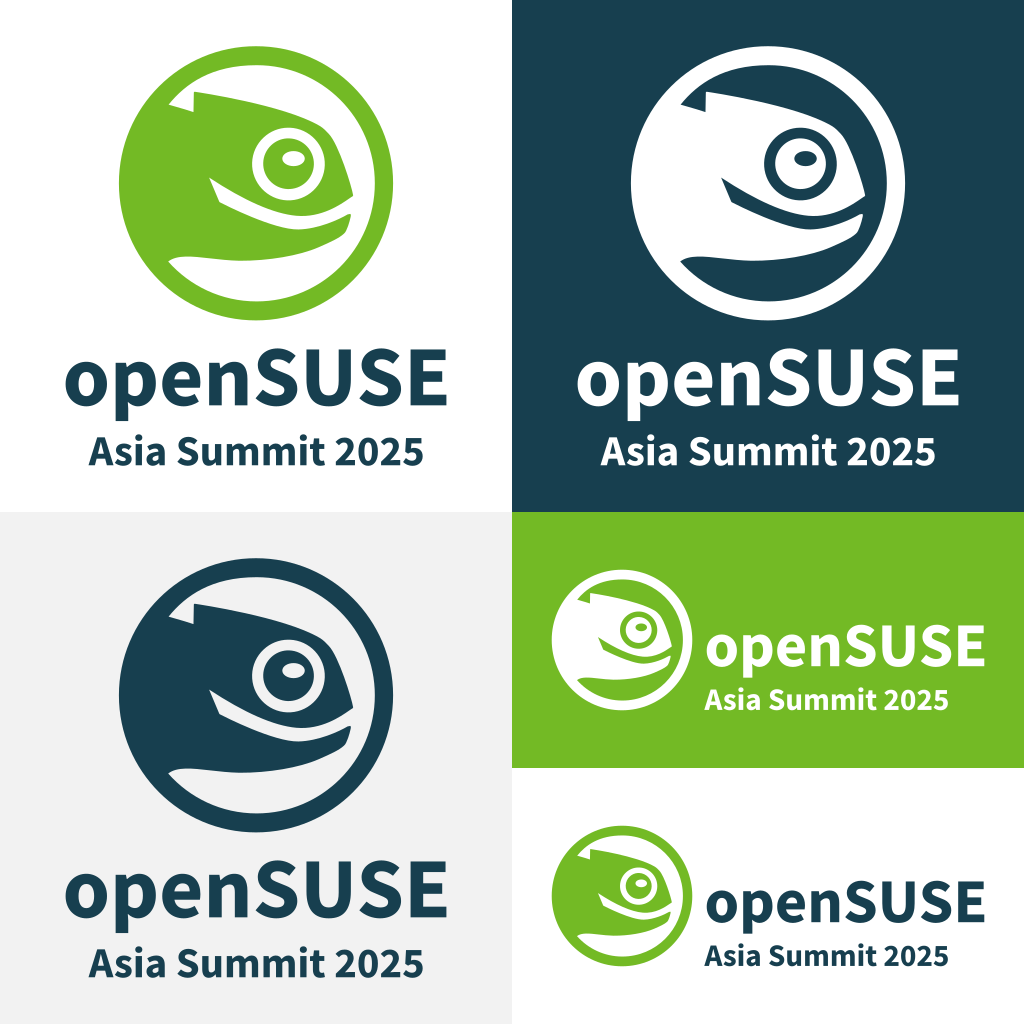
Figure 1. Sample SVG Template for the logo
All submissions will be reviewed by the Summit Committee. Note: The final decision will be made by the committee and may not necessarily be the highest-voted design.
Tip: Use Inkscape, a free and open-source vector design tool!
Let your creativity shine and help shape the identity of openSUSE.Asia Summit 2026. Good luck!

The status of OpenSSL 4.0 support in syslog-ng
OpenSSL 4.0 was released just over a month ago. So, how is its support progressing in syslog-ng? Well, Git master already supports it, and the patch is easy to backport to earlier releases. At the same time, version 4.12 will support OpenSSL 4.0 out of the box.
A month ago, someone from Gentoo Linux reached out to the syslog-ng team about OpenSSL 4.0 support. I asked the community about their expectations, knowing that version 4.0 is not an LTS version. However, I quickly learned that all major distros were preparing to use it in their rolling development versions. A few days later, we also received hints on how to add support for it in syslog-ng. And thus, a PR was born, which is now merged into syslog-ng git master.
What does this mean for you?
- If you need OpenSSL 4.0 support RIGHT NOW using a RELEASED syslog-ng version, then use syslog-ng 4.11 and the related pull request from https://github.com/syslog-ng/syslog-ng/pull/5688
- Use the latest syslog-ng git snapshot, as the above PR is already merged.
- Wait a few more weeks, as syslog-ng 4.12 will be released soon with OpenSSL 4.0 support.

syslog-ng logo
Originally published at https://www.syslog-ng.com/community/b/blog/posts/the-status-of-openssl-4-0-support-in-syslog-ng
El sistema solar en tu escritorio con Celestial Sky- Plasmoides para Plasma 6 (31)
Tras un parón debido al salto de Qt5/KF5 a Qt6/KF6 que realizó la Comunidad KDE hace ya más de año y medio. Es por ello que decidí retomar esta sección aunque renombrándola ya que en ella solo hablaría de Plasmoides para Plasma 6. Así que hoy os presento uno que coloca el sistema solar en tu escritorio. Se trata de Celestial Sky, el plasmoide número 31 de la serie, que desde el punto de vista terrestre nos muestra la posición del Sol y los planetas. Espero que os guste.
El sistema solar en tu escritorio con Celestial Sky- Plasmoides para Plasma 6 (31)
Como he comentado en otras ocasiones, de plasmoides tenemos de todo tipo funcionales, de configuración, de comportamiento, de decoración o, como no podía ser de otra forma, de información sobre nuestro sistema como puede ser el uso de disco duro, o de memoria RAM, la temperatura o la carga de uso de nuestras CPUs.
Así que espero que le deis la bienvenida a Celestial Sky, una creación de Tmate que lo describe como:
Un widget de KDE Plasma 6 que muestra las posiciones actuales de los cuerpos del sistema solar a lo largo del arco celeste, con horas precisas de salida y puesta y un control deslizante de tiempo para previsualizar posiciones pasadas y futuras.
En desarrollo: este widget aún es experimental y se encuentra en fase de pruebas activas. Es posible que haya errores y cambios importantes.

Este plasmoide se debe configura para poner el horizonte alineado con nuestra longitud y latitud, la cual podéis buscar en latitude.to. Además, podemos personalizar el tamaño de los planetas y la opacidad del fondo. No es mucho pero como dice su creador, esta es una primera versión.

Y como siempre digo, si os gusta el plasmoide podéis «pagarlo» de muchas formas en la página de KDE Store, que estoy seguro que el desarrollador lo agradecerá: puntúale positivamente, hazle un comentario en la página o realiza una donación. Ayudar al desarrollo del Software Libre también se hace simplemente dando las gracias, ayuda mucho más de lo que os podéis imaginar, recordad la campaña I love Free Software Day de la Free Software Foundation donde se nos recordaba esta forma tan sencilla de colaborar con el gran proyecto del Software Libre y que en el blog dedicamos un artículo.
Más información: KDE Store
¿Qué son los plasmoides?
Para los no iniciados en el blog, quizás la palabra plasmoide le suene un poco rara pero no es mas que el nombre que reciben los widgets para el escritorio Plasma de KDE.
En otras palabras, los plasmoides no son más que pequeñas aplicaciones que puestas sobre el escritorio o sobre una de las barras de tareas del mismo aumentan las funcionalidades del mismo o simplemente lo decoran.
Aquí bajo os muestro los últimos publicados en el blog:
-
El sistema solar en tu escritorio con Celestial Sky- Plasmoides para Plasma 6 (31)
 Calendario original para tu escritorio, Almanac Asimetric – Plasmoides para Plasma 6 (2)
 -
Reloj de interfaz múltiple para tu escritorio con Manalog Clock- Plasmoides para Plasma 6 (30)
 Calendario original para tu escritorio, Almanac Asimetric – Plasmoides para Plasma 6 (2)
 -
Reloj original para tu escritorio con Scrolling Clock- Plasmoides para Plasma 6 (29)
 Calendario original para tu escritorio, Almanac Asimetric – Plasmoides para Plasma 6 (2)
 -
Visualiza la letra de las canciones con Plasma Lyrics – Plasmoides para Plasma 6 (28)
 Calendario original para tu escritorio, Almanac Asimetric – Plasmoides para Plasma 6 (2)
 -
Ordena archivos de forma automática con Magic Folder – Plasmoides para Plasma 6 (27)
 Calendario original para tu escritorio, Almanac Asimetric – Plasmoides para Plasma 6 (2)
 -
Visor meteorológico Aero Weather – Plasmoides para Plasma 6 (26)
 Calendario original para tu escritorio, Almanac Asimetric – Plasmoides para Plasma 6 (2)
 -
Controla tu batería en Plasma con Battery Plasmoid Boero – Plasmoides para Plasma 6 (27)
 Calendario original para tu escritorio, Almanac Asimetric – Plasmoides para Plasma 6 (2)
 -
Lanzador estilo MacOS para KDE Plasma: Tahoe Launcher – Plasmoides para Plasma 6 (25)
 Calendario original para tu escritorio, Almanac Asimetric – Plasmoides para Plasma 6 (2)
 -
Mejoras en el nuevo Bouncy Ball de Plasma 6
 Calendario original para tu escritorio, Almanac Asimetric – Plasmoides para Plasma 6 (2)


La entrada El sistema solar en tu escritorio con Celestial Sky- Plasmoides para Plasma 6 (31) se publicó primero en KDE Blog.
TSP Open for Asia Summit
The Travel Support Program (TSP), which is aided through donations to the Geeko Foundation, is now accepting applications for the openSUSE.Asia Summit 2026.
Funds are allocated by the foundation specifically for travel assistance for speakers attending the event.
Applications for the TSP are open now and will run until July 31, which will follow an announcement related the Call for Papers.
People whose talks are accepted can submit a request at tsp.opensuse.org.
The TSP exists to ensure financial constraints don’t prevent passionate contributors and community members from participating.
The openSUSE.Asia Summit 2026 organizers of the summit encourage you to apply early.
For questions about the TSP process, visit the wiki for more information and read the Geeko Foundation’s travel policy.
Further details will be shared later about the event planning, so please pay attention to announcements for the summit.
We look forward to seeing you there!
For more details on openSUSE.Asia Summit 2026, visit events.opensuse.org.
KDE Plasma dice adiós a X11: el futuro es Wayland
La evolución de software es imparable, aunque no nos acabe de gustar y estemos siempre luchando contra la obsolescencia. Lamentablemente, los recursos de las Comunidades del Software Libre son limitados y no hay gente para todo. Así que con una mezcla de pena y resignación os comento que KDE Plasma dice adiós a X11, una decisión meditada y basada en números. Como todo el mundo ya sabía, el futuro es Wayland y es hora de dedicar todos los esfuerzos a sacarle el máximo rendimiento.
KDE Plasma dice adiós a X11: el futuro es Wayland
Lo podemos leer en el blog de David Edmundson en el que se anuncia que a partir de plasma 6.8 (cuyo lanzamiento está previsto en unos cinco meses), ya no existirá la opción de iniciar sesión en X11.
De esta forma, y en aras de depurar código, los desarrolladores comenzarán una limpieza masiva de todo el código específico de X11 en Plasma Shell, la configuración del sistema y la configuración de dispositivos.
No obstante, eso no significa que la tecnología X11 desaparece por completo ya que se mantendrán aspectos como:
- XWayland: que seguirá presente, por lo que las aplicaciones antiguas de X11 seguirán funcionando correctamente dentro de la sesión de Wayland.
- Aplicaciones KDE: que también seguirán funcionando en entornos de escritorio basados en X11 sin problemas.
- Gestor de inicio (Login Manager): que permitirá seguir iniciando sesiones X11 de otros entornos de escritorio.
Las motivaciones que expone David son las esperadas: el mantenimiento de dos rutas de código paralelas (ya que ahora X11 no interaccionará para nada con Plasma, haciéndolo solo vía XWayland) permitirá al equipo enfocarse exclusivamente en Wayland, facilitando mejoras de rendimiento, optimizaciones de memoria y la implementación de nuevas funcionalidades.
Y, como decía al inicio, esta decisión viene por los número. Las métricas internas de KDE muestran que más del 95% de los usuarios de Plasma 6.6 ya utilizan Wayland, y que el desarrollo activo sobre X11 por parte de los contribuidores era prácticamente inexistente.

Para finalizar un detalle importante: Plasma 6.7 es la última versión que incluirá X11 y, por tanto, David anima a los usuarios que todavía necesiten X11 por algún motivo específico a informar de sus problemas ahora, para que el equipo pueda conocer los puntos de fricción antes del lanzamiento de la versión 6.8.
En fin, tarde o temprano tenía que llegar, así que muchas gracias a X11 por los servicios prestados y…
¡Larga vida a Wayland!
La entrada KDE Plasma dice adiós a X11: el futuro es Wayland se publicó primero en KDE Blog.
Backrooms
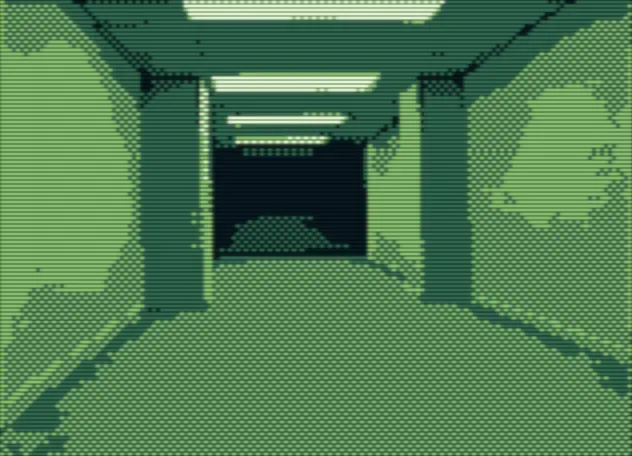
Not the best film ever, but in today's Hollywood landscape it's a rare breath of fresh air. Kane Parsons takes the internet meme concept he started on YouTube and actually makes a feature-length film that's doing great at the box office.
The mood is great. That unsettling stillness of these generic liminal spaces. For something that builds a feeling / mood, the flick would benefit from a butcher in the editing room. I'd probably still not give it the extra star, but this really isn't the kind of movie that needs the extra 20 minutes.
Biggest entertainment was definitely watching my son freak out in the third act. :)
★★★★☆
Recopilación del boletín de noticias de la Free Software Foundation – junio de 2026
Recopilación y traducción del boletín mensual de noticias relacionadas con el software libre publicado por la Free Software Foundation.

La Free Software Foundation (FSF) es una organización creada en Octubre de 1985 por Richard Stallman y otros entusiastas del software libre con el propósito de difundir esta filosofía, frente a las restricciones y abusos a los usuarios por parte del software privativo.
La Fundación para el software libre (FSF) se dedica a eliminar las restricciones sobre la copia, redistribución, entendimiento, y modificación de programas de computadoras. Con este objeto, promociona el desarrollo y uso del software libre en todas las áreas de la computación, pero muy particularmente, ayudando a desarrollar el sistema operativo GNU.
Mensualmente publican un boletín (supporter) con noticias relacionadas con el software libre, sus campañas, o eventos. Una forma de difundir los proyectos, para que la gente conozca los hechos, se haga su propia opinión, y tomen partido si creen que la reivindicación es justa!!
- En este enlace podéis leer el original en inglés: https://www.fsf.org/free-software-supporter/2026/june
- Y traducido en español (cuando el equipo de traducción lo tengamos disponible) en este enlace: https://www.fsf.org/free-software-supporter/2026/junio

Puedes ver todos los números publicados en este enlace: http://www.fsf.org/free-software-supporter/free-software-supporter
¿Te gustaría aportar tu ayuda en la traducción y colaborar con la FSF? Lee el siguiente enlace:
Por aquí te traigo un extracto de algunas de las noticias que ha destacado la FSF este mes de junio 2026.
California toma medidas para eximir a GNU/Linux de su próxima ley de verificación de edad después de una reacción violenta
Del 25 de mayo por Etiido Uko
El rechazo al draconiano Proyecto de Ley 1043 de la Asamblea, o Ley de Garantía de la Edad Digital (DAAA), una ley aprobada a finales de 2025 que exige que todos los proveedores de sistemas operativos de California recopilen información sobre la edad de los usuarios al configurar la cuenta, puede estar dando lugar a algún movimiento positivo.
El Proyecto de Ley 1856 de la Asamblea, si se aprueba con éxito en la legislatura de California, enmendaría la DAAA excluyendo el software distribuido bajo licencias que permiten a los usuarios «copiar, redistribuir y modificar el software». La ley 1856 reduce la definición de quién califica como «proveedor de sistema operativo» según la ley, pero no garantiza la libertad continua para los usuarios.
A medida que leyes como estas aparecen en todo el mundo, es vital que usted exprese cuán peligrosas son las restricciones contra el uso de software, ya que será sólo cuestión de tiempo antes de que los legisladores escriban leyes que intenten controlarlo a usted también.
- https://www.tomshardware.com/software/linux/california-moves-to-exempt-linux-from-its-upcoming-age-verification-law-after-backlash-over-forcing-operating-systems-to-collect-users-ages-amendment-proposed-by-the-same-lawmaker-who-wrote-the-original-law
- https://leginfo.legislature.ca.gov/faces/billNavClient.xhtml?bill_id=202520260AB1856
La versión perdida de Amiga Unix reaparece repentinamente
Del 25 de mayo por Julian Scheffers
Recientemente se encontró una versión perdida de UNIX 2.02 en un Amiga 3000UX, que fue utilizado por los programadores del personal de la FSF en el Instituto de Tecnología de Massachusetts (MIT) para ayudar en el desarrollo inicial del sistema operativo GNU.
El ganador de la subasta del cuadragésimo aniversario de la FSF para este Amiga en particular fue recompensado con el número mágico de la versión 2.02c al arrancar la computadora histórica (después de hacer varias copias del disco duro, por supuesto).
Puede obtener más información sobre Amiga Unix, el proceso de descubrimiento y todo lo que hay en el disco, incluidos los elementos básicos de FSF como GCC, G y utilidades principales como GNU less en el video adjunto al artículo siguiente (se requiere JavaScript no libre).
- https://hackaday.com/2026/05/25/lost-version-of-amiga-unix-suddenly-reappears/
- https://www.fsf.org/news/2025-auction-recap

Estas son solo algunas de las noticias recogidas este mes, ¡¡pero hay muchas más muy interesantes!! si quieres leerlas todas (cuando estén traducidas) visita este enlace:
Y todos los números del «supporter» o boletín de noticias de 2026 en español, francés, portugués e inglés aquí:
Llega KStars 3.8.3 con mejoras en el Modelador de Montura
Sigue el desarrollo del planetario de la Comunidad KDE. Hoy me complace anunciar que llega Llega KStars 3.8.3 con mejoras en el Modelador de Montura. Un imprescindible para los amantes de la astronomía que ahora con un nuevo planificador de imágenes.
Llega KStars 3.8.3 con mejoras en el Modelador de Montura
Esta aplicación se ha convertido ya en un recurrente en el blog desde el lanzamiento de la versión 3.0, la cual supuso un gran salto en cuanto calidad y funcionalidades. A partir de entonces, cada pocos meses me alegra compartir que su desarrollo sigue viento en popa.
Así que me complace escribir que la evolución de esta tercera rama sigue a buen ritmo y que esta nueva versión trae muchas novedades, de la cuales he seleccionado las siguientes:
- Mejoras importantes en el Modelador de Montura (Mount Modeler): Las mejoras corrigen errores de estabilidad previos, pulen la interfaz y aseguran que los datos recopilados se traduzcan en una compensación de errores de alineación mucho más fiable.

- Filtrado de horizonte artificial: Esta nueva función integrada dentro del Mount Modeler evita que el sistema pierda tiempo intentando apuntar o resolver placas en zonas ciegas del observatorio. Al cruzar los puntos de calibración con el horizonte artificial configurado previamente por el usuario (donde puede haber árboles, edificios o límites físicos de la propia montura), el modelador descarta automáticamente esos objetivos
- Distribución uniforme de puntos: Esta nueva capacidad matemática analiza la bóveda celeste y distribuye de manera homogénea los puntos de toma de datos por todos los cuadrantes. Al garantizar un muestreo uniforme, el modelo resultante es mucho más equilibrado y el error de apuntado disminuye drásticamente en cualquier dirección a la que se dirija el telescopio.
- Optimizaciones significativas en la velocidad de conexión: Una mejora técnica invisible pero crucial para la experiencia de usuario. Se ha optimizado la comunicación de red entre KStars y el ecosistema INDI (especialmente útil si usas arquitecturas cliente-servidor con Raspberry Pi en el telescopio). Al saltarse pasos redundantes en la resolución de nombres (DNS) cuando se utilizan direcciones IP directas, el software reduce la latencia. La conexión inicial y la reconexión tras microcortes son ahora notablemente más rápidas y estables.
- Mejor integración del flujo de guía (Guide Streaming): Se ha refinado la sincronización de fotogramas y la gestión de la ventana de vídeo de autoguiado. Esto evita saltos de rendimiento y asegura que el bucle de guiado reciba la información visual de la estrella de seguimiento de forma fluida y sin retrasos.
Y otras pequeñas mejoras que podréis leer en la entrada del proyecto y que muestran sin lugar a dudas el buen estado del proyecto
¿Qué es KStars?

Para los que no lo sepan, KStars es un programa de planetario para el escritorio KDE, con él podemos ver en nuestra pantalla de ordenador todo el cielo de cualquier parte del mundo.
Es decir, proporciona una representación gráfica exacta del cielo nocturno, desde cualquier lugar de la Tierra, en cualquier fecha y hora. La exhibición incluye hasta 2.5 millones de estrellas (con addons adicionales), 13.000 objetos del cielo profundo, las 88 constelaciones, los 8 planetas, el Sol y la Luna, y miles de cometas y asteroides.
Tiene características para atraer a usuarios de todos los niveles, desde aficionados a profesionales, teniendo un gran potencial educativo.
La entrada Llega KStars 3.8.3 con mejoras en el Modelador de Montura se publicó primero en KDE Blog.
Este mes de mayo en KDE Linux
Hoy os traigo el otro resumen del progreso en KDE Linux, un informe detallado de la última entrada de Nate Graham en su blog «Adventures in Linux and KDE», donde nos pone al día sobre los avances de KDE Linux, el sistema operativo «del futuro» de la comunidad KDE. Es decir, que bienvenidos a el progreso de este mes de mayo en KDE Linux, otro gigantesco paso que nos acerca a un sueño para los simpatizantes de este entorno de trabajo.
Este mes de mayo en KDE Linux
El bueno de Nate no solo se encarga de informarnos del progreso de Plasma en sus artículos de «This week in Plasma, sino que en ocasiones nos obsequia con una mirada a otros proyectos de la Comunidad.

Hace unos meses se publicaron artículos como «Busy months in KDE Linux«, «This month in KDE Linux» o «This month in KDE Linux: March 2026» en los que Nate nos muestra que el proyecto está vivo y que si no pasa nada en unos meses tendremos entre nosotros la primera versión estable de esta distribución.
Y este mes no vuelve a obsequiar con una revisión del proyecto, que evidentemente os animo a leer completo, que ha titulado «This month in KDE Linux: May 2026» y del cual os ofrezco un resumen del mismo para los que no tenemos un dominio exhaustivo del inglés.
-
Cambio en el proceso de compilación: Se dejó de generar paquetes de Arch para compilar todo el software de KDE directamente mediante la herramienta interna
kde-builder. Esto agiliza la velocidad de compilación (gracias a un mejor sistema de caché) y mejora la independencia de la distribución de cara a futuro. - Integración de OpenQA: Se ha trabajado en finalizar la integración del sistema de pruebas automatizadas OpenQA. Esto permitirá detectar compilaciones fallidas antes de que sean distribuidas públicamente.
- Seguridad contra regresiones: Se añadió una prueba específica para asegurar que no se envíen imágenes del sistema con capacidades de archivo corruptas o rotas, un error que ocurrió en una compilación fallida previa.
Tras una auditoría motivada por fallas de seguridad del kernel Linux semanas atrás, se realizaron cambios profundos:
- Regreso al kernel «Vanilla»: Se eliminó el uso del kernel Zen al notar que ya no aportaba ventajas significativas sobre los ajustes manuales que ya implementaba el equipo.
-
Eliminación y migración de módulos: Se borraron módulos no utilizados o inseguros (como
alf_alg). Los módulos de kernel para NTFS y CDemu se sustituyeron por sus versiones en el espacio de usuario (FUSE). Asimismo, se retiraron los módulos externos OpenRazer y APFS para evitar problemas con la certificación de Secure Boot. -
Limpieza de software innecesario: Se eliminaron múltiples paquetes redundantes (como
busybox,hplip,cryfs,encfsoacpi_call). -
Adiós a FUSE2 y AUR: Se eliminó
fuse2por estar desactualizado y ser inseguro (lo que podría romper AppImages antiguos que no usenfuse3). También se eliminó el paquetefenrir, logrando así remover por completo la dependencia del repositorio AUR, el cual causaba inestabilidad previa.
Para finalizar veamos las novedades respecto a las aplicaciones y cosas variadas:
- Actualización en segundo plano: Se implementó un servicio que instala automáticamente nuevas aplicaciones Flatpak integradas por defecto en el sistema, pero respetando las decisiones del usuario (ignorará aquellas que el usuario haya borrado manualmente en el pasado).
- Sustitución de KWallet: Se eliminó el gestor KWalletManager (y su página en los ajustes del sistema) a favor de la nueva aplicación en formato Flatpak llamada KeepSecret.
- Mejoras en Ark: La versión de desarrollo (nightly) de la herramienta de compresión Ark ahora incluye soporte nativo para 7-zip.
-
Soporte de instalación y parches: Se configuró la ruta
/opt/localcomo ubicación admitida para instalar binarios compilados manuales (dado que/usr/locales de solo lectura en esta distribución). Además, se corrigió un fallo que impedía la instalación del sistema operativo si había dos unidades USB live de KDE Linux conectadas al mismo tiempo.
Y creo que merece mención especial que ya tenemos una nueva web oficial, que reúne todo el proyecto y su documentación.

Como vemos, KDE Linux no es solo una «distro» más; es el campo de pruebas y la vitrina oficial de lo que KDE puede ofrecer cuando controla todo el ecosistema, un sueño que no viene de ahora (ya escuché esto en la Akademy de A Coruña de 2015 y cuyo primer se dio con KDE Neon).
Vemos que el desarrollo de esta Comunidad cuyos objetivos están claros se construye dando pasos pequeños pero seguros.
La entrada Este mes de mayo en KDE Linux se publicó primero en KDE Blog.