
 Member
 baltolkien
Anuncios #akademyes 2023 de Málaga Opensouthcode edition
Seguimos con la promoción de Akademy-es. En estos días, gracias a Rosanna García y a Juan Febles se han creando una serie de anuncios de #akademyes 2023 de Málaga Opensouthcode Edition anunciando las charla de cada franja horaria. De nuevo utilizando ffmpeg y que merecen ser recopilados en esta entrada, aún sabiendo que empezamos el 9 y 10 de junio.
Anuncios #akademyes 2023 de Málaga Opensouthcode edition
Todo empezó con el diseño de un banner para Akademy-es realizado por una compañera de trabajo (muchas gracias Rosanna) y la idea de repartirlo por la red para promocionar el evento.
En una de tantas se lo envié a Juan Febles, de Podcast Linux, con la siguiente frase «Mira si lo puedes poner por ahí para promocionar el evento» y su respuesta me sorprendió ya que me envió un anuncio con su voz anunciando el evento.
Posteriormente se me ocurrió seguir exprimiendo a mi amiga Rosanna, la cual no solo diseña como los ángeles sino que también tiene una voz que enamora que me grabara la programación del evento. En total eran cuatro cuñas de voz que gracias a Juan se han convertido en maravillosas cuñas visuales como la siguiente de la sesión matinal del 9 de junio.
En breve, os pongo el resto de anuncios… si podéis, ayudadnos en la promoción.
Por cierto, por si alguien se lo pregunta, estos pequeños vídeos se realizan utilizando esta sencilla línea de comando:
ffmpeg -i audio.ogg -i bannner.jpg -filter_complex "[0:a]showwaves=s=1280x100:mode=cline:colors=white[sw];[1][sw]overlay=x=W-w-0:y=600:format=auto,format=yuv420p[v]" -map "[v]" -map 0:a -movflags +faststart banner.mp4¡Muchas gracias a todos por colaborar!
¿Qué es Akademy-es?
Akademy-es (#akademyes, que es la etiqueta para las redes sociales) es evento más importante para los desarrolladores y simpatizantes de KDE, que se ha ido celebrando desde el 2006 con éxito creciente.
En general, las Akademy-es son el lugar adecuado para conocer a los desarrolladores, diseñadores, traductores, usuarios y empresas que mueven este gran proyecto.
En ellas se realizan ponencias, se presentan programas, se hace un poco de caja para los proyectos libres (camisetas, chapas, etc) pero sobre todo se conoce a gente muy interesante y se cargan baterías para el futuro.
Podéis repasar las anteriores ediciones en estas entradas del blog:
- Camino Akademy-es 2013: Las anteriores ediciones (I): 2006 – 2008
- Camino Akademy-es 2013: Las anteriores ediciones (II): 2009-2010
- Camino Akademy-es 2013: Las anteriores ediciones (III): 2011-2012
- Anteriores ediciones de Akademy-es (IV): 2013 y 2014
La entrada Anuncios #akademyes 2023 de Málaga Opensouthcode edition se publicó primero en KDE Blog.
#openSUSE Tumbleweed revisión de las semanas 19 a 22 de 2023
Tumbleweed es una distribución de GNU/Linux «Rolling Release» o de actualización contínua. Aquí puedes estar al tanto de las últimas novedades.

openSUSE Tumbleweed es la versión «rolling release» o de actualización continua de la distribución de GNU/Linux openSUSE.
Hagamos un repaso a las novedades que han llegado hasta los repositorios estas semanas.
El anuncio original lo puedes leer en el blog de Dominique Leuenberger, publicado bajo licencia CC-by-sa, en este este enlace:
Esta vez el lapso de tiempo que cubrirá esta revisión, no será una semana, si no la de todo un mes, el mes de mayo de 2023, en el que se han publicado un total de 29 snapshots, ¡casi una diaria! published.
Estas son algunas de las actualizaciones que hen llegado a los repositorios de openSUSE Tumbleweed este mes:
- iproute2 6.3
- LibreOffice 7.5.3.1 & 7.5.3.2
- Virtualbox 7.0.8
- php8 se intentó actualizar a la versión 8.2.5, pero fue revertido a la versión 8.1.19 debido a incompatibilidades con Nextcloud
- Salt 3006.0
- systemd 253.4
- PAM 1.5.3
- Mozilla Firefox 113.0 & 113.0.1 & 113.0.2
- KDE Plasma 5.27.5
- KDE Gear 23.04.1
- KDE Frameworks 5.106.0
- OpenVPN 2.6.4
- Linux kernel 6.3.2 & 6.3.4
- SQLite 3.42.0
- LLVM 16.0.4
- GCC 13.1.1
- GStreamer 1.22.3
- QEmu 8.0.0
- La antigua clave de firma 2k RSA para repositorios de openSUSE se eliminó de las instalaciones predeterminadas. La clave sigue siendo válida, pero ya no forma parte de las claves de confianza predeterminadas.
Y para próximas actualizaciones, ya se está trabajando entre otras en:
- Python 3.11 como el nuevo intérprete predeterminado de Python
- openSSL 3.1.1
- openSSH 9.3p1
- libxml2 2.11.4
- fmt 10
- libplist 2.3.0
- protobuf 23.1
Si quieres estar a la última con software actualizado y probado utiliza openSUSE Tumbleweed la opción rolling release de la distribución de GNU/Linux openSUSE.
Mantente actualizado y ya sabes: Have a lot of fun!!
Enlaces de interés
- ¿Por qué deberías utilizar openSUSE Tumbleweed?
- zypper dup en Tumbleweed hace todo el trabajo al actualizar
- ¿Cual es el mejor comando para actualizar Tumbleweed?
- ¿Qué es el test openQA?
- http://download.opensuse.org/tumbleweed/iso/
- https://es.opensuse.org/Portal:Tumbleweed

——————————–
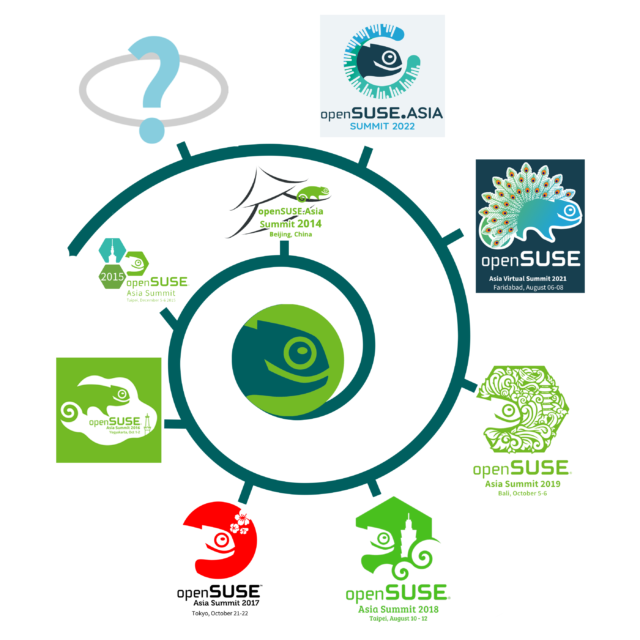
openSUSE.Asia Summit 2023 ロゴコンテスト
openSUSE.Asia Summit 2023 ロゴコンテスト
英語原文はこちら
※訳者注:4年ぶりとなるopenSUSE.Asia Summitの現地開催は中国の重慶に決まりました。ロゴは言語を超えてコントリビュート出来る素敵な分野だと思いますので、ぜひ皆さん応募してください。
私達はopenSUSE.Asia Summit 2023のロゴコンテストを開始します。ロゴはサミットの成功に必要不可欠な要素です。ご存知の通り、過去のopenSUSE.Asia Summitには、サミットが開催された地域・コミュニティを反映したユニークなロゴがあります。今年も前例に習って今年のサミットに相応しいロゴを集めるためにロゴコンテストを開催します。今年のopenSUSE.Asia Summitは、中国の重慶市で開催されます。詳細はこちらを参照してください。
コンテストは現在開催されていて、2023年7月16日が締切となります。最優秀作品の作者には運営委員から感謝の気持ちとして「Geeko Mystery Box(なにが入っているかはお楽しみ)」を送らせて頂きます。
締切:2023年7月16日
最優秀作品発表:7月24日の週
ロゴコンテスト募集要項:
- ロゴは CC-BY-SA 4.0 ライセンスに準拠する事とします。また、openSUSE.Asia Summit 2023においてあなたの作品をロゴとして使用する場合、帰属【attribution(BY)-著作権者の表示】なく使用出来る事とします。帰属(著作権者の表示)はサミットのウェブサイトで行います。
- ロゴはオリジナルである事とし、第三者の制作物を含む等、上記の著作権者の表示の特別条項付きCC-BY-SA 4.0 に抵触してはいけません。
- モノクロとカラーフォーマットの両方を必ず提出してください。
- SVGフォーマットで提出してください。
- デザインはアジアのopenSUSEコミュニティを反映するものにしてください。
- ロゴは以下の項目を避けるよう、厳重な注意を払って下さい。
- 何れかのブランド名や商標、及びそれらを連想させるもの
- 不適切な表現、攻撃的な表現、ヘイト表現、苦痛を与える表現、中傷的な表現、他人の名誉を毀損するような表現
- 性的に露骨であったり挑発的であったりする表現
- 暴力や武器を連想させるような表現
- アルコール、煙草、ドラッグの使用を連想させるような表現
- 人種、ジェンダー、信仰、国籍、身体障害、性的指向、年齢に関する差別表現
- グループや個人に対する、偏見、人種差別、中傷、及び何らかの害を与えるような表現
- 宗教、信条、国家主義を連想させるような表現
- ロゴは、「openSUSEプロジェクトトレードマークガイドライン」に従ってください。
- ブランディングガイドライン はロゴのデザインに役立ちます(オプション)。
提出方法:以下の内容と共にデザインをopensuseasia-summit@googlegroups.comに送信してください
- 件名:openSUSE.Asia Summit 2023 Logo Design – [お名前]
- 連絡先のお名前とメールアドレス
- 設計の理念に関する文書(txtまたはpdf)
- SVGフォーマットのベクターファイル(SVGフォーマットであることを確認してください)
- 添付のビットマップ サイズ:256×256 px以上、PNGフォーマット
- ファイルサイズ 512 KB未満
openSUSE.Asia Summit 実行委員は、ロゴがすべての要件を満たしていることを条件として、ロゴを決定します。最終的な決定はopenSUSE.Asia Summit 実行委員が行い、それは最高スコアのデザインではない場合もあります。作成者には、Inkscape を使用することをお勧めします。Inkscapeは、あらゆる種類のデザインのための、強力でフリーでオープンソースのベクトルグラフィックツールです。
Camiseta para Akademy-es 2023 de Málaga Opensouthcode Edition #akademyes
Como ya sabrán los seguidores del blog, como el año pasado, Akademy-es 2023 se celebrará en de forma presencial en Málafa el 9 y 10 de junio. Estamos cerca ya de su celebración y prueba de ello es que ha sido abierto el registro, se ha publicado el programa y, siguendo la estela del 2022 , este año se ha vuelto a diseñar una camiseta para Akademy-es 2023 de Málaga Opensouthcode Edition que seguro os gustará.
Akademy-es 2023 de Málaga Opensouthcode Edition #akademyes
Hace unos meses compartí con vosotros que este año Akademy-es 2023 se va a realizar en Málaga, una ciudad con gran actividad en cuanto a proyectos de Software Libre se refiiere y con muchas personas relacionadas con este mundillo…. no por nada, a la hora de escribir estas líneas se están rompiendo los récords de personas registradas al evento.
Rompiendo el esquema habitual y dado que se celebra de forma paralela al Opensouthcode, las charlas se celebrarán el viernes y el sábado, quedándose el domingo para realizar una actividad social con los asistentes que así lo deseen.
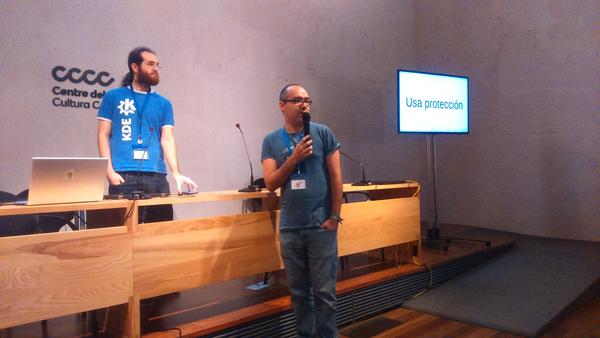
Este año, como el año anterior, tenemos la posibilidad de adquirir una camiseta del evento que tiene varios objetivos: poder llevarte un recuerdo de la segunda Akademy-es presencial tras la pandemia, para mostrar con orgullo que participas en la difusión del Software Libre y de sus Comunidades y empezar una colección de camisetas que se inició en el 2022.
El boceto de la camiseta creada por Rosie «Mose» Matthews se ven la imagen inferior… no obstante hay que tener en cuenta que los colores pueden variar un poco. ¿Qué os parece?

¿Qué es Akademy-es?
Akademy-es (#akademyes, que es la etiqueta para las redes sociales) es evento más importante para los desarrolladores y simpatizantes de KDE, que se ha ido celebrando desde el 2006 con éxito creciente.
En general, las Akademy-es son el lugar adecuado para conocer a los desarrolladores, diseñadores, traductores, usuarios y empresas que mueven este gran proyecto.
En ellas se realizan ponencias, se presentan programas, se hace un poco de caja para los proyectos libres (camisetas, chapas, etc) pero sobre todo se conoce a gente muy interesante y se cargan baterías para el futuro.
Podéis repasar las anteriores ediciones en estas entradas del blog:
- Camino Akademy-es 2013: Las anteriores ediciones (I): 2006 – 2008
- Camino Akademy-es 2013: Las anteriores ediciones (II): 2009-2010
- Camino Akademy-es 2013: Las anteriores ediciones (III): 2011-2012
- Anteriores ediciones de Akademy-es (IV): 2013 y 2014
La entrada Camiseta para Akademy-es 2023 de Málaga Opensouthcode Edition #akademyes se publicó primero en KDE Blog.
openSUSE Tumbleweed – Review of the weeks 2023/19-22
Dear Tumbleweed users and hackers,
First off, apologies for not having the weekly review since May 5th. There were some personal days off, some travels to conferences and things just lined up to fall through the cracks. But more importantly, than the weekly reviews, I’m sure you have all noticed that Tumbleweed has not been stopped. Au contraire: with people being all in the same time zones and proximity, we managed to resolve some of the long-standing issues in stagings and progress on. I’ll try to give an overview of what happened in the last 4 weeks.
Looking at all of May 2023, there have been a total of 29 snapshots published. The only ones skipped were 0516 and 0528. Snapshots 0501 through 0504 had been covered in week 2023/18’s review and I’ll skip them today. This brings us to this overview of what happened in the last weeks in Tumbleweed:
- iproute2 6.3
- LibreOffice 7.5.3.1 & 7.5.3.2
- Virtualbox 7.0.8
- php8 was attempted to be updated to 8.2.5, later reverted to 8.1.19 due to nextcloud incompatibilities
- Salt 3006.0
- systemd 253.4, plus the introduction of file triggers instead of relying upon packagers using all the systemd_ macros. There was an issue detected though, hinting at obs-pesign stripping the file triggers away.
- PAM 1.5.3
- Mozilla Firefox 113.0 & 113.0.1 & 113.0.2
- KDE Plasma 5.27.5
- KDE Gear 23.04.1
- KDE Frameworks 5.106.0
- OpenVPN 2.6.4
- Linux kernel 6.3.2 & 6.3.4
- SQLite 3.42.0
- LLVM 16.0.4
- GCC 13.1.1
- GStreamer 1.22.3
- QEmu 8.0.0
- The old 2k RSA signing key for openSUSE repos has been removed from default installations. The key is still valid, but not part of the default trusted keys anymore.
Things that are in the pipeline and are close to being ready – also thanks to the many in-person meetings at the SUSE Labs conference and the openSUSE Conference
- Python 3.11 as the new default Python interpreter (a few packages from the numeric stack pending confirmation)
- openSSL 3.1.1
- openSSH 9.3p1
- libxml2 2.11.4: breaks a few packages like perl-XML-LibXML, raptor, virtualbox
- fmt 10: breaks at least ceph and spdlog
- libplist 2.3.0: breaks libimobiledevice-glue
- protobuf 23.1: breaks libphonenumber, libzypp, protobuf-c, and vlc
ccat el comando cat para mostrar archivos en la terminal pero con resaltado de colores
La herramienta cat es conocida en GNU/Linux para mostrar el contenido de archivos de texto en la terminal, ccat añade colores para facilitar la lectura

La terminal de GNU/Linux ya no es una aburrida pantalla negra con texto monocromático encima, tenemos alternativas a herramientas tradicionales que añaden resaltado de texto añadiendo colores, o tenemos locuras como lolcat.
En este caso a la ya conocida herramienta cat en GNU/Linux para mostrar el contenido de archivos de texto en la terminal, vamos a ver una alternativa llamada ccat que añade resaltado de sintaxis y colores a los textos mostrados.
ccat está escrito en Go y publicado bajo una licencia MIT y disponible desde GitHub. Aunque no recibe actualizaciones desde 2015, se puede utilizar sin problemas.
Instalación
Para instalar ccat en mi openSUSE he ido a su página de publicaciones en GitHub y me he descargado la versión más actual, descomprimido el archivo y he movido el ejecutable a una ruta de mi $PATH. Todo esto de la siguiente manera:
wget https://github.com/owenthereal/ccat/releases/download/v1.1.0/linux-amd64-1.1.0.tar.gz
tar -xvzf linux-amd64-1.1.0.tar.gz
 cd linux-amd64-1.1.0/
 sudo cp ccat /usr/local/bin/
Y con esta ya tenemos preparada la herramienta lista para usarse.
Ahora podemos ver el contenido de un archivo de texto con resaltado de colores mediante el comando:
ccat miarchivo.md
Si nos gusta el resultado, podemos añadir un alias para utilizar directamente ccat igual que cat sin tener que escribir la «c» extra.
Uso
El uso de la herramienta es realmente sencillo, al tratarse de una herramienta sencilla. Tenemos una pequeña guía de uso y ayuda ejecuando el comando:
ccat --help
Que nos mostrará lo siguiente:
Colorize FILE(s), or standard input, to standard output.

Usage:
  ccat [OPTION]... [FILE]...

Flags:
      --bg="light": set to "light" or "dark" depending on the terminal's background
  -C, --color="auto": colorize the output; value can be "never", "always" or "auto"
  -G, --color-code=: set color codes
  -h, --help=false: help for ccat
      --html=false: output html
      --palette=false: show color palettes
  -v, --version=false: show version

Using color is auto both by default and with --color=auto. With --color=auto,
ccat emits color codes only when standard output is connected to a terminal.
Color codes can be changed with -G KEY=VALUE. List of color codes can
be found with --palette.

Examples:
  $ ccat FILE1 FILE2 ...
  $ ccat --bg=dark FILE1 FILE2 ... # dark background
  $ ccat --html # output html
  $ ccat -G String="_darkblue_" -G Plaintext="darkred" FILE # set color codes
  $ ccat --palette # show palette
  $ ccat # read from standard input
  $ curl https://raw.githubusercontent.com/jingweno/ccat/master/main.go | ccat
Os dejo que lo probéis y «flipéis en colores» con ccat, dándole un toque más de color a la terminal de GNU/Linux.


Major QEMU Version Lands in Tumbleweed
The openSUSE Conference did not slow down openSUSE Tumbleweed snapshots from frequently being released this week.
Three snapshots have been released since last Friday when the conference began and a new major version of QEMU arrived just days after the conference.
This emulator and virtualizer arrived in snapshot 20230530. The update of qemu 8.0 fixed dependencies and improved the spec file; the package added support for Xen guests under KVM with Linux Kernel version above 5.12. Two newly emulated CPU types were arm’s Cortex-A55 and Cortex-R52. RISC-V also had some support extensions added with the emulator, and s390x improved device handling and fixed some emulation instructions with the major version package update. Python Package Index had an update. The 23.1.2 version of python-pip upgraded setuptools to 67.7.2 and added a --keyring-provider flag. An old Common Vulnerability and Exposure was fixed with the python310 3.10.11 update. CVE-2007-4559 that could allow for user-assisted remote attackers to overwrite arbitrary files was fixed and the language package also fixed a bug that caused a crash when deallocating deeply nested filter objects. Another package to update in the snapshot was Btrfs 6.3. The file system added a patch, removed some old files and provided some integration with GitHub actions. A few GNOME packages were updated in the snapshot. Several fixes were made with gnome-software 44.2 like fixing a bug with listing Flatpak addons when multiple Flathub remotes are enabled. Extensible screen reader Orca updated to version 44.1 and improves performance by checking for duplicate object events. The 44.2 version of the gnome-control-center had fixes in GTK template usage that caused crashes on some systems.
The snapshot that arrived the day before was 20230529. This updated the Linux Kernel; with the kernel-source 6.3.4, fixes were made in different areas like networking, scsi, netfilter, bonding, and more. An update of grep 3.11 fixed a pattern matching issue with the -P option. Patterns like [\d] now work again, which was broken in the previous version. Multiple CVEs associated with Chromium were fixed in libqt5-qtwebengine 5.15.14; these included a stack buffer overflow, heap buffer overflow, an out-of-bounds memory access, and other vulnerabilities that could potentially be exploited by attackers to compromise the system.
An update of gstreamer 1.22.3 fixed a video decoder deadlock with ffmpeg 6 as well as some regression handling of input streams. The pixel encoder babl 0.1.106 has a faster startup by caching balanced RGB to XYZ matrices. Several other packages updated in the snapshot including window manager icewm 3.3.5, diffutils 3.10, xfce4-panel 4.18.4 and crypto-policies.
The 20230526 snapshot had eight packages update. ImageMagick 7.1.1.10 was among the packages to update and it fixed security vulnerability CVE-2023-2157. Mozilla Firefox 113.0.2 fixed a bug causing it to freeze on certain pages with the Developer Tools Web Console open. There was also a bug fixed related to the vertical resizing of the bookmark and history sidebars. Programming language guile updated to version 3.0.9 and introduced a new interface, functionality and refreshed some patches. An update of libreoffice 7.5.3.2 also refreshed some patches and fixed a Microsoft PPTX format issue. Translations for Georgian using Weblate were made in the libstorage-ng 4.5.110 update. Two CVEs were fixed in the snapshot as well; mariadb 10.11.3 took care of CVE-2022-47015, which had a Denial of Service vulnerability for MariaDB Servers in versions 10.3.34 thru 10.9.3, and an updated 4.17.1 version of xen took care of CVE-2022-42336, which had a security vulnerability on AMD hardware specific to the AMD Family 17h and Hygon Family 18h processors.
10 razones para asistir a Akademy-es 2023 de Málaga Opensouthcode Edition #akademyes
El 9 y 10 de junio, es decir, en justo una semana se va a celebrar en Barcelona la esperada Akademy-es 2023, el encuentro organizado por KDE España para todos los simpatizantes del proyecto que este año será presencial y en línea (si es posible) enmarcada en otro gran evento como es Opensouthcode. Como os evidente os animamos a asistir y por ello en el blog estamos promocionado al máximo el evento. Hoy presentamos 10 razones para asistir a Akademy-es 2023 de Málaga, aunque estoy seguro que existen como mínimo 10 más.
10 razones para asistir a Akademy-es 2023 de Málaga Opensouthcode Edition #akademyes
Ya no queda poco para Akademy-es 2023 de Málaga y he decidido que a partir de hoy todos los artículos versarán sobre este magno evento, corriendo el riesgo de voolver a ser criticado como el año pasado… pero como es mi blog hago lo que quiero, a mediados de junio volveremos con los artículos habituales. De esta forma he pensado en 10 razones para acudir a Akademy-es 2023 de Málaga aunque en realidad hay muchas más y seguro que alguno de vosotros me las puede sugerir en los comentarios (y este año yo puedo ser una razón porque yo voy al evento).
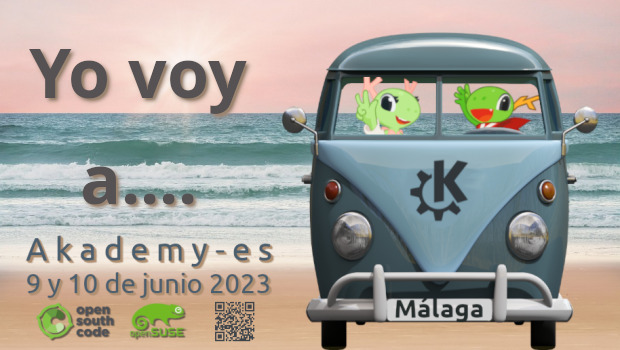
De esta forma, la lista sin orden de preferencia es la siguientes:
- Asistir a las charlas de los proyectos más punteros de la Comunidad KDE en castellano. Mira el programa.
- Comprar o recoger tu camiseta especial de Akademy-es 2023 que este año, como el año pasado, está disponible para todo el que la pida.
- Realizar una visita cultural el domingo 11 con gente del mundo del Software Libre, la inscripción se abrirá el viernes 2 de junio.
- Charlar por los pasillos, en las comidas o en las cenas con los desarrolladores, traductores, artistas, ideólogos, usuarios destacados, etc. de la Comunidad KDE y del Conocimiento Libre.
- Conocer la increible y animada playa malagueña.
- Echar un vistado al evento anfitrión Opensouthcode.
- Conocer a personas extraordinarias (José, Albert, Rubén, Antonio, Adrián, Agustín, David, Rosie y muchas más que me dejo en el tintero)
- Poder tocar dispositivos que llevan Plasma instalado por defecto como un KDE Slimbook 4 o una Steam Deck.
- Adquirir tu camiseta KDE de la mano de Freewear y que no te venga ni grande ni pequeña.
- Poder aparecer en la magnífica foto de grupo que queda para la posteridad y que suele ser protagonista en posteriores ediciones, como es el caso de la inferior de Vigo.
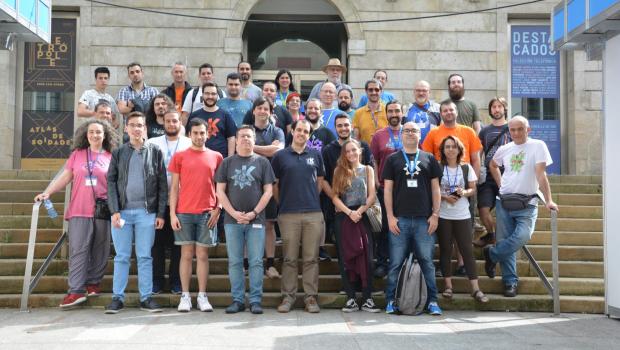
Todo esto sin olvidar que puedes participar activamente en Akademy-es colaborando en su difusión en la redes sociales, no olvides utilizar la etiqueta #akademyes para ello. Toda ayuda es importante.
¿Qué es el Akademy-es?
Akademy-es es el encuentro anual de desarrolladores, colaboradores y usuarios de KDE en España, que se celebra desde el año 2006 en distintas ciudades del territorio español y con esta se llegará a la decimotercera edición.
Por cierto, podéis repasar las anteriores ediciones en estas entradas del blog:
- Camino Akademy-es 2013: Las anteriores ediciones (I): 2006–2008
- Camino Akademy-es 2013: Las anteriores ediciones (II): 2009-2010
- Camino Akademy-es 2013: Las anteriores ediciones (III): 2011-2012
- Camino Akademy-es 2013: Las anteriores ediciones (IV): 2013-2014
La entrada 10 razones para asistir a Akademy-es 2023 de Málaga Opensouthcode Edition #akademyes se publicó primero en KDE Blog.
Open House in Prague to Showcases Culture, Innovations
Members of the Geekos community are inviting technology enthusiasts, students, potential candidates, and anyone interested in open source, openSUSE and Linux to an Open House event in SUSE’s Prague office on June 7 from 5 p.m. to 7:30 p.m.
The purpose of the event is to provide attendees with an exclusive opportunity to gain insight into open-source companies like SUSE and projects like openSUSE; organizers aim to share the unique culture of the two, and exhibit the exceptional work being done by the organizations. Participants will have the chance to interact with SUSE employees and openSUSE members as well as explore the office space, and learn more about the innovative projects being developed.
“The SUSE Open House is an excellent platform for us to showcase our company, culture, and the amazing work happening here in Prague,” said Kristyna Streitova, one of the main organizers of the event. “We are excited to welcome everyone, whether they are students, potential candidates, family and friends, or former colleagues. This event is for everyone who has an interest in SUSE, openSUSE, or Linux.”
The event schedule and additional details can be found on the official website at https://more.suse.com/openhousecz. Participants are encouraged to join the conversation on the official Telegram channel at https://t.me/SUSEOpenHouseCZChat.
To ensure the success of the Open House, organizers are seeking the support of the community. Attendees are encouraged to help promote the event by sharing posts about it on social media and inviting friends, family, and colleagues who may be interested.
One of the highlights of the Open House will be team presentations, allowing attendees to gain insights into various departments and projects. The Open House will feature a tour allowing visitors to explore the infrastructure that powers the organizations’ cutting-edge solutions.
“We encourage everyone to come to the office on Wednesday and be a part of this exciting event,” Streitova said. “We want to create a vibrant atmosphere and show our passion for open source technology.”
The Open House promises to be an engaging and informative event that provides attendees with a unique opportunity to connect with a vibrant community and learn about the latest innovations and career opportunities.
openSUSE MicroOS con escritorios GNOME y Plasma
La versión de un sistema mínimo, rolling release o estable, e inmutable de la comunidad openSUSE ahora disponible con escritorio GNOME y Plasma de KDE

Hace tiempo la comunidad de openSUSE está embarcada en muchos cambios y en actualizar y expandir su oferta de distribuciones GNU/Linux disponibles.
Recientemente está desarrollando el proyecto ALP, pero desde hace tiempo está la oferta de poder descargar e instalar de manera libre una distribución basada en openSUSE llamada MicroOS, ahora en su versión Aeon con GNOME y Kalpa con Plasma de KDE como escritorios.
MicroOS es un sistema GNU/Linux inmutable lo que implica actualizaciones transaccionales, rolling release o de actualización contínua basado en Tumbleweed o estable basado en Leap, recuperable en caso de fallo al usar instantáneas y un sistema de archivos Brtfs, mínimo en el que desplegar tus aplicaciones como contenedores.
Dicho lo cual, no es un sistema operativo para todo el mundo, ya que se necesitan ciertos conocimientos para desplegar aplicaciones y realizar actualizaciones. Pero muy útil para aquellas personas para las que necesiten un sistema similar.
El sistema instalado es mínimo, pero con todo lo necesario para su configuración y uso. Todas las aplicaciones se recomiendan instalar mediante Flatpacks desde Flathub. O desde Distrobox en una terminal.
Las actualizaciones e instalaciones de RPM’s no se hacen mediante Zypper, si no con actualizaciones transaccionales, para mantener el sistema seguro e inmutable, creando «snapshots» a las que poder regresar el sistema en caso de problemas.
Aeon y Kalpa
Ahora MicroOS se ofrece en dos versiones con dos entornos de escritorio disponibles, MicroOS con escritorio GNOME llamado Aeon y MicroOS con Plasma de KDE llamado Kalpa.
Aeon significa un lapso de tiempo enorme e indefinido, en español sería eón y Kalpa significa algo similar pero en hindú (¡toma exotismo!).
Los objetivos de diseño de Aeon y Kalpa, pretenden ser el producto sea algo duradero, que debido a la naturaleza atómica de las actualizaciones y la naturaleza inmutable del sistema central, el objetivo es tener un sistema donde se instale una vez, y luego no tener que preocuparse por eso, además de proporcionar las funciones y herramientas que los desarrolladores necesitan, sin tantos ajustes y personalizaciones tediosas que a menudo pueden consumir tanto tiempo después de la instalación.
A nivel técnico para el usuario, el cambio de nombre no supone un cambio drástico o algo por lo que deba preocuparse, es más un nombre para el producto ofrecido y que sea más fácil de nombrar.
Si te interesa esta nueva oferta de distribuciones inmutables que ofrece la comunidad openSUSE, puedes descargar MicroOS y probarlo en una máquina virtual o en tu equipo y ver si se ajusta a lo que necesitas.
Enlaces de interés
- https://news.opensuse.org/2023/05/31/microos-desktop-has-new-name/
- https://en.opensuse.org/Portal:MicroOS/Downloads
- https://en.opensuse.org/Portal:Kalpa
- https://en.opensuse.org/Portal:Aeon
- https://microos.opensuse.org/
